7
Messages and Notifications
Call Alert and Rejection
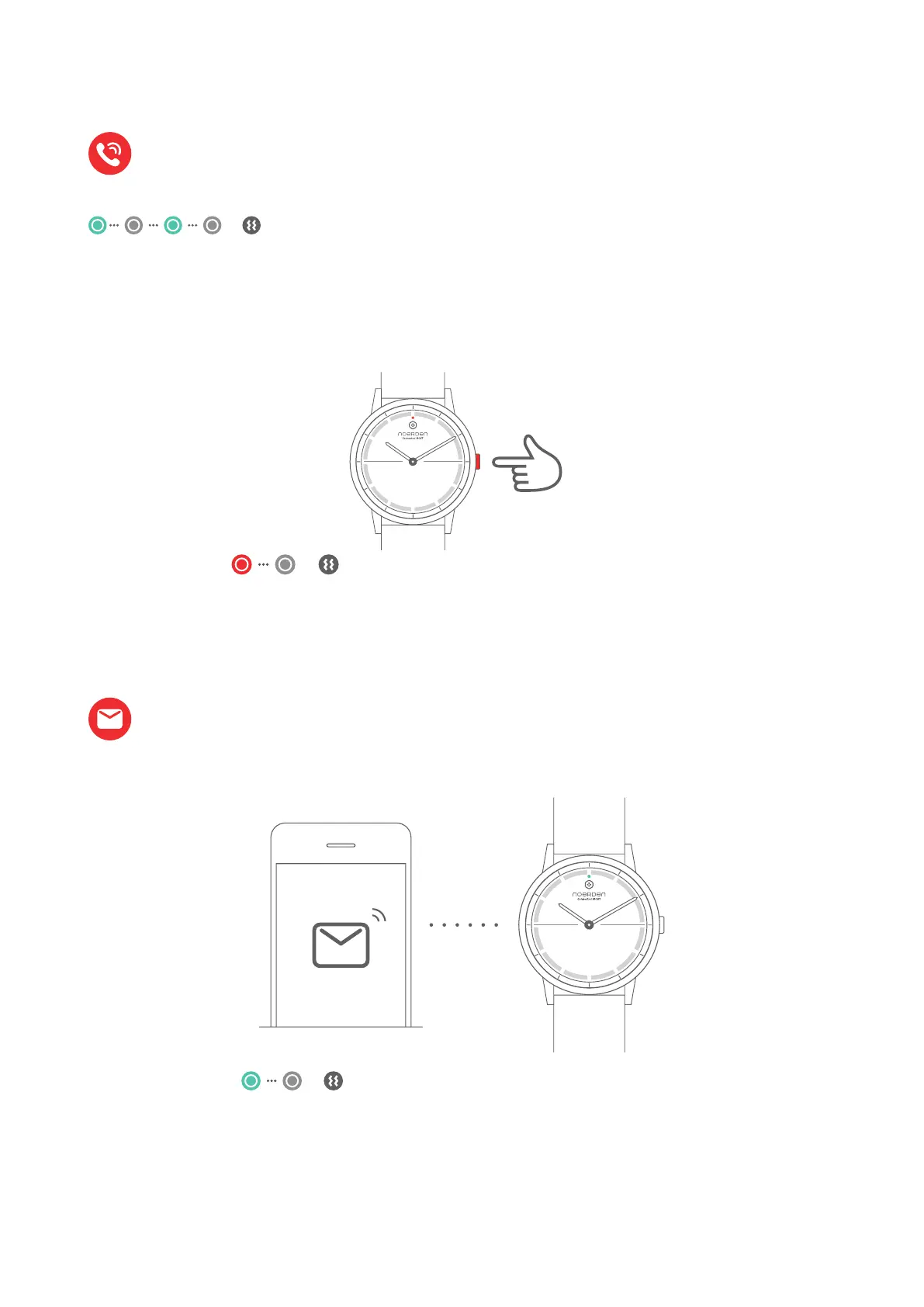
Call Alert
Call Rejection
Note: your watch must be connected to your phone via
Bluetooth. This function must be switched ON in the 'Device'
menu of the NOERDEN App and you must accept the access.
Note: your watch must be connected to your phone via Bluetooth.
This function must be switched ON in the 'Device' menu of the
NOERDEN App and you must accept the access.
Your watch vibrates and indicator
Press once
when you receive a call, the indicator light will flash in green and your watch will vibrate
for 5 seconds
To reject the call, press the button once. The indicator light will flash in red once and your
watch will vibrate once.
light flashes green once.
When you receive a message or notification, the indicator light will flash in green once and
your watch will vibrate once.
Your watch will vibrate and the indicator
light will flash red once.



 To Next Page