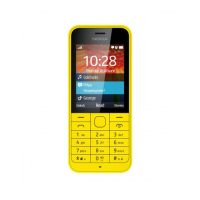
Nokia 220 4G User Guide
Table of Contents
1 About this user guide 2
2 Table of Contents 3
3 Get started 5
Keys and parts . . . . . . . . . . . . . . . . . . . . . . . . . . . . . . . . . . . . . . . . . . 5
Set up and switch on your phone . . . . . . . . . . . . . . . . . . . . . . . . . . . . . . . . 6
Charge your phone . . . . . . . . . . . . . . . . . . . . . . . . . . . . . . . . . . . . . . . 8
Keypad . . . . . . . . . . . . . . . . . . . . . . . . . . . . . . . . . . . . . . . . . . . . . . 9
4 Calls, contacts, and messages 10
Calls . . . . . . . . . . . . . . . . . . . . . . . . . . . . . . . . . . . . . . . . . . . . . . . . 10
Contacts . . . . . . . . . . . . . . . . . . . . . . . . . . . . . . . . . . . . . . . . . . . . . 10
Send messages . . . . . . . . . . . . . . . . . . . . . . . . . . . . . . . . . . . . . . . . . 11
5 Personalise your phone 12
Change tones . . . . . . . . . . . . . . . . . . . . . . . . . . . . . . . . . . . . . . . . . . . 12
Change the look of your home screen . . . . . . . . . . . . . . . . . . . . . . . . . . . . . 12
Get the most out of the two SIM cards . . . . . . . . . . . . . . . . . . . . . . . . . . . . 12
6 Camera 13
Photos and videos . . . . . . . . . . . . . . . . . . . . . . . . . . . . . . . . . . . . . . . . 13
7 Internet and connections 14
Browse the web . . . . . . . . . . . . . . . . . . . . . . . . . . . . . . . . . . . . . . . . . 14
Bluetooth® . . . . . . . . . . . . . . . . . . . . . . . . . . . . . . . . . . . . . . . . . . . . 14
8 Music 15
Music player . . . . . . . . . . . . . . . . . . . . . . . . . . . . . . . . . . . . . . . . . . . 15
Listen to radio . . . . . . . . . . . . . . . . . . . . . . . . . . . . . . . . . . . . . . . . . . 15
© 2020 HMD Global Oy. All rights reserved. 3


 To Next Page