Customer Confidence 9
Step 2: Entering Your Location Information
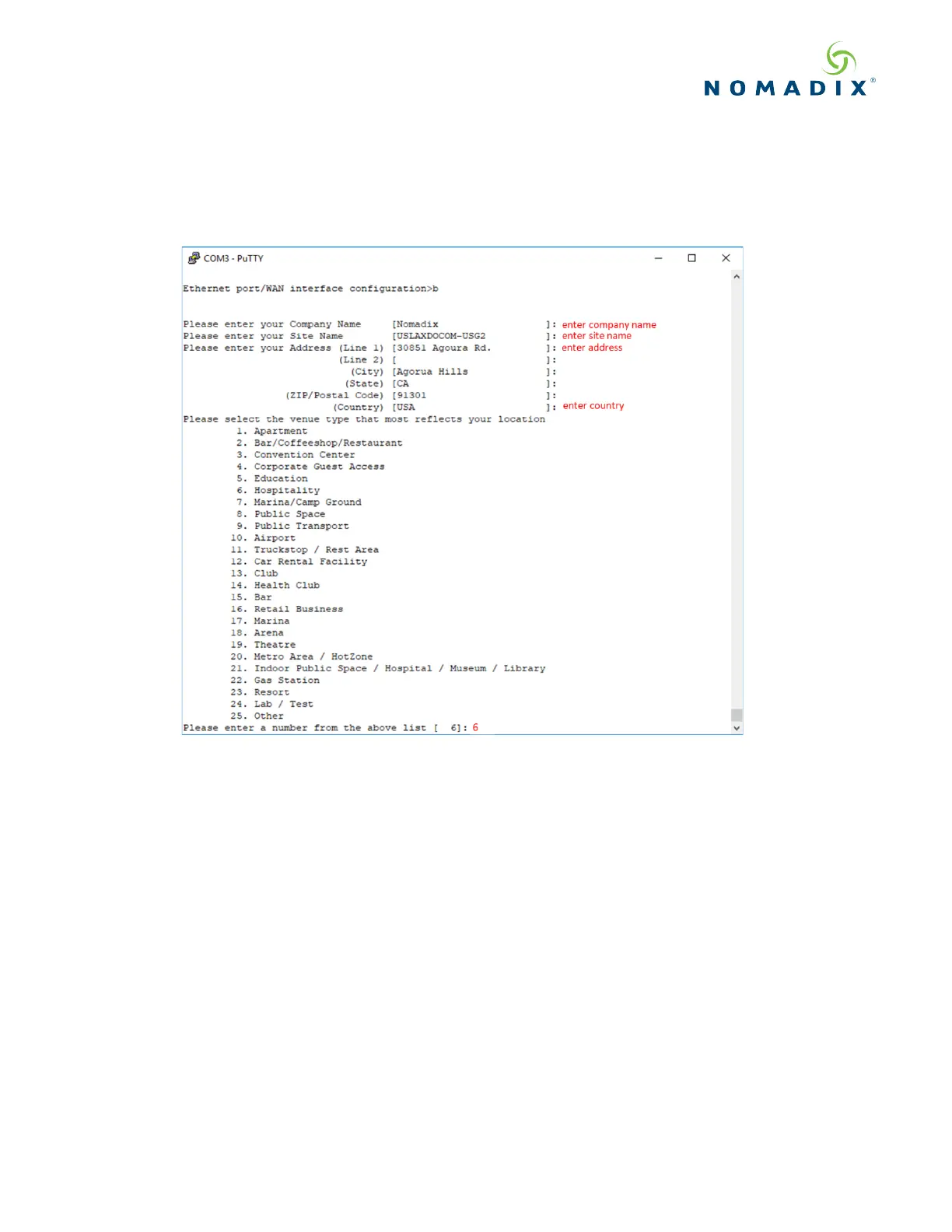
You will be required to enter location information to obtain the license key. Enter the following mandatory location
information details shown in Figure 10.
Figure 10: Site location details
Step 3: Retrieving Your License Key
The system will now prompt you to accept or decline the End User License Agreement (EULA). You must accept
the terms of the EULA before the Edge Gateway can retrieve its license key. To retrieve the license key, enter y[es]
as shown in Figure 11. The EG retrieves the license key from the Nomadix license key server, then reboots.


 To Next Page