13
5 System Operation
This section outlines the system’s features and controls during basic field
operation. Before you can operate your UC4 system in automatic, it needs
to be configured either automatically or manually. If your panel will allow
automatic mode as shown below, it has been configured. If your panel will
not allow automatic mode, it will attempt to begin or resume automatic
setup. Refer to Section 6 for setup instructions.
5.1 Typical Operation
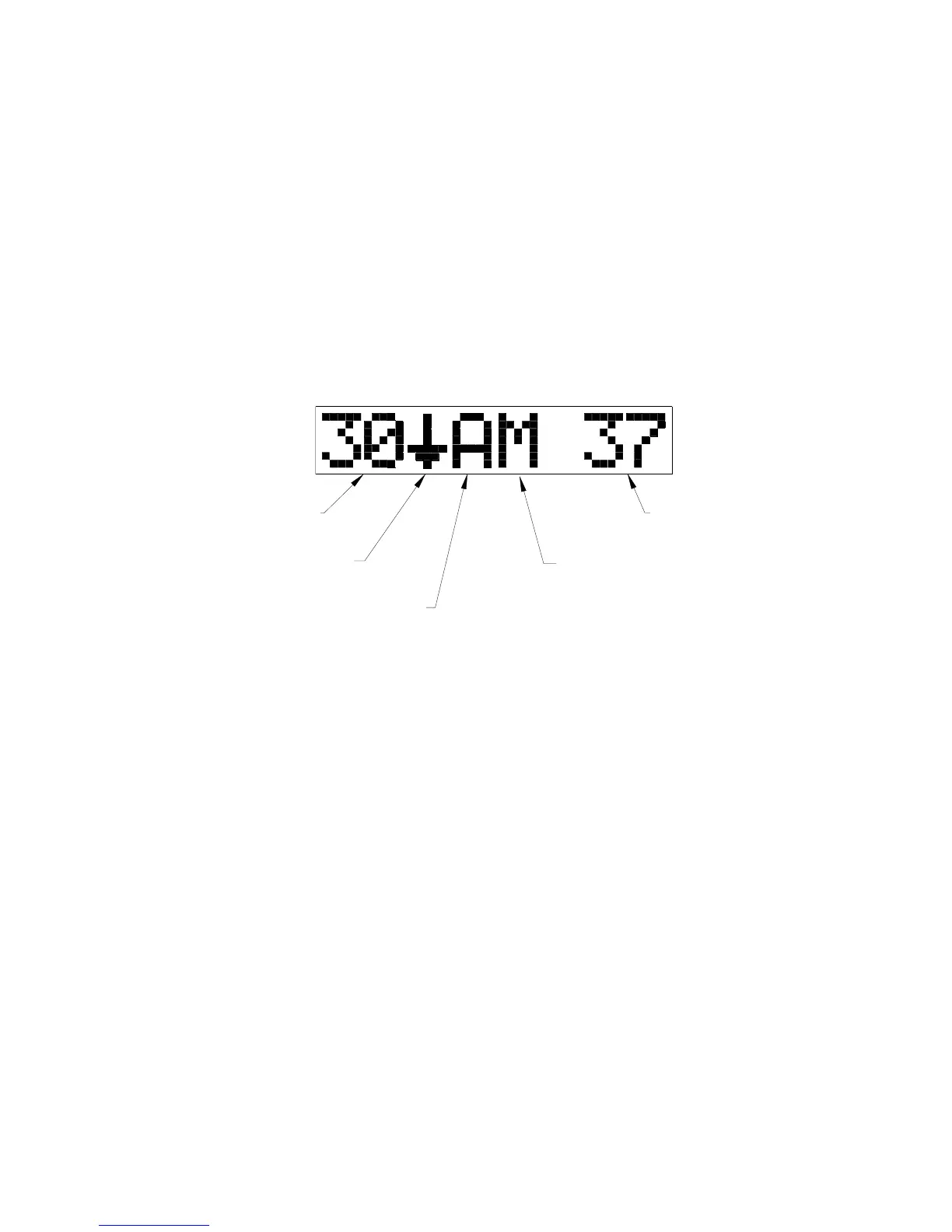
The operating screen provides information pertaining to the height and
mode of both booms. Figure 7 shows a typical operating screen.
LEFT BOOM
TARGET HEIGHT
LEFT BOOM VALVE
COMMAND (DOWN)
LEFT BOOM CONTROL
MODE (AUTOMATIC)
RIGHT BOOM CONTROL
MODE (MANUAL)
RIGHT BOOM
ACTUAL HEIGHT
Figure 7 – Normal Operating Screen
When a boom is in automatic mode, indicated by an "A" in the control
mode portion of the screen, the UC4 panel shows the target boom height.
In manual mode, indicted by an "M" in the control mode portion of the
screen, the UC4 panel shows the current boom height reading.
In both automatic and manual modes the screen will also show arrows to
indicate that the boom is being commanded to move. Table 1 explains
some examples of typical operating screens.



 To Next Page