Norac UC5
3
PN 2006019–ENG Rev. I
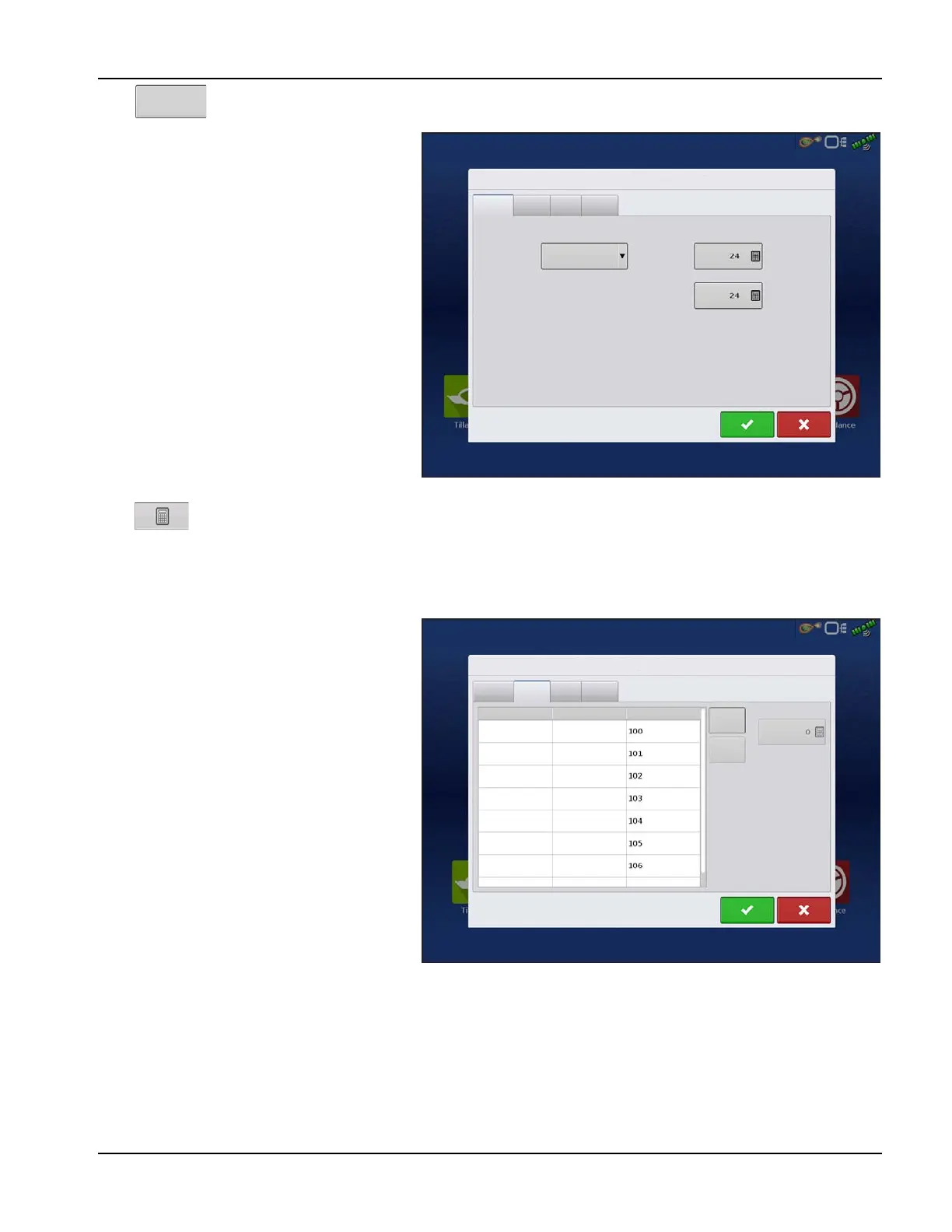
Press to open the Norac UC5 Setup.
General Tab
Minimum Height Mode includes three
selections:
• Absolute—no sensors are allowed to
move closer to the target than the
minimum height setting.
• Relative—no sensors are allowed to move
closer to the target than the distance of the
target height minus the minimum height
setting.
• Disabled—Disables the minimum height
mode.
÷
NOTE!: “ Target” refers to the ground in Soil
Mode, and the crop canopy in Crop
Mode.
• Minimum Height—If desired, press
to adjust the following settings.
• Soil Mode - The minimum height setting when operating in Soil Mode.
• Crop Mode - The minimum height setting when operating in Crop Mode. Also, consult the NORAC UC5
manual for more information.
Sensor Tab—List of each sensor type and serial
number, add or remove a sensor, input nozzle
height.
Sensors and
Valve Drivers
Norac UC5 Setup
General
Sensor
Valve
Switch
Minimum Height
Minimum Height Mode
Soil Mode
Crop Mode
Disabled
Norac UC5 Setup
General
Sensor
Valve
Switch
Height
Height
Height
Height
Height
Roll
Roll
Type
Sensor
Left Outer
Main Lift
Right Outer
Left Inner
Right Inner
Boom Frame
Intermediate
Frame
Serial Number
Add
Remove
Nozzle Height



 To Next Page