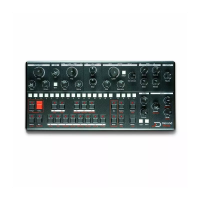
Drive
MK2 adds a soft overdrive circuit at the output, it is the only
change in the signal path. The output DAC is software
compensated so that driving the signal doesn’t make it louder, it
will just add more and more overtones as you push it harder.
Ther drive circuit as been designed to play extremely well with
the resonant filter !
Expressivity
MK2 now has dedicated Vel, X, Y and Z switches for expressivity
controls. X is the horizontal axis, otherwise known as pitchbend,
Y is the vertical axis, it is triggered by moving up or down on the
minikey, Z is the pressure, or aftwertouch, and Vel is the velocity..
Here is an exhaustive list of the feature.
Enable/Disable
To enable/disable an expressivity channel, simply press one of
the 4 switches. A lit switch indicate that the expressivity
channel is enabled. When enabled, you can play the
minikeyboard expressively.
Using the expressive keyboard without triggering note
Sometimes, you want to use the expressivity control on the
keyboard without triggering keys, to add liveliness to a pattern.
To do so, hold FUNC and press any of the X,Y, and Z switch. The
switch will blink. You can now use the expressive keyboard
without triggering note on a pattern being played.
Programming the expressive modulation
The way expressive channels modulate Mono’s sound is
completely customizable. It can modulate ay of the parameter
of the synthesizer, even the modulation parameter such as XMod
rate. To program it, hold the desired expressive channel (X,Y,Z or
VEL), and turn a knob’s parameter either clockwise to apply
positive modulation, or counterclockwise to apply negative
modulation. When the knob is at noon, no modulation is applied


 To Next Page