11
To change from “proud mount” to “ush mount”:
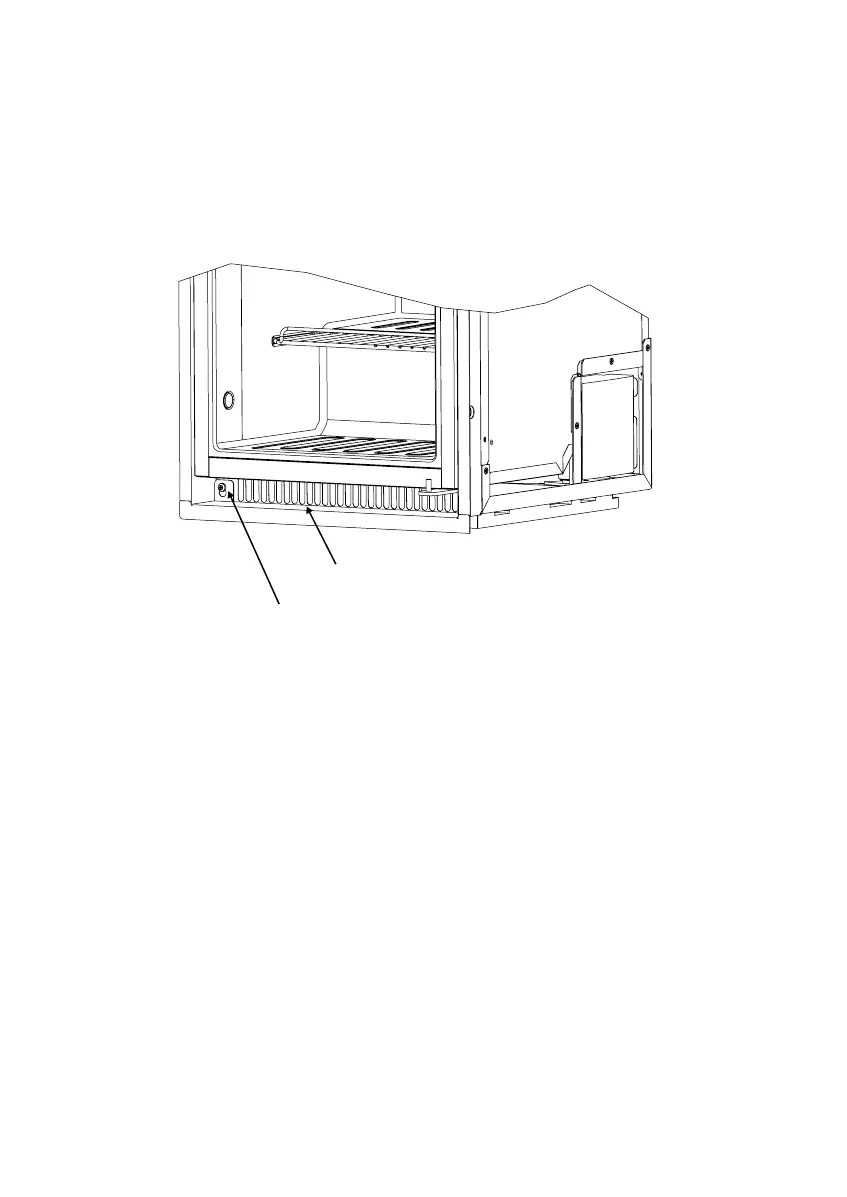
1. If the refrigerator has a bottom cover (optional), remove it (See Art02378).
- Loosen (but do not remove) the two screws that attach the bottom cover to the
refrigerator.
- Lift the bottom cover upward and forward off of the screws.
2. Remove the screws that attach the mounting frame to the refrigerator (See
Art02374).
3. Pull the mounting frame forward until you can see the ush mounting holes through
the mounting slots.
4. Attach the mounting frame using the screws removed in step 1.
5. If the refrigerator has a bottom cover (optional), put it back in its original position on
the refrigerator.
- Tighten the two screws that attach the bottom cover to the refrigerator.
To change from “ush mount” to “proud mount”, perform the above procedure in the
opposite sequence.
Art02378Screw (1 per side)
Bottom cover (optional)



 To Next Page