EasyManua.ls Logo

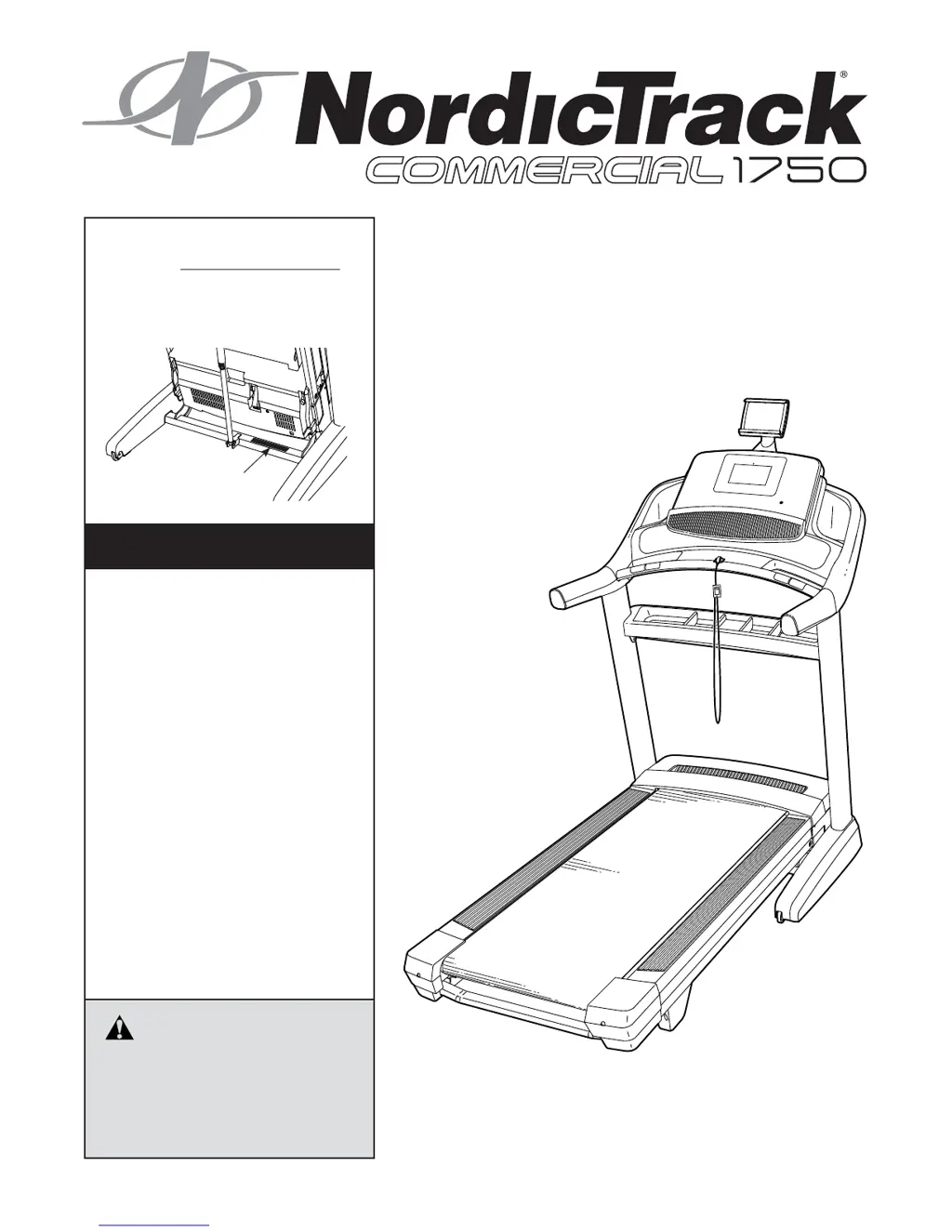
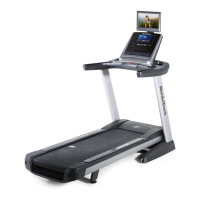
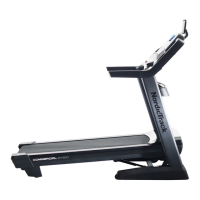
NordicTrack Commercial 1750 - User Manual

NordicTrack Commercial 1750
40 pages
Print Icon
To Next Page IconTo Next Page
Loading...
Serial Number
Decal
Model No. NETL20717.0
Serial No.
Write the serial number in the space
above for reference.
CAUTION
Read all precautions and instruc-
tions in this manual before using
this equipment. Save this manual
for future reference.
USER’S MANUAL
iconeurope.com
CUSTOMER SERVICE
UNITED KINGDOM
Call: 0330 123 1045
From Ireland: 053 92 36102
Website: iconsupport.eu
E-mail: csuk@iconeurope.com
Write:
ICON Health & Fitness, Ltd.
Unit 4, Westgate Court
Silkwood Park
OSSETT
WF5 9TT
UNITED KINGDOM
AUSTRALIA
Call: 1800 993 770
E-mail: australiacc@iconfitness.com
Write:
ICON Health & Fitness
PO Box 635
WINSTON HILLS NSW 2153
AUSTRALIA

Questions and Answers

  • M
    mmcdanielAug 19, 2025
    How to fix a NordicTrack Commercial 1750 Treadmill when the power does not turn on?
    • A
      Ariel Kennedy MDAug 19, 2025
      To troubleshoot a NordicTrack Treadmill that won't power on: * Ensure the power cord is connected to a surge suppressor, and the surge suppressor is plugged into a grounded outlet. Use only a single-outlet surge suppressor meeting the specified requirements. * Verify the key is properly inserted into the console after plugging in the power cord. * Check the power switch on the treadmill frame near the power cord. If it's protruding, the switch has tripped. To reset it, wait five minutes, then press the switch back in.
  • S
    Susan HughesAug 21, 2025
    What to do if the displays of the console do not function properly on NordicTrack Treadmill?
    • K
      ksantosAug 21, 2025
      If the console displays on your NordicTrack Treadmill aren't working correctly: 1. Remove the key and unplug the power cord. 2. Put the treadmill in the storage position. 3. Check the power switch. If it has tripped, wait five minutes, then press it back in. 4. Ensure the power cord is plugged in. If it is, unplug it, wait five minutes, and then plug it back in.
  • K
    Karen CalhounAug 23, 2025
    How to turn on NordicTrack Treadmill?
    • C
      Chelsea DavisAug 23, 2025
      First, ensure the power cord is securely plugged into a properly earthed outlet. Next, verify that the key is correctly inserted into the console. If the power switch has tripped (protrudes), wait five minutes, then press it back in to reset.
  • L
    lopezmelindaAug 26, 2025
    What to do if NordicTrack Treadmill turns off during workout?
    • L
      Leslie ThompsonAug 26, 2025
      If your NordicTrack Treadmill turns off during use, first check if the power switch has tripped; if so, wait five minutes, then press it back in. Also, make sure the power cord is properly plugged in. Try unplugging the treadmill, waiting five minutes, and then plugging it back in. Additionally, remove and reinsert the key from the console.
  • A
    ana15Aug 28, 2025
    What to do if the console display is not working on my NordicTrack Treadmill?
    • M
      Mackenzie FrenchAug 28, 2025
      If the console displays are not functioning properly, remove the key from the console and unplug the power cord. Locate the Reed Switch and the Magnet on the left side of the Pulley. Turn the Pulley until the Magnet is aligned with the Reed Switch. Ensure the gap between the Magnet and the Reed Switch is about 1/8 in. (3 mm). If needed, loosen the #8 x 3/4" Truss Head Screw, adjust the Reed Switch slightly, and then retighten the screw.
  • A
    Alexander BuckleyAug 30, 2025
    How to center a walking belt that is off-center or slips on a NordicTrack Commercial 1750?
    • J
      Jacqueline ClineAug 30, 2025
      If your NordicTrack Treadmill's walking belt is off-center or slips, here's what to do: * First, remove the key and unplug the power cord. * For an off-center belt: If it's shifted left, turn the left idler roller screw clockwise 1/2 turn. If it's shifted right, turn the left idler roller screw counterclockwise 1/2 turn. Avoid overtightening. * For a slipping belt: Turn both idler roller screws clockwise 1/4 turn. After adjustments, plug in the power cord, insert the key, and walk on the treadmill for a few minutes to check the alignment and tension. Repeat adjustments as needed. When the walking belt is correctly tightened, you should be able to lift each edge of the walking belt 2 to 3 in. (5 to 7 cm) off the walking platform. Keep the walking belt centered.
  • J
    Jon CarrollSep 4, 2025
    Why does the walking belt slow down when I walk on my NordicTrack Commercial 1750 Treadmill?
    • B
      barnesvirginiaSep 4, 2025
      If the walking belt slows down when walked on, ensure that you are using the correct power cord. If an extension cord is needed, use only a 3-conductor, 14-gauge (2 mm[2]) cord that is no longer than 5 ft. (1.5 m). Also, remove the key and unplug the power cord. Using the hex key, turn both idler roller screws counterclockwise, 1/4 of a turn. When the walking belt is properly tightened, you should be able to lift each edge of the walking belt 2 to 3 in. (5 to 7 cm) off the walking platform. If you suspect that the walking belt needs more lubricant, see the front cover of this manual.
  • M
    Mr. Jesse HoweSep 6, 2025
    How to fix a slipping walking belt on NordicTrack Treadmill?
    • A
      Annette JonesSep 6, 2025
      To fix a slipping walking belt, remove the key and unplug the power cord. Use the hex key to turn both idler roller screws clockwise, 1/4 of a turn. When the walking belt is correctly tightened, you should be able to lift each edge of the walking belt 2 to 3 in. (5 to 7 cm) off the walking platform.
  • L
    Leslie SchmidtSep 8, 2025
    What to do if console displays stay lit after removing the key from NordicTrack Commercial 1750?
    • W
      warrenhollySep 8, 2025
      If the console displays on your NordicTrack Treadmill stay lit after removing the key, it's likely in display demo mode, which is intended for retail settings. If the screen shows a preset presentation when you remove the key, the demo mode is on. To disable it, press and hold the Stop button for a few seconds. If that doesn't work, see step 5 on page 23 to turn off the demo mode.
  • O
    oliviasheltonSep 12, 2025
    Why won't my NordicTrack Commercial 1750 connect to Wi-Fi?
    • M
      Michelle MooreSep 12, 2025
      If your NordicTrack Treadmill won't connect to the wireless network, ensure that the wireless settings on the console are correct and that the settings for your wireless network are also correct.

Summary

Customer Service Information

United Kingdom Customer Support

Contact details and postal address for customer service in the UK.

Australia Customer Support

Contact details and postal address for customer service in Australia.

Important Safety Precautions

Assembly Instructions

Chest Heart Rate Monitor Guide

Using the Treadmill

How to Plug In the Power Cord

Proper procedure for connecting the treadmill's power cord to an outlet.

Turning On the Treadmill Power

Using the Touch Screen Console

Console Setup Guide

Manual Mode Operation

Using Map Workouts

Create Your Own Map Workout

Distance or Time Workout Guide

Workout Settings Configuration

Equipment Settings Customization

Maintenance Section Guide

Wireless Network Connection

Folding and Moving the Treadmill

Maintenance and Troubleshooting

Troubleshooting Common Problems

Solutions for issues like power not turning on, power turning off, or incline problems.

Console Display Malfunctions

Wireless Network Connection Issues

Walking Belt Slows During Use

Walking Belt Alignment Problems

Walking Belt Slippage Issues

Exercise Guidelines and Principles

NordicTrack Commercial 1750 Specifications

General IconGeneral
Speed0-12 MPH
Running Surface22" x 60"
Weight Capacity300 lbs
FoldingYes
BluetoothYes
Cooling FanYes
Incline15%
Decline-3%
Display10" HD Touchscreen
ProgramsiFit Enabled
AudioTwo 3-Inch Digitally Amplified Speakers

Videos

How To Fix NordicTrack Commercial 1750 Won't Turn On (Simple Solutions To Solve The Issue)

Related product manuals