EasyManua.ls Logo

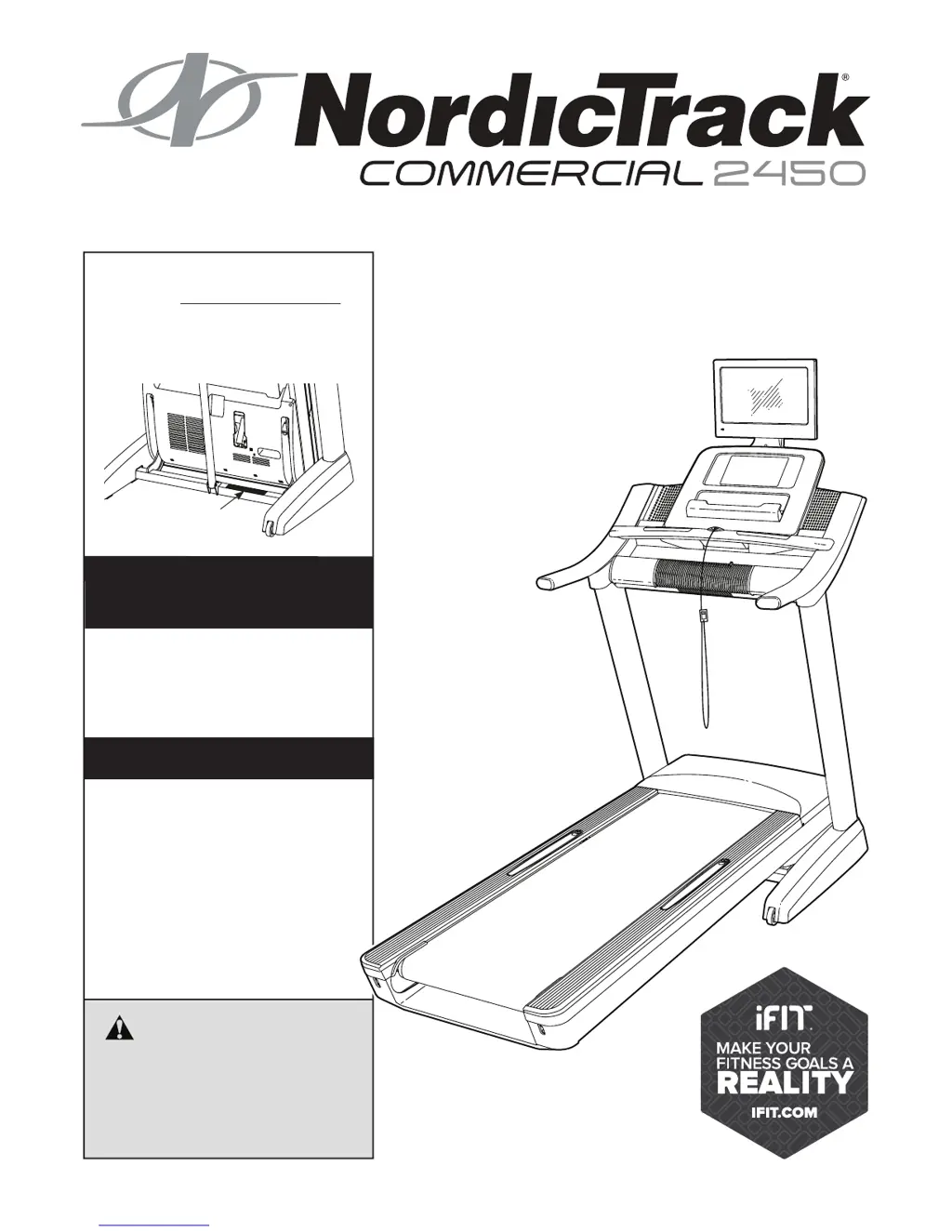
NordicTrack commercial 2450 - User Manual

NordicTrack commercial 2450
48 pages
Print Icon
To Next Page IconTo Next Page
Loading...
!!
"#$%&'!()*+#$
!,#-&'
!"#$%&'"(&')*+,++-(+
.$/01%&'"(&&&&&&&&&&&&&&&&&&&&&&&&&&&&&&&&&&&&&&
.$%/#!/0#!1#$%&'!2)*+#$!%2!/0#!13&-#!
&+45#!64$!$#6#$#2-#7
&&&&234)56'
7$1#&1%%&8/$91:;0"<=&1<#&0<=;/:9>
;0"<=&0<&;?0=&@1<:1%&A$B"/$&:=0<C&
;?0=&$D:08@$<;(&.1E$&;?0=&@1<:1%&
B"/&B:;:/$&/$B$/$<9$(
FFF(<"/#09;/19G(9"@
4.H7I.&!3'43*
32)5J3)H&K647&
L3773')K&
)"&/$C0=;$/&M":/&8/"#:9;&1<#&
19;0E1;$&M":/&F1//1<;M&;"#1MN&C"&
;"&FFF(<"/#09;/19G=$/E09$(9"@O
/$C0=;/1;0"<(
24.)6!H7&237H
P"/&=$/E09$&1;&1<M&;0@$N&C"&;"&
FFF(<"/#09;/19G=$/E09$(9"@(
8$!-&''!9:;<<:=8:>?:@A=!
B9:;<<:!;CD:EEF;G
H427I@$%7!C!&7*7IC!37*7!H=
"&/7!;!&7*7IF!37*7!H=
Q%$1=$&#"&<";&9"<;19;&;?$&=;"/$(

Table of Contents

Other manuals for NordicTrack commercial 2450

Questions and Answers

  • F
    Felicia DavisAug 12, 2025
    What to do if my NordicTrack commercial 2450 Treadmill power turns off during use?
    • C
      coreygallagherAug 12, 2025
      If your NordicTrack Treadmill turns off during use, there are a few things you can check. First, ensure the power cord is properly plugged in. Another potential cause is a tripped switch; if this is the case, wait five minutes, and then press the switch back in. You can also try removing the key from the console and then reinserting it.
  • N
    Nicole ScottAug 16, 2025
    How to fix NordicTrack commercial 2450 Treadmill console displays that do not function properly?
    • V
      vanessa92Aug 16, 2025
      If the displays of your NordicTrack Treadmill console do not function properly, and the console does not boot up or freezes, reset the console to the factory default settings.
  • A
    Ashley MarshallAug 23, 2025
    What to do if my NordicTrack commercial 2450 Treadmill turns off during use?
    • M
      Marissa BonillaAug 23, 2025
      If your NordicTrack Treadmill shuts off during use, you can try several things. Check the power switch; if it has tripped, wait five minutes before pressing it back in. Ensure the power cord is securely plugged in; if it is, unplug it, wait five minutes, and plug it back in. Also, remove and reinsert the key from the console. If the treadmill still won’t run, please see the Member Care contact information.
  • L
    Lisa TurnerAug 27, 2025
    How to fix NordicTrack commercial 2450 Treadmill that does not turn on?
    • C
      Carlos ScottAug 27, 2025
      If your NordicTrack Treadmill doesn't turn on, start by ensuring the power cord is plugged into a surge suppressor, and that the surge suppressor is plugged into a properly grounded outlet. Also, make sure the key is inserted into the console. Finally, if the switch has tripped, wait five minutes before pressing it back in.
  • K
    ktaylorAug 31, 2025
    Why is the walking belt slowing when I walk on my NordicTrack commercial 2450?
    • M
      Michelle JordanAug 31, 2025
      There are a couple of reasons why the walking belt on your NordicTrack Treadmill might be slowing down when you walk on it. If the walking belt is overtightened, remove the key and unplug the power cord. Then, use the hex key to turn both idler roller screws counterclockwise, 1/4 of a turn. Also, the walking belt may need more lubricant, see the front cover of this manual.
  • A
    Amy DurhamSep 3, 2025
    What to do if the walking belt is off-center or slips on my NordicTrack Treadmill?
    • J
      Jillian HammondSep 3, 2025
      If the walking belt on your NordicTrack Treadmill is off-center, here's what to do: if it has shifted to the left, use the hex key to turn the left idler roller screw clockwise 1/2 of a turn. If it has shifted to the right, turn the left idler roller screw counterclockwise 1/2 of a turn. If the walking belt slips when walked on, first remove the key and unplug the power cord. Using the hex key, turn both idler roller screws clockwise, 1/4 of a turn.
  • P
    Patrick GarzaSep 7, 2025
    What to do if my NordicTrack commercial 2450 will not connect to the wireless network?
    • T
      Tiffany FosterSep 7, 2025
      If your NordicTrack Treadmill won't connect to the wireless network, ensure that the wireless settings on the console are correct and that the settings for your wireless network are correct as well.
  • J
    joshua19Sep 10, 2025
    How to fix NordicTrack commercial 2450 Treadmill if the power does not turn on?
    • D
      Daniel LopezSep 12, 2025
      First, ensure the power cord is correctly plugged into a surge suppressor, which itself should be plugged into a grounded outlet. Next, verify that the key is properly inserted into the console. Also, check the power switch; if it's tripped (protruding), wait five minutes, then press it back in to reset it. If your treadmill is connected to an AFCI-equipped outlet and the circuit breaker trips repeatedly, consider purchasing an arc filter.

Summary

Caution

Important Precautions

Protect Your Fitness Equipment with an Extended Service Plan

Assembly

The Chest Heart Rate Monitor

How to Put on the Heart Rate Monitor

Details on how to correctly wear the heart rate monitor for accurate readings.

Operation and Adjustment

How to Connect the Power Cord

Steps for connecting the treadmill's power cord, emphasizing surge suppressor use.

Console Diagram

Features of the Console

How to Turn On the Power

How to Use the Touch Screen

How to Set Up the Console

How to Use the Manual Mode

How to Use an Onboard Workout

How to Use a Set-a-Goal Workout

How to Use an iFit Workout

How to Use the Equipment Settings Mode

How to Use the Maintenance Mode

How to Use the Wireless Network Mode

How to Adjust the Cushioning System

How to Operate the TV

How to Use the Remote Control

How to Adjust the TV Settings

How to Fold and Move the Treadmill

How to Fold the Treadmill

Step-by-step instructions for folding the treadmill for storage.

How to Lower the Treadmill for Use

Instructions on how to safely unfold the treadmill from storage to its operational position.

Troubleshooting

Exercise Guidelines

Suggested Stretches

Ordering Replacement Parts

Limited Warranty

NordicTrack commercial 2450 Specifications

General IconGeneral
Speed Range0-12 MPH
Running Surface22" x 60"
Weight Capacity300 lbs
FoldableYes
Bluetooth AudioYes
Cooling FanYes
iFit CompatibilityYes
Display22" Interactive HD Touchscreen

Related product manuals