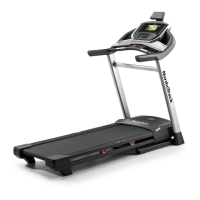
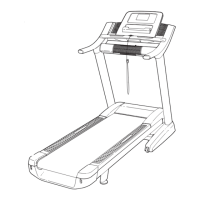
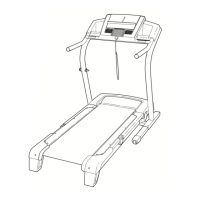
This document is the user's manual for the NordicTrack Elite 1400 treadmill, model number NTL14020.0. It provides comprehensive instructions for assembly, operation, maintenance, and troubleshooting, along with important safety precautions and warranty information.
The NordicTrack Elite 1400 treadmill is designed for home use, offering a range of features for effective and enjoyable workouts. It is not intended for commercial, rental, or institutional settings.
Important Technical Specifications:
- Dimensions: Length: 6 ft. 7 in. (201 cm), Width: 3 ft. (91 cm).
- Weight Capacity: The treadmill is designed for users weighing 350 lbs. (159 kg) or less.
- Power Requirements: The treadmill requires a nominal 120-volt circuit capable of carrying 15 or more amps. It must be grounded, and a UL 1449 listed transient voltage surge suppressor (TVSS) with a suppressed voltage rating of 400 volts or less and a minimum surge dissipation of 450 joules is required. The surge suppressor must also be electrically rated for 120 volts AC and 15 amps, and have a monitoring light to indicate proper functioning.
- Heart Rate Monitor: The console includes a handgrip heart rate monitor and is compatible with Bluetooth® Smart chest heart rate monitors (optional). The heart rate monitor is an exercise aid and not a medical device.
- Wireless Connectivity: The console features wireless technology for iFit connectivity, requiring a wireless network (802.11b/g/n router with SSID broadcast enabled). WEP, WPA™, and WPA2™ encryption are supported. A broadband connection is recommended.
- Sound System: The console has a sound system that can play music or audio books from Bluetooth-enabled devices or through a 3.5 mm male-to-male audio cable (not included).
Function Description:
The NordicTrack Elite 1400 treadmill allows users to engage in various exercise programs, including manual mode, map workouts (including drawing your own), and distance or time-based workouts. The advanced console features a full-color touch screen, similar to other tablets, for easy navigation and interaction.
Usage Features:
- Console Operation: The console is a tablet with a touch screen. Users can slide or flick their finger to move images, and type information using an on-screen keyboard.
- Starting a Workout: To turn on the treadmill, plug in the power cord, locate the power switch on the frame (near the power cord), and press it into the reset position. Insert the safety key into the console and attach the clip to clothing.
- Manual Mode: Users can manually adjust the speed and incline of the walking belt using dedicated buttons on the console. Speed changes in 0.1 mph increments (0.5 mph when held down), and incline changes gradually. Numbered speed and incline buttons allow for quick adjustments.
- iFit Workouts: The treadmill connects to iFit, providing access to a large library of workouts, the ability to create custom workouts, track results, and more. Map workouts allow users to exercise along virtual routes, with the treadmill automatically adjusting speed and incline.
- Heart Rate Monitoring: Heart rate can be measured by holding the metal contacts on the handrails for approximately ten seconds. For continuous and more accurate readings, an optional chest heart rate monitor can be used.
- Fan: The console includes a fan with multiple speed settings, controlled by dedicated fan buttons.
- Workout Feedback: The console displays various workout information, including incline level, vertical gain/loss, elapsed time, calories burned (approximate), calories burned per hour, heart rate, average heart rate, and distance walked/run.
- Pausing/Ending Workouts: Workouts can be paused by tapping the screen or pressing the Stop button. To end a workout, touch the End button, view the summary, and then touch the Finish button.
- Console Settings: Users can customize settings such as unit of measurement (miles or kilometers), time zone, and manage iFit accounts. Firmware updates can be checked and installed via the wireless network.
- Incline Calibration: The incline system must be calibrated before first use and if incline changes are incorrect. This involves the treadmill automatically rising to maximum incline, lowering to minimum, and returning to the starting position.
- Folding and Moving: The treadmill can be folded into a storage position to save space. Before folding, the incline should be set to zero, the key removed, and the power cord unplugged. The frame is raised until a storage latch locks it securely. Moving the treadmill may require two people, holding the handrails and pushing it to the desired location.
- Cushion Adjustment: The treadmill features a cushioning system that can be adjusted for firmness. Turning the cushions to different positions provides a more firm or less firm walking platform. It is important to ensure cushions on both sides are set to the same firmness level.
Maintenance Features:
- Regular Inspection: Inspect and properly tighten all parts each time the treadmill is used. Replace any worn parts immediately.
- Cleaning: Regularly clean the treadmill and keep the walking belt clean and dry. First, unplug the power cord and press the power switch to the off position. Wipe exterior parts with a damp cloth and mild soap, then thoroughly dry. Avoid spraying liquids directly onto the treadmill or console.
- Walking Belt Adjustment: If the walking belt slows or slips, it may be overtightened or off-center. Instructions are provided to adjust the idler roller screws to properly tighten and center the walking belt.
- Lubrication: The walking belt is coated with high-performance lubricant. Users are warned not to apply silicone spray or other substances unless instructed by an authorized service representative, as this can deteriorate the belt.
- Troubleshooting: The manual provides steps for common issues such as the power not turning on, power turning off during use, incorrect incline changes, and walking belt problems.
- Console Reset: If the console does not boot up or freezes, it can be reset to factory default settings (requires two people). This will erase all custom settings.
- Firmware Updates: Regularly check for and install firmware updates to ensure optimal console performance.
ICON Health & Fitness, Inc. (ICON) provides a limited warranty:
- Frame and Drive Motor: Ten (10) years from the date of purchase.
- Parts: Two (2) years from the date of purchase.
- Labor: One (1) year from the date of purchase.
The warranty is non-transferrable and covers defects in workmanship and material under normal use. It is voided if the product is used as a store display, purchased or transported outside the USA, instructions are not followed, abused, or used for commercial/rental purposes. Extended service plans are available for purchase to protect the equipment beyond the standard warranty.

 Need help?
 General



 To Next Page