EasyManua.ls Logo

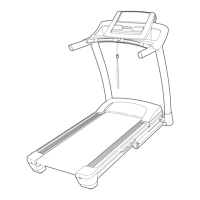
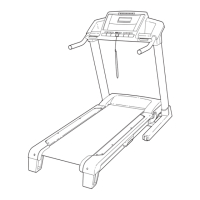
NordicTrack NTL09806.1 - User Manual

NordicTrack NTL09806.1
36 pages
Print Icon
To Next Page IconTo Next Page
Loading...
USER'S MANUAL
CAUTION
Read all precautions and instruc
-
tions in this manual before using
this equipment. Save this manual
for future reference.
Serial Number
Decal
Model No. NTL09806.1
Serial No.
Find the serial number in the location
shown below. Write the serial number
in the space above for reference.
Visit our website at
www.proform.com
new products, prizes,
fitness tips, and much more!
Visit our website at
www.healthrider.com
new products, prizes,
fitness tips, and much more!
Visit our website at
www.nordictrack.com
new products, prizes,
fitness tips, and much more!
QUESTIONS?
As a manufacturer, we are com-
mitted to providing complete
customer satisfaction. If you
have questions, or if parts are
damaged or missing, PLEASE
CONTACT OUR CUSTOMER
SERVICE DEPARTMENT
DIRECTLY.
CALL TOLL-FREE:
1-888-825-2588
Mon.–Fri. 6 a.m.–6 p.m. MST
Sat. 8 a.m.–5 p.m. MST
ON THE WEB:
www.nordictrackservice.com

Questions and Answers

  • M
    mgordonJul 31, 2025
    How to turn on NordicTrack NTL09806.1?
    • J
      Jodi GrossJul 31, 2025
      To ensure the NordicTrack Treadmill powers on, verify the power cord is connected to a surge suppressor, which is plugged into a grounded outlet. Use a surge suppressor meeting specifications on page 11. Note: GFCI outlets are incompatible. Also, ensure the key is properly inserted into the console after plugging in the power cord. Finally, check the reset/off circuit breaker near the power cord on the treadmill frame. If the switch protrudes, the breaker has tripped. Wait five minutes before pressing the switch to reset it.
  • T
    Trevor RodriguezAug 6, 2025
    What to do if NordicTrack NTL09806.1 Treadmill turns off during use?
    • A
      Amber MartinAug 6, 2025
      If your NordicTrack Treadmill loses power during use, examine the reset/off circuit breaker. Also, ensure the power cord is securely plugged in; if it is, unplug it, wait five minutes, then plug it back in. Another solution is to remove and reinsert the key from the console.
  • T
    Tracy MckenzieAug 12, 2025
    Why does NordicTrack Treadmill walking belt slow down?
    • R
      Rachel HarrisonAug 13, 2025
      If the walking belt slows down on your NordicTrack Treadmill when you walk on it, use a single-outlet surge suppressor that meets the specifications described on page 11. Also, check if the walking belt is overtightened. To correct this, remove the key and unplug the power cord. Use the hex key to turn both rear roller bolts counterclockwise 1/4 of a turn. The belt should be tight enough that you can lift each edge 3 to 4 inches off the platform.
  • J
    Jill MaldonadoAug 19, 2025
    What to do if NordicTrack Treadmill console display doesn't function properly?
    • T
      Teresa MoodyAug 19, 2025
      If the console displays on your NordicTrack Treadmill aren't working right, remove the key and unplug the power cord. Carefully lower the Uprights and remove the two Belly Pan Screws. Find the Reed Switch and the Magnet on the left side of the Pulley. Rotate the Pulley until the Magnet aligns with the Reed Switch, ensuring a gap of about 1/8 inch between them. Adjust the Reed Switch if needed.
  • J
    Jordan MitchellAug 25, 2025
    How to recalibrate incline on NordicTrack Treadmill?
    • R
      Richard HarringtonAug 26, 2025
      To recalibrate the incline on your NordicTrack Treadmill, insert the key into the console and press an Incline button. While the incline is adjusting, remove the key. After a few seconds, re-insert the key. The treadmill will then automatically rise to the maximum incline and return to the minimum, recalibrating the system.

Summary

Customer Support and Initial Safety

Safety First: Read Manual

Crucial instruction to read all precautions before operating.

User Safety Precautions

General Safety Rules

Essential safety guidelines for treadmill operation and user protection.

Operational Area Safety

Caution to keep hands and feet away from treadmill's moving parts.

Injury Prevention Warnings

Warnings about protecting oneself and others from injury during use.

Treadmill Assembly Guide

Step 1: Attach Extension Legs

Detailed steps for attaching the extension legs to the treadmill frame.

Step 5: Install Latch Assembly

Guide for installing the frame latch assembly for folding.

Step 6: Secure Latch Assembly

Instructions for attaching the latch assembly to the frame and uprights.

Step 8: Connect Wire Harness

Connecting the upright wire harness to the console assembly.

Step 9: Attach Console Assembly

Securing the console assembly to the uprights with bolts.

Operating Your Treadmill

Plugging In The Power Cord

Proper procedure for connecting the power cord and using surge suppressors.

Console Overview

Console Operation

Turning On The Power

Step-by-step instructions to power on the treadmill and use the safety key.

Manual Workout Mode

Starting and Adjusting Speed

How to start the walking belt and adjust speed using console buttons.

Cardio Workout Programs

Selecting and Starting Cardio Programs

How to choose a pre-set cardio program and begin the workout.

Pulse Target Heart Rate Programs

Selecting and Setting Pulse Programs

How to select pulse programs and adjust target heart rate settings.

Custom Record Program Creation

Using Custom Record Programs

iFIT Interactive Workout System

Console Features and Adjustments

Folding and Transporting

Folding for Storage

Step-by-step instructions on how to safely fold the treadmill for storage.

Moving the Treadmill

Guidelines for safely moving the folded treadmill using its wheels.

Unfolding for Use

Unfolding the Treadmill

Instructions on how to safely unfold the treadmill from its storage position.

Troubleshooting Guide

Power Not Turning On

Solutions for when the treadmill's power does not activate.

Power Turns Off During Use

Troubleshooting steps for when the treadmill unexpectedly shuts off.

Walking Belt Slows Down

Diagnosing and fixing issues with the walking belt losing speed.

Walking Belt Off-Center or Slipping

How to correct a walking belt that is not centered or slips.

Fitness and Workout Guidelines

Ordering Replacement Parts

Product Limited Warranty

NordicTrack NTL09806.1 Specifications

General IconGeneral
BrandNordicTrack
ModelNTL09806.1
CategoryTreadmill
LanguageEnglish

Related product manuals