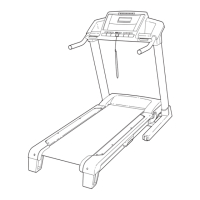
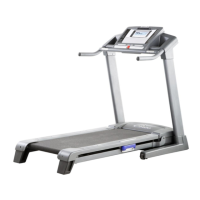
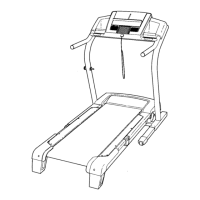
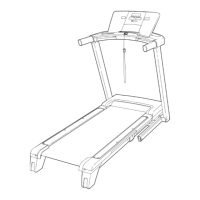
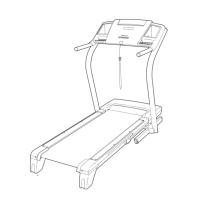
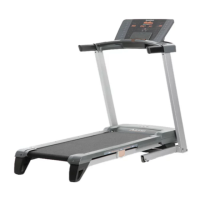
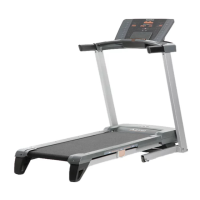
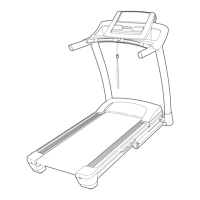
The NordicTrack Commercial 1500 treadmill is a sophisticated piece of exercise equipment designed for in-home use, offering a wide array of features to enhance workouts and promote fitness. Its primary function is to provide a platform for walking or running, allowing users to engage in cardiovascular exercise within the comfort of their homes.
Function Description
The treadmill operates by moving a walking belt, which the user walks or runs on, simulating outdoor movement. It is powered by an electric drive motor that controls the speed of the walking belt. An incline motor allows the user to adjust the slope of the walking platform, mimicking uphill terrain and increasing workout intensity. The console serves as the central control unit, displaying workout information and allowing users to manage various settings and programs.
The console offers multiple modes of operation: manual mode, preset workouts, and custom workouts. In manual mode, users can manually adjust the speed and incline of the treadmill using dedicated buttons. The console provides continuous feedback on exercise metrics such as elapsed time, distance, speed, incline level, approximate calories burned, and pace. It also features an intensity level bar to visually indicate the approximate intensity of the exercise.
For a more structured approach, the treadmill includes twenty-eight preset workouts, categorized into weight loss, aerobic fitness, and performance. Each preset workout automatically controls the speed and incline of the treadmill in one-minute segments, guiding the user through a pre-designed exercise routine. Users can also create and save their own custom workouts, allowing for personalized training programs of up to 30 segments.
A key safety feature is the emergency stop procedure, initiated by pulling the safety key from the console. This action causes the walking belt to slow to a stop, providing an immediate halt in case of an emergency. The treadmill also incorporates a fan to help keep the user cool during workouts, with high and low-speed settings.
For entertainment and motivation, the console is equipped with a premium sound system. Users can connect their MP3 players, CD players, or other personal audio devices to the console to listen to music or audio books through the treadmill's speakers.
Usage Features
Before starting a workout, users are instructed to stand on the foot rails and ensure the safety clip, attached to the key, is securely fastened to their clothing. Inserting the key into the console activates the display. The treadmill should always be started while standing on the foot rails, not on the walking belt.
The speed of the walking belt can be adjusted in small increments using the speed increase/decrease buttons or by pressing one of the numbered speed buttons for quicker changes. Similarly, the incline can be adjusted using the incline increase/decrease buttons or numbered incline buttons.
The console's display offers various modes, allowing users to select which workout information is most relevant to them. This includes a "workout history" profile that visually represents speed settings over time, and an animation of a runner on a road, which speeds up or slows down with the treadmill's speed.
Heart rate monitoring is available through handgrip pulse sensors located on the handrails. For accurate readings, users should hold the metal contacts for approximately 15 seconds without moving their hands. An optional chest pulse sensor is also available for hands-free heart rate tracking.
After exercising, users should step onto the foot rails, press the Stop button, and adjust the incline to its lowest level before removing the key. This ensures the treadmill is in the correct position for folding and prevents potential damage.
The treadmill is designed for convenient storage. It can be folded into an upright position, significantly reducing its footprint. To fold, the user lifts the metal frame until the latch knob locks it into the storage position. For movement, the folded treadmill can be tilted back onto its wheels and carefully rolled to a desired location. Lowering the treadmill for use involves pulling the latch knob and pivoting the frame downward until it rests on the floor.
Maintenance Features
Regular maintenance is crucial for the longevity and optimal performance of the treadmill. Users are advised to inspect and properly tighten all parts regularly. The walking belt is pre-lubricated with a high-performance lubricant, and users are explicitly warned against applying silicone spray or other substances to the belt or walking platform, as this can cause deterioration and excessive wear.
Troubleshooting guidance is provided for common issues, such as the power not turning on, the power turning off during use, or console display problems. These solutions often involve checking the power cord, surge suppressor, circuit breaker, and the safety key.
For issues related to the walking belt, such as slowing down when walked on or being off-center, the manual provides instructions for adjustment. This includes tightening or loosening the rear roller bolts using the included hex key to ensure proper belt tension and centering. The manual also details how to check and adjust the reed switch and magnet for accurate speed readings.
In the event of an incline system malfunction, a recalibration procedure is outlined, involving removing and reinserting the key while the incline is changing, allowing the treadmill to cycle through its maximum and minimum incline levels.
The manual emphasizes the importance of using a single-outlet surge suppressor that meets specific UL 1449 standards to protect the treadmill's control system from voltage changes. It also warns against using extension cords or plugging the treadmill into GFCI-equipped outlets.
For any issues that cannot be resolved through the provided troubleshooting steps, users are directed to contact Customer Care, providing the product model and serial numbers. This ensures that professional assistance can be provided for more complex repairs or part replacements.


 To Next Page
 General