EasyManua.ls Logo

Nordson VersaBlue VW012 - User Manual

Nordson VersaBlue VW012
280 pages
Print Icon
To Next Page IconTo Next Page
Loading...
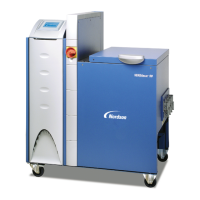
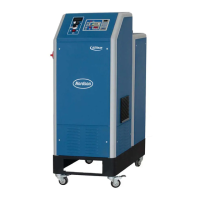
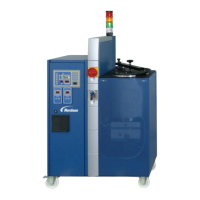
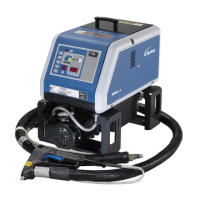
VersaBlue
Adhesive Melters
Serie N
Model VB, VC, VD, VE, VW, VX, VY, VZ
Manual P/N 7105144G
English
Issued 03/08
NORDSON ENGINEERING GMBH
LÜNEBURG GERMANY

Table of Contents

Questions and Answers

  • P
    pjohnsonAug 5, 2025
    Why is my Nordson VersaBlue VW012 Industrial Equipment motor overheating?
    • T
      Tyler WalshAug 5, 2025
      Your Nordson Industrial Equipment motor might be overheating due to several reasons: the ambient temperature is too high, the fan cap or cooling section is dirty, the pump is blocked by foreign matter or operates too sluggishly, or the material is too cold. You should also check the motor controller wiring and output voltage.
  • K
    Kristina MiddletonAug 9, 2025
    How to fix Nordson VersaBlue VW012 CAN bus not started?
    • J
      John ThompsonAug 9, 2025
      If the CAN bus on your Nordson Industrial Equipment fails to start, check the CAN bus plugs on all components, especially at the motor controllers, as the CAN bus cable might be defective. Also, measure the bus resistor when switched off (CAN-H, CAN-L) to ensure it reads 60, and check for I/O board failure, contact faults in the voltage supply, activated fuses on the board, or incorrect/fluctuating operating voltage.
  • M
    Michaela EwingAug 14, 2025
    What to do if Nordson VersaBlue VW012 shows main contactor fault?
    • R
      Robert MurphyAug 14, 2025
      If you're experiencing a main contactor/thermostat fault with your Nordson Industrial Equipment, the main contactor might be defective or open, or the transformer temperature may have been exceeded, or the temperature exceeded. Check the wiring of the main contactor and check the back contact.
  • A
    Amanda LiAug 17, 2025
    How to troubleshoot undertemperature fault in Nordson VersaBlue VW012?
    • M
      Matthew HarrisAug 18, 2025
      To troubleshoot an undertemperature fault in your Nordson Industrial Equipment, verify if the temperature controller is working and regulating. Also, check if the solid state relays are being triggered and switching through the line voltage. Ensure the line voltage isn't too low and that the heater isn't defective. Examine the wiring of temperature channels and sensors, ensuring the correct sensor type is used and properly connected. Finally, confirm that the temperature controlled system is OK.
  • J
    Jeffrey McclureAug 22, 2025
    Why is Nordson VersaBlue VW012 Industrial Equipment showing command from field bus master missing?
    • L
      Lauren ToddAug 22, 2025
      A missing command from the field bus master in control mode on your Nordson Industrial Equipment could be due to a broken, defective, or disconnected field bus cable. It could also be caused by a defective or missing bus terminating resistor, or improper network setup.
  • C
    Christian MooreAug 27, 2025
    How to fix Nordson Industrial Equipment IPC battery voltage low?
    • T
      tiffanywhitakerAug 27, 2025
      To resolve a low IPC battery voltage in your Nordson Industrial Equipment, replace the battery.
  • H
    hwhiteAug 31, 2025
    What to do if Nordson VersaBlue VW012 Industrial Equipment channel sensor input is open?
    • R
      roberta66Aug 31, 2025
      If the sensor input on a channel of your Nordson Industrial Equipment is open or the sensor is broken, ensure that the hose or gun is properly connected.

Summary

Section 1 Safety

Safety Alert Symbols

Explains symbols and signal words used for hazard identification and warnings.

Responsibilities of the Equipment Owner

Details owner's duties for managing safety information and ensuring user compliance.

Installation Practices

Covers safe installation procedures, environment rating, and clearance requirements.

Operating Practices

Details safe operation procedures, PPE usage, and equipment checks.

Maintenance and Repair Practices

Covers scheduled maintenance, safety during servicing, and use of approved parts.

Equipment Shutdown

Procedures for safely shutting down the equipment before performing tasks.

General Safety Warnings and Cautions

Lists essential warnings and cautions applicable to hot melt and cold adhesive equipment.

Section 2 Introduction

Residual Risks

Identifies potential hazards that remain even with safety measures in place.

Section 3 Installation

Installation Requirements

Outlines necessary environmental conditions and space requirements for installation.

Electrical Connections

Covers procedures and warnings for making electrical connections to the unit.

Key-to-line Mode: Selecting Line Speed Voltage or Line Speed Current on the I;O Boards

Details how to configure line speed signals on the I/O boards for proper operation.

Section 4 Operation

Initial Startup

Guides through the process of starting up the melter for the first time.

Control Panel − Overview −

Provides a visual overview of the control panel screens and navigation.

Temperature Parameters

Details how to set and manage temperature parameters for optimal performance.

Motor

Covers motor controls, enabling, switching, and parameter settings.

Filling the Tank

Instructions and precautions for manually filling the melter tank.

Section 5 Maintenance

Preventive Maintenance

Outlines recommended maintenance intervals and activities for ensuring unit longevity.

Section 6 Troubleshooting

Alarm Number, Alarm Text and Optional Light Tower

Explains alarm codes, their meanings, and corresponding light tower indicators.

Triggering and Resetting Alarms

Describes how alarms are triggered, prioritized, and reset in the system.

Troubleshooting Tables

Provides a reference for common problems, their possible causes, and corrective actions.

Section 7 Repair

Replacing Motor Controller

Instructions for replacing the motor controller and its CAN module.

Section 9 Technical Data

Electrical Data

Details available operating voltages, frequency, fuse protection, and input data.

Appendix B Control Panel P;N 207023 and P;N 207850 (First Generation)

Control Panel does not Function

Addresses issues where the control panel fails to start or respond.

Nordson VersaBlue VW012 Specifications

General IconGeneral
BrandNordson
ModelVersaBlue VW012
CategoryIndustrial Equipment
LanguageEnglish

Related product manuals