EasyManua.ls Logo

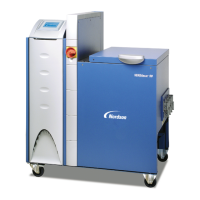
Nordson VersaBlue VB Series - User Manual

Nordson VersaBlue VB Series
280 pages
Print Icon
To Next Page IconTo Next Page
Loading...
VersaBlue
Adhesive Melters
Serie N
Model VB, VC, VD, VE, VW, VX, VY, VZ
Manual P/N 7105144G
English
Issued 03/08
NORDSON ENGINEERING GMBH
LÜNEBURG GERMANY

Table of Contents

Questions and Answers

  • J
    jessicafrostAug 1, 2025
    Why is my Nordson VersaBlue VB motor overheating?
    • M
      Mark TaylorAug 1, 2025
      Your Nordson Industrial Equipment motor might be overheating due to several reasons: the ambient temperature is too high, the fan cap or cooling section is dirty, the pump is blocked by foreign matter or operates too sluggishly, or the material is too cold. You should also check the motor controller wiring and output voltage.
  • B
    Brian GillAug 5, 2025
    How to fix Nordson VersaBlue VB CAN bus not started?
    • J
      jeremy55Aug 6, 2025
      If the CAN bus on your Nordson Industrial Equipment fails to start, check the CAN bus plugs on all components, especially at the motor controllers, as the CAN bus cable might be defective. Also, measure the bus resistor when switched off (CAN-H, CAN-L) to ensure it reads 60, and check for I/O board failure, contact faults in the voltage supply, activated fuses on the board, or incorrect/fluctuating operating voltage.
  • K
    Kathleen LittleAug 9, 2025
    What to do if Nordson Industrial Equipment shows main contactor fault?
    • B
      Bryan RodriguezAug 10, 2025
      If you're experiencing a main contactor/thermostat fault with your Nordson Industrial Equipment, the main contactor might be defective or open, or the transformer temperature may have been exceeded, or the temperature exceeded. Check the wiring of the main contactor and check the back contact.
  • D
    David PetersenAug 13, 2025
    How to troubleshoot undertemperature fault in Nordson Industrial Equipment?
    • N
      Nathan PaceAug 13, 2025
      To troubleshoot an undertemperature fault in your Nordson Industrial Equipment, verify if the temperature controller is working and regulating. Also, check if the solid state relays are being triggered and switching through the line voltage. Ensure the line voltage isn't too low and that the heater isn't defective. Examine the wiring of temperature channels and sensors, ensuring the correct sensor type is used and properly connected. Finally, confirm that the temperature controlled system is OK.
  • A
    Amanda WalkerAug 18, 2025
    Why is Nordson VersaBlue VB showing command from field bus master missing?
    • J
      Jennifer MoonAug 18, 2025
      A missing command from the field bus master in control mode on your Nordson Industrial Equipment could be due to a broken, defective, or disconnected field bus cable. It could also be caused by a defective or missing bus terminating resistor, or improper network setup.
  • K
    Kimberly PenaAug 22, 2025
    How to fix Nordson VersaBlue VB IPC battery voltage low?
    • D
      Desiree JohnsonAug 23, 2025
      To resolve a low IPC battery voltage in your Nordson Industrial Equipment, replace the battery.
  • M
    megan34Aug 27, 2025
    What to do if Nordson VersaBlue VB channel sensor input is open?
    • M
      Michele SolisAug 27, 2025
      If the sensor input on a channel of your Nordson Industrial Equipment is open or the sensor is broken, ensure that the hose or gun is properly connected.

Summary

Safety

Safety Alert Symbols

Explains warning symbols and signal words used in the manual for hazard identification.

Introduction

Installation

Installation Requirements

Specifies environmental and setup conditions required for safe melter installation.

Electrical Connections

Details procedures and warnings for connecting electrical power and control circuits.

Operation

Initial Startup

Step-by-step guide for the initial setup and startup procedure of the melter.

Motor

Switching On;Off Motor (Individual Enable)

Details how to individually enable and switch motors on or off.

Selecting Key-to-line or Manual Mode

Explains how to select between manual mode and key-to-line mode for motor operation.

Motor Parameters

Covers settings for motor enable, line speed signals, and key-to-line configurations.

Maintenance

Preventive Maintenance

Outlines scheduled maintenance tasks, intervals, and procedures for the melter.

Troubleshooting

Alarm Number, Alarm Text and Optional Light Tower

Explains status display, alarm numbers, texts, and light tower colors.

Triggering and Resetting Alarms

Details how alarms are triggered and reset for various fault conditions.

Repair

Observe Before Performing Repairs

Crucial safety precautions to take before commencing any repair work.

Relieving Pressure

Procedure to safely release system pressure before disconnecting components.

Replacing Memory Board

Steps for replacing the memory board, including parameter loss.

Repair (contd.)

Technical Data

Nordson VersaBlue VB Series Specifications

General IconGeneral
CategoryIndustrial Equipment
TypeHot Melt Dispensing System
Pump TypeGear Pump
Frequency50/60 Hz
Fluid TypeHot melt adhesives
SeriesVB Series
Melt RateUp to 40 kg/hr depending on model
Temperature ControlIndividual zone temperature control
Hose Temperature ControlIndividual hose temperature control
Applicator CompatibilityNordson applicators
Dispensing Volume RangeVaries by applicator
Dispensing AccuracyVaries by applicator
Dispensing RepeatabilityVaries by applicator
Maximum Pressure100 bar
Operating TemperatureUp to 230°C
Power RequirementsVaries by model
WeightVaries by model
DimensionsVaries by model

Related product manuals