EasyManua.ls Logo

Nordson VersaBlue VZ100 - User Manual

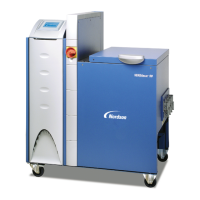
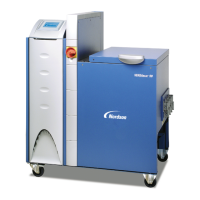
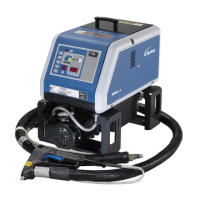
Nordson VersaBlue VZ100
280 pages
Print Icon
To Next Page IconTo Next Page
Loading...
VersaBlue
Adhesive Melters
Serie N
Model VB, VC, VD, VE, VW, VX, VY, VZ
Manual P/N 7105144G
English
Issued 03/08
NORDSON ENGINEERING GMBH
LÜNEBURG GERMANY

Table of Contents

Questions and Answers

  • G
    gregory41Aug 5, 2025
    Why is my Nordson VersaBlue VZ100 motor overheating?
    • C
      Chad MooreAug 5, 2025
      Your Nordson Industrial Equipment motor might be overheating due to several reasons: the ambient temperature is too high, the fan cap or cooling section is dirty, the pump is blocked by foreign matter or operates too sluggishly, or the material is too cold. You should also check the motor controller wiring and output voltage.
  • N
    Neil HallAug 9, 2025
    How to fix Nordson VersaBlue VZ100 Industrial Equipment CAN bus not started?
    • J
      jonesjessicaAug 9, 2025
      If the CAN bus on your Nordson Industrial Equipment fails to start, check the CAN bus plugs on all components, especially at the motor controllers, as the CAN bus cable might be defective. Also, measure the bus resistor when switched off (CAN-H, CAN-L) to ensure it reads 60, and check for I/O board failure, contact faults in the voltage supply, activated fuses on the board, or incorrect/fluctuating operating voltage.
  • J
    James Thomas Jr.Aug 14, 2025
    What to do if Nordson Industrial Equipment shows main contactor fault?
    • S
      Shane AlvarezAug 14, 2025
      If you're experiencing a main contactor/thermostat fault with your Nordson Industrial Equipment, the main contactor might be defective or open, or the transformer temperature may have been exceeded, or the temperature exceeded. Check the wiring of the main contactor and check the back contact.
  • V
    valerie68Aug 18, 2025
    How to troubleshoot undertemperature fault in Nordson VersaBlue VZ100?
    • A
      Anthony CampbellAug 18, 2025
      To troubleshoot an undertemperature fault in your Nordson Industrial Equipment, verify if the temperature controller is working and regulating. Also, check if the solid state relays are being triggered and switching through the line voltage. Ensure the line voltage isn't too low and that the heater isn't defective. Examine the wiring of temperature channels and sensors, ensuring the correct sensor type is used and properly connected. Finally, confirm that the temperature controlled system is OK.
  • K
    Kimberly MossAug 22, 2025
    Why is Nordson Industrial Equipment showing command from field bus master missing?
    • E
      Edward MullinsAug 22, 2025
      A missing command from the field bus master in control mode on your Nordson Industrial Equipment could be due to a broken, defective, or disconnected field bus cable. It could also be caused by a defective or missing bus terminating resistor, or improper network setup.
  • D
    Daniel JacksonAug 27, 2025
    How to fix Nordson VersaBlue VZ100 IPC battery voltage low?
    • G
      Gabriel SmithAug 27, 2025
      To resolve a low IPC battery voltage in your Nordson Industrial Equipment, replace the battery.
  • E
    Elizabeth GarciaAug 31, 2025
    What to do if Nordson VersaBlue VZ100 Industrial Equipment channel sensor input is open?
    • I
      Ian RobertsAug 31, 2025
      If the sensor input on a channel of your Nordson Industrial Equipment is open or the sensor is broken, ensure that the hose or gun is properly connected.

Summary

Safety

General Safety Warnings and Cautions

Lists essential warnings and cautions applicable to the equipment.

Installation

Electrical Connections

Provides instructions for safely connecting the electrical power supply and circuits.

Power Supply

Instructions for securely connecting the main power supply to the melter.

Operation

Initial Startup

Guides through the first-time startup procedure for the melter.

Temperature Parameters

Details how to set and adjust temperature parameters for various channels.

Alarm Log

Explains how to view, sort, and interpret system alarms.

Recommended Temperature Setpoints

Provides recommended temperature settings for different melter components.

Maintenance

Preventive Maintenance

Outlines scheduled maintenance tasks and their intervals.

Troubleshooting

Alarm Number, Alarm Text and Optional Light Tower

Explains how alarm status is indicated via text and light tower colors.

Triggering and Resetting Alarms

Describes how alarms are triggered and how to reset them.

Undertemperature and Overtemperature − Warning −

Diagnoses and resets for undertemperature and overtemperature warnings.

Undertemperature and Overtemperature − Fault −

Diagnoses and resets for undertemperature and overtemperature faults.

Overtemperature − Shutdown −

Details causes and resets for overtemperature shutdown conditions.

Underpressure − Warning −

Diagnoses and resets for underpressure warnings.

Overpressure − Warning −; Overpressure − Fault −

Diagnoses and resets for overpressure warnings and faults.

Temperature Sensor − Fault −

Troubleshooting steps for temperature sensor faults.

Troubleshooting (contd.)

Melter not Functioning

Troubleshooting steps for a melter that is not operating.

One Channel does not Heat

Diagnosing issues when a single temperature channel fails to heat.

Control panel does not function

Troubleshooting for a non-responsive or malfunctioning control panel.

No Material (Motor does not Rotate)

Diagnosing why the motor is not rotating, indicating no material flow.

No Line Speed Signal (Voltage; Current; Frequency)

Troubleshooting missing or incorrect line speed signals.

Too Little Material or Irregular Feeding

Troubleshooting problems with insufficient or inconsistent material flow.

Material Pressure too High

Diagnosing and resolving issues with excessive material pressure.

Material Pressure too Low

Diagnosing and resolving issues with insufficient material pressure.

Incorrect Motor Rotation in Key-to-line Mode

Troubleshooting motor rotation errors in key-to-line mode.

Repair

Observe Before Performing Repairs

Crucial safety precautions to take before starting any repair work.

Relieving Pressure

Procedure for safely releasing system pressure before repair.

Replacing Filter Cartridge

Procedure for replacing the filter cartridge.

Password

General Instructions Regarding Working with Application Materials

Risk of Burns

Highlights hazards associated with hot surfaces when handling materials.

Nordson VersaBlue VZ100 Specifications

General IconGeneral
Pump TypeGear Pump
Melt Rate100 lb/hr (45 kg/hr)
Control InterfaceTouchscreen
Power Requirements208-480V AC, 3-phase, 50/60 Hz
Operating Temperature Range350°F to 450°F (177°C to 232°C)
Hose LengthVaries based on configuration

Related product manuals