Installing the BayStack 425 Switch
11
Installing the switch in an equipment rack
Required tool: #2 Phillips screwdriver for attaching brackets to the switch.
Rack requirements:
• A space of 1.75 inches is provided for each switch in an EIA or IEC standard
19-inch (48.2-centimeter) equipment rack.
• The rack is bolted to the floor and braced if necessary.
• The rack is grounded to the same grounding electrode used by the power
service in the area. The ground path must be permanent and must not exceed 1
ohm of resistance from the rack to the grounding electrode.
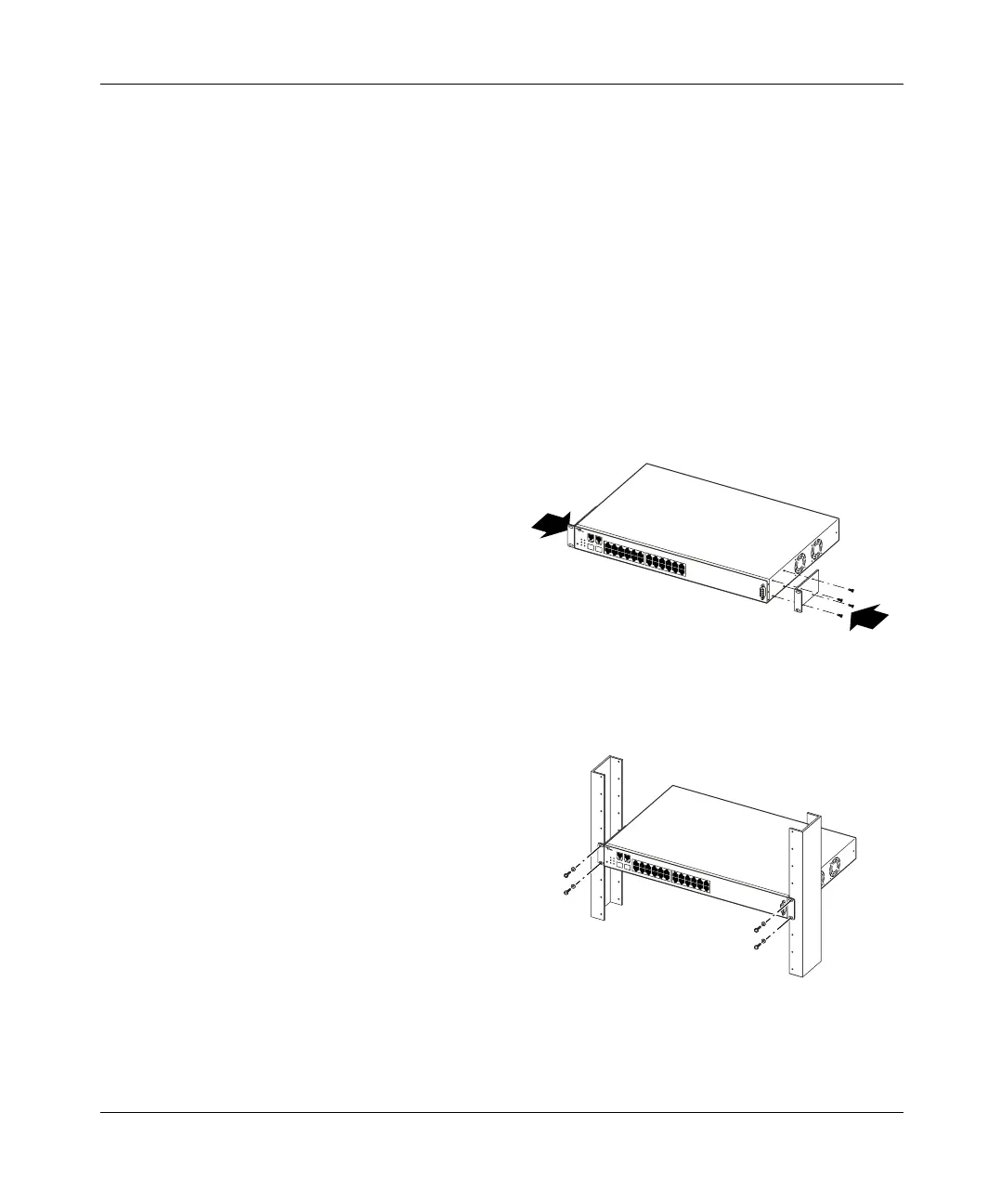
1 Attach a bracket to each side of the switch.
2 Slide the switch into the rack. Insert and tighten the rack-mount screws.
11104FA
T
M
BayStack
11105FA
TM
BayStack
book.book Page 11 Thursday, July 29, 2004 10:07 PM



 To Next Page