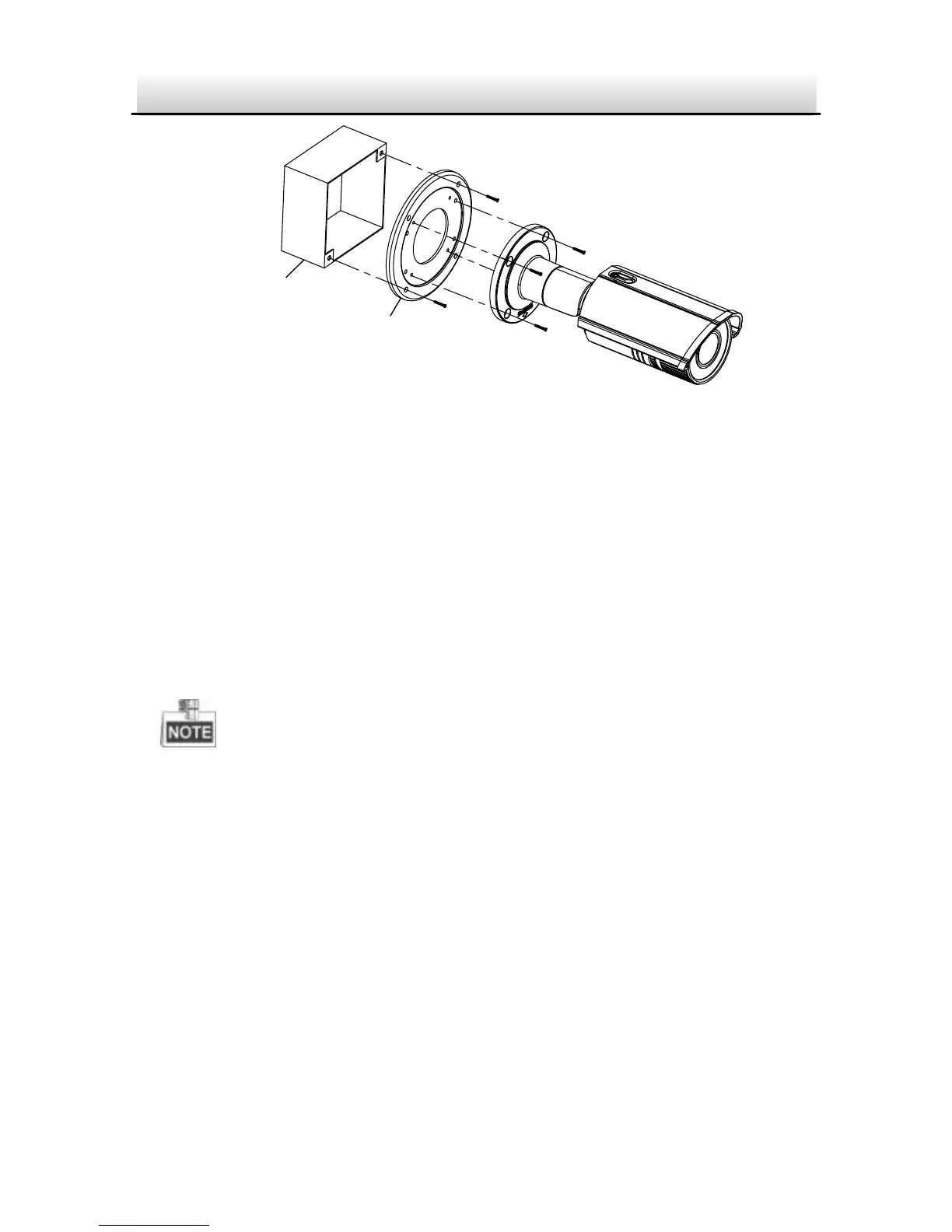
Figure 2-9 Mounting with a Gang Box
1. Secure the camera attachment to a gang box with screws.
2. (Optional) Install the water-proof jacket for network interface.
Refer to Section 2.5.
3. Route the cables of the camera.
4. Connect the interfaces and power on the camera to see if you can
get an image on you monitoring screen.
If you can’t get the image, check the connection of the interfaces
before performing the next step.
5. Secure the camera to the camera attachment with screws.
6. Adjust view angle. Refer to Step 6 in Section 2.3.1.
7. Adjust zoom and focus level. Refer to Section 2.4.
2.3 Zoom and Focus Adjustment
This camera is equipped with a motorized focus and zoom lens to
adjust and focus the lens follow the steps below.


 To Next Page