Omni Key Keyboard User's Guide
I- II,
1 I: rr t nn
•OOOEE3
I ]- } M T7 F
JiJnoro
N ir
nnnninmr in 1
l— iir ir 1 r III' III" 1" ill: \
i' I ° i
|Ctrt
II-
- in i
«« ||| |c« |i
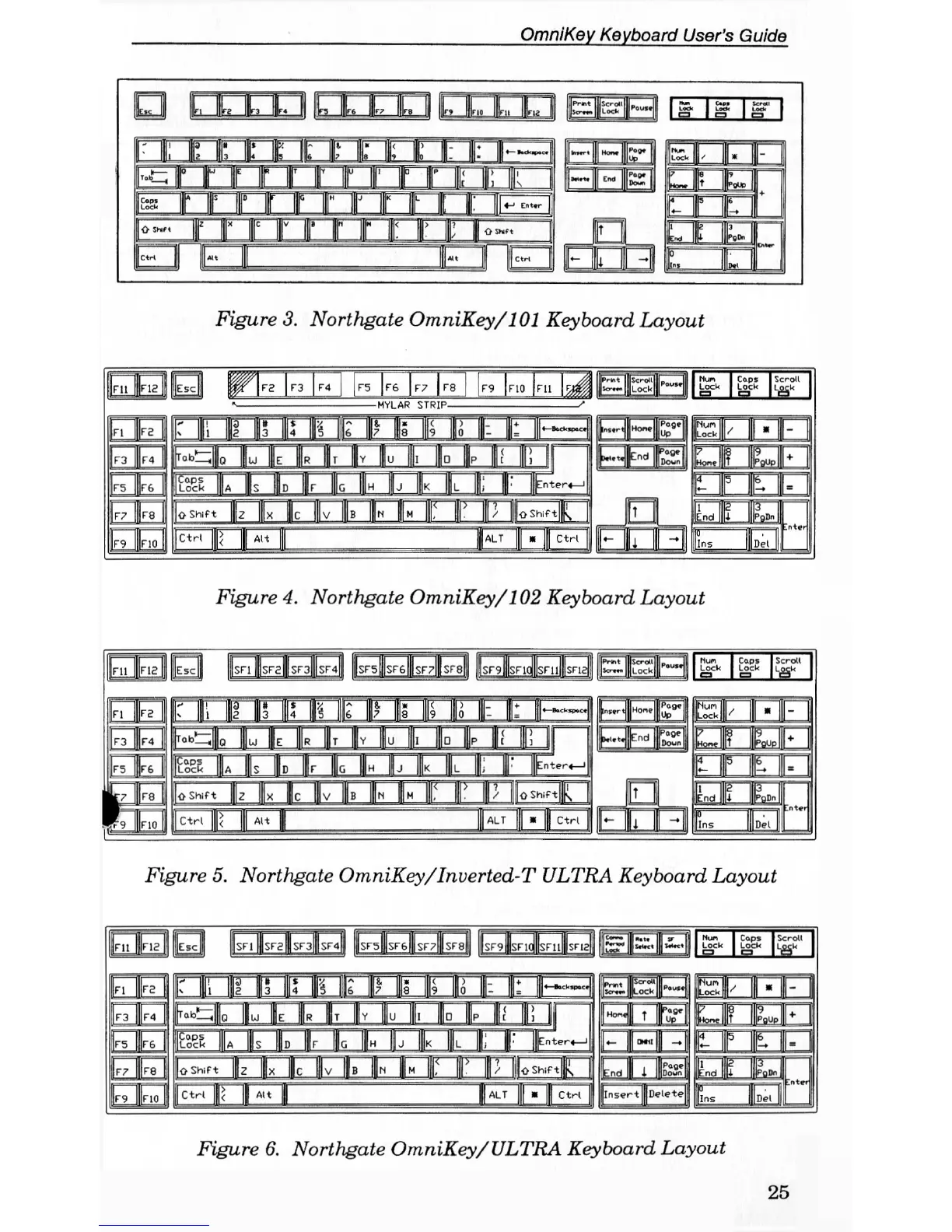
Figure 3. Northgate OmniKey/101 Keyboard Layout
Figure 4. Northgate OmniKey/102 Keyboard Layout
13333 i^gggipEiFi
Lock
Scroll
O Shift
Figure 5. Northgate OmniKey/Inverted-T ULTRA Keyboard Layout
no
jsFl
|sF2K|SFsllSF40 |sF5|IsF6|||sF7 |sF8|
lsF9nSFlQ|||sFll HSFISI
i| ct*~m
|||i>.t» Hi or T( Nun Caps Scroll
frr
-
1 H B Lock Lock lock
id
kd
0
t ii
|s p III
1
Ills Ir III
8
' 1» r TP 1- III
4
-
12
||[ 3 |||4 |||S |6 |p |||d |||9 |||0 |J|- ||U
|«—fect<spac«|
HSB
Nun Ijl
lockljK
K
-
EI
kd
0
|r.bt;||
0
lu |HE
I R
IT |||Y lu if Ilia
|P II'' 1
III 1
WONG In
^ 1
PQUPI
+
yid
EE
||r9 lino
i
IE® IA lis ID Ir II, IH 0, IIIK |||
L
1; | |nter_|
EEE
HTfi!
4- HP 1
=
yid
EE
||r9 lino
i
|o Shift
llz fx Jlv Ills [N |H 1' II' J1
[||o Shift p,
I
EEE
HTfi!
CEB
yid
EE
||r9 lino
i
|ctr.
f<
II
AH
III 1 ALT |||.
Ill Ctr.
I
|lnsert|Delete|
IIns llpei
|
Figure 6. Northgate OmniKey/ULTRA Keyboard Layout
25


 To Next Page