Omni Key Keyboard User's Guide
Using the Numeric
Keypad
The numeric keypad has two func-
tions:
• If NUM LOCK is on, the numeric
keypad is used to type numbers.
• If NUM LOCK is off, the keypad is
used to control cursor movement.
NUM LOCK - Press NUM LOCK to turn
on the NUM LOCK function. Press it
again to turn off NUM LOCK. When
NUM LOCK is on, the Num Lock indica-
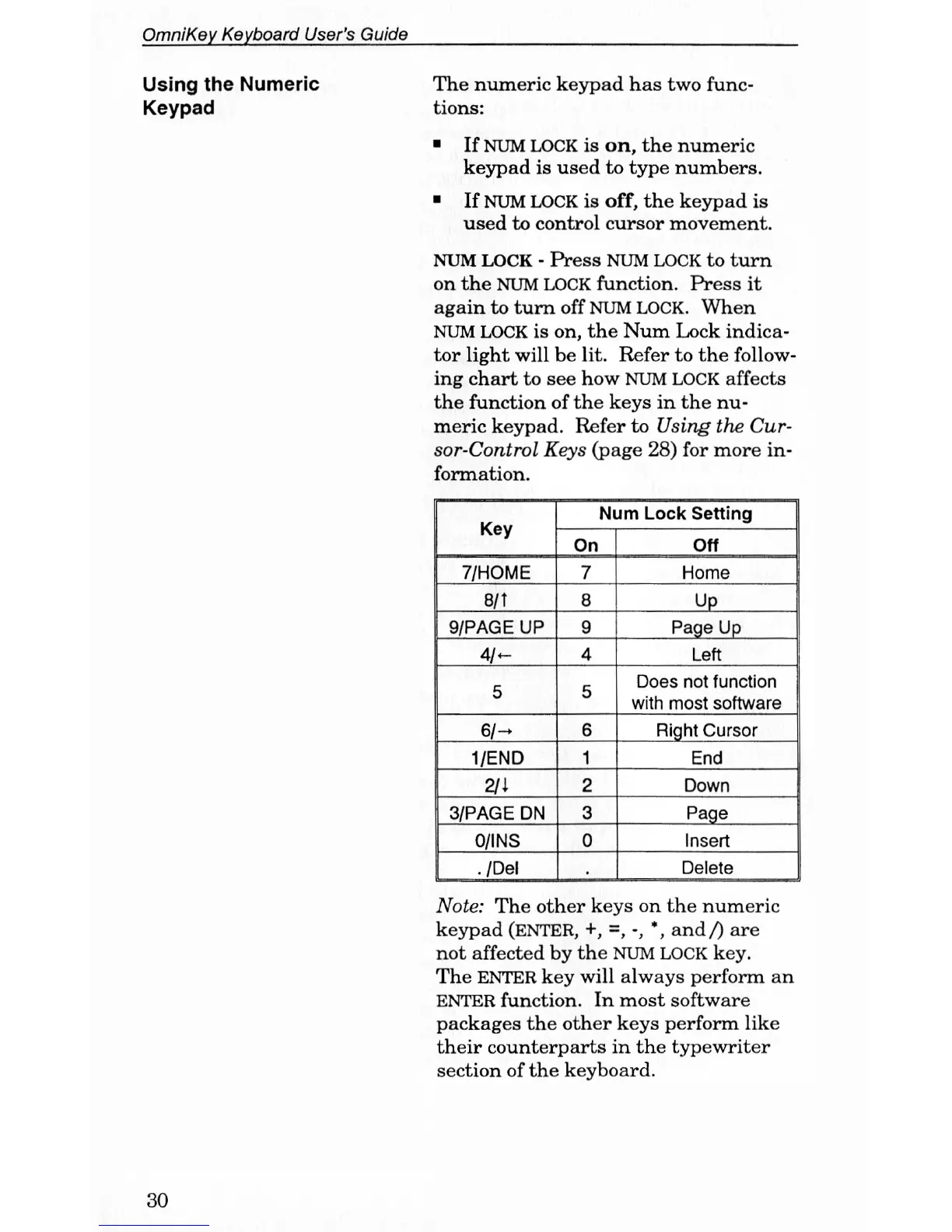
tor light will be lit. Refer to the follow-
ing chart to see how NUM LOCK affects
the function of the keys in the nu-
meric keypad. Refer to Using the Cur-
sor-Control Keys (page 28) for more in-
formation.
Key
Num Lock Setting
Key
On Oft
7/HOME
7
Home
8/t 8 Up
9/PAGE UP 9 Page Up
4/-
4
Left
C
c
Does not function
with most software
6/-
6
Right Cursor
1/END 1 End
211
2 Down
3/PAGE DN 3
Page
0/INS
0
Insert
./Del Delete
Note: The other keys on the numeric
keypad (ENTER, +, =, -, *, and/) are
not affected by the NUM LOCK key.
The ENTER key will always perform an
ENTER function. In most software
packages the other keys perform like
their counterparts in the typewriter
section of the keyboard.
30



 To Next Page