18
Northstar Explorer 443s/443sp Installation and Operation Manual
Alarms can
be enabled to
automatically detect
certain conditions,
such as the water
being too shallow.
Trigger settings
can be defined
to suit the boat
and individual
preferences.
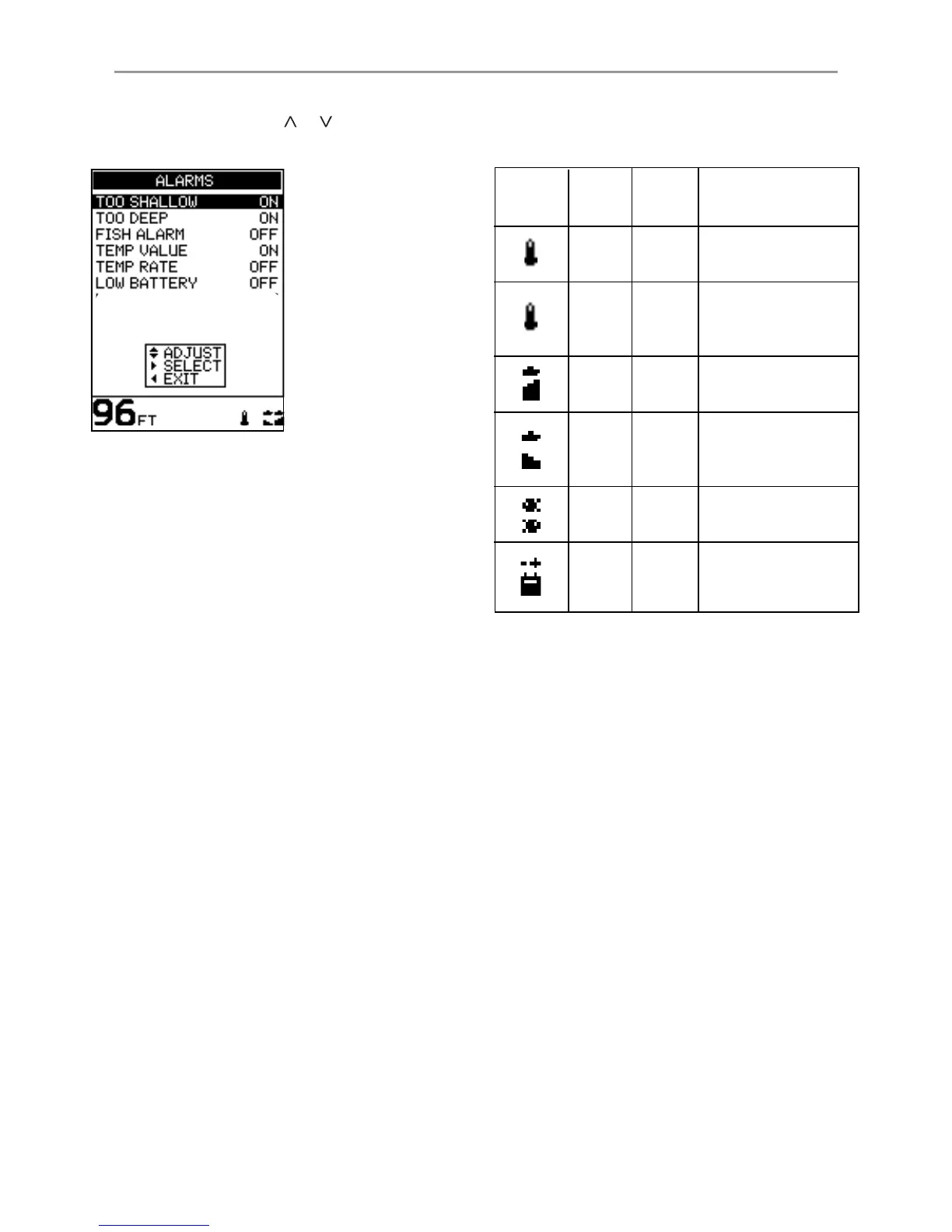
4-1 ALARMS menu
Symbol Alarm Beeper Alarm condition is
Name Cycle met when:
Temp
1
/
2
sec the temperature equals
Value the alarm trigger value
Temp
1
/
2
sec the rate of change of
Rate temperature equals the
alarm trigger value
Too
1
/
5
sec the depth is less than
Shallow the alarm trigger value
Too
1
/
2
sec the depth is greater
Deep than the alarm trigger
value
Fish 3 short an echo matches the
Alarm beeps profile of a fish
Low
1
/
2
sec the battery voltage is
Battery less than the alarm
trigger value
Select MAIN MENU - SETUP - ALARMS to display
the available alarms. Press
or to highlight an
option.
When an alarm condition is met, then:
· The beeper sounds.
· The ALARMS menu is displayed on the screen
with the activated alarm symbol(s) flashing.
Press any key to acknowledge the alarm, stop
the beeping and remove the ALARMS menu.
This does not disable the alarm. The symbol will
continue to flash until the alarm condition is no
longer present.
Note: The FISH ALARM gives only three short beeps.
The beeper cycle is different for some alarms.
All of the alarm symbols and beeper cycles are
shown:
Alarms automatically re-enable
The TOO SHALLOW, TOO DEEP and LOW BATTERY
alarms automatically re-enable when the value
moves outside the alarm trigger setting.
The TEMP VALUE alarm automatically re-enables
when the temperature is more than 0.45°F
(0.25°C) above or below the alarm trigger setting.
The TEMP RATE alarm automatically re-enables
when the rate of temperature change falls below
the trigger setting by more than 0.2°F (0.1°C) per
minute.



 To Next Page