19
Northstar Explorer 443s/443sp Installation and Operation Manual
Flashing Light and/or External Beeper
If a secondary alarm indicator is required, a
flashing light and/or external beeper can be
installed. These can be positioned anywhere
suitable on the boat. For installation advice see
section 5-4.
Enabling Alarms and Changing
Trigger Values
Press
or
to highlight an alarm, then press
to
select it. To enable or disable an Alarm, press to
switch between ON and OFF.
To set the trigger value for an Alarm, press
or
to increase or decrease the trigger value.
The alarm trigger value is retained even when the
alarm is disabled.
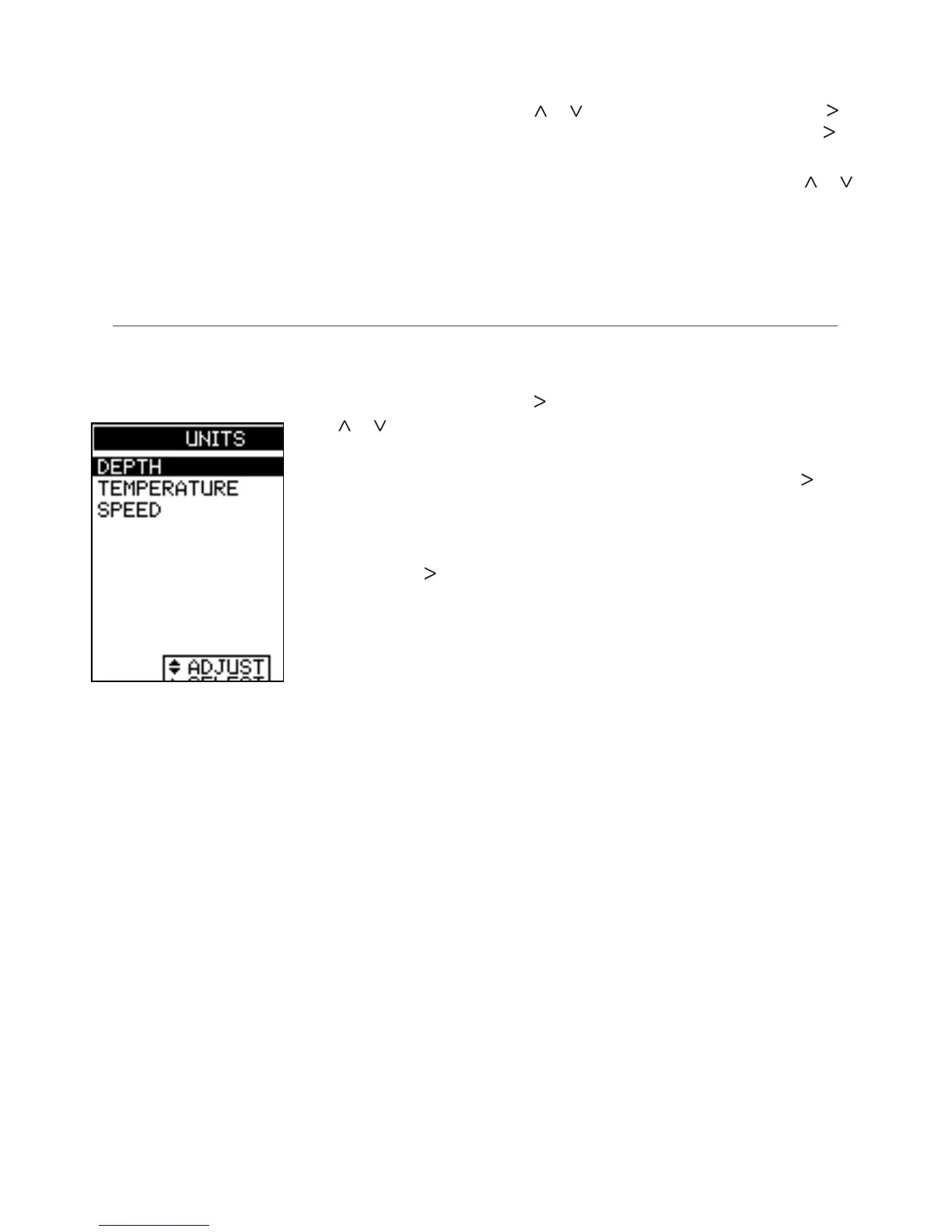
Select MAIN MENU - SETUP - UNITS to define the
units for depth, temperature, speed and fuel.
4-2 UNITS menu
Press
or
to
highlight an option.
DEPTH
Can be displayed
in units of feet (FT),
fathoms (FA), or
metres (M). Press
to select the required
depth units.
TEMPERATURE
Can be displayed in °F (Fahrenheit) or °C (Celsius).
Press
to select the required temperature units.
SPEED
Can be displayed in knots (KN), miles per hour
(MPH), or kilometres per hour (KPH). Press to
select the required speed units.
Note: Distance units will change automatically to
match the speed units.



 To Next Page