NOVATECH INSTRUMENTS 14 409C Manual Rev 1.12
one-half. Send the “R” command to reset the levels be-
fore performing the next tests.
6.6 Output Flatness Verification. Verify that the out-
puts are flat with frequency by performing the following
test: Connect the 409C to the oscilloscope set for 50Ω
termination. Use the same settings as Sine Out Amplitude
Verification. Note the voltage reading.
6.7 Set the 409C to the values of Table 7. Verify that the
oscilloscope amplitude reading remains within ±3dB
(x1.414 to x0.707) of the value noted in the previous par-
agraph. (Limit upper frequency to 150 MHz.)
6.8 Repeat the output flatness verification test for each
output.
6.9 External Clock Input Verification. Connect a 400
MHz external clock source via a short coaxial cable to the
external clock input BNC on the rear panel. Send the
command Fd 400 then Send the command “C d” to select
the external direct clock input. Set the frequency output
to 10.000 MHz by sending the command “F0 10” .
6.10 Verify an output of 10.0000000 MHz, ±15 Hz. You
must account for any frequency errors in your external
clock source.
6.11 Return the 409C to normal operation and default
values by sending the “CLR” command.
6.12 This concludes the verification test of the 409C.
7.0 CALIBRATION
7.1 The full scale output amplitude is adjustable using the
“ZCal0 x” command. Where x is an integer from 0 to
127. x = 0 sets the output to the maximum value, x =
127 sets the output to the minimum value. Send “ZCal9”
to save the setting. “ZCal0 127” is the factory default.
No other calibrations are available.
8.0 OPTION /R:
LOCK TO 10MHz REFERENCE
8.1 The /R option consists of a small circuit board that is
mounted inside the 409C. It provides locking and track-
ing circuitry to phase lock the internal master oscillator to
an external 10MHz reference.
8.2 A 10MHz reference must be connected to the rear
panel BNC connector labeled 10MHz input. See para-
graph 2.5 for the required specs of this signal. The
10MHz input signal is automatically detected and, if
within a lock range of approximately ±5ppm, it is locked
to and tracked by a narrow-band phase lock loop.
8.3 If an input signal is not detected, the unit will default
to the internal free-running oscillator and perform identi-
cally to a 409C without the /R option.
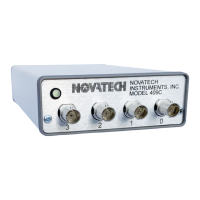
8.4 The front panel LED will display four conditions:
Steady Green: unit is locked to a stable external
reference or is using the internal free
running master clock.
Blinking Green: unit is stabilizing to a free
running condition. This occurs upon
powerup or if the reference is removed.
Steady Red: unit detects an external input, but
cannot lock to it.
Blinking Red: unit has detected a 10MHz
external signal and is attempting to
lock. This will occur if the 409C had
previously been free running.
8.5 When changing the reference mode, the phase lock
loop may take several minutes to stabilize to the final res-
olution of the 409C. Changing from a blinking LED to a
stable LED indicates that the process is completing, but
you should verify the outputs.


 To Next Page
 Loading...