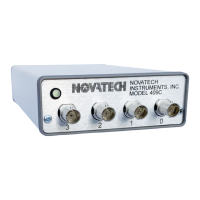
NOVATECH INSTRUMENTS 8 409C Manual Rev 1.12
3.9 Connector J8. The rear panel J8 connector pro-
vides access to the IOUD input/output and the TS input
signals and the trigger pins for the Sweep feature. The
IOUD default is output mode. It has a 1.5K series resis-
tor to limit output current. The TS input default is disa-
bled
The pin numbers from left to right when facing the rear
panel are 13, 11, 9, 7, 5, 3, 1 (top) and 14, 12, 10, 8, 6, 4,
2 (bottom). +IOUD is on pin 1 and +TS is on pin 3.
Pins 5,7,9 and 11 are the sweep trigger pins for channels
0,1,2 and 3. All the other pins are connected to instru-
ment ground. A plug compatible, six inch long, 14-pin
ribbon cable is included.
The logic levels are 0V for logic 0 and 3.3V for logic 1.
3.10 Rack Mounting. An optional 1U rack adapter is
available for mounting up to four 409C into a rack panel.
4.0 OPERATING INSTRUCTIONS
4.1 Apply Power
Plug the 5Vdc connector from the AC Power Adapter
into the rear panel connector labeled 5V.
After power is applied, the 409C takes approximately
500ms to initialize. Commands sent during this time will
be ignored or may cause erroneous operation. After all
the power is applied and all signal cables and serial com-
munication cables are installed and operating , send the
409C the “R” (Reset) command .
4.2 Warmup. Specifications are met within approxi-
mately 15 minutes of power up.
4.3 Commands. After the 409C has been installed in the
customer application system, all that is required for oper-
ation is to send the appropriate serial commands as
shown in Tables 2 and 3 on pages 5, 6 and 7.
NOTE
The “B” command shown in Table 2 can be used to test
the AD9959 DDS chip programming as it allows access
to all internal registers. While not a real-time simula-
tion, each “B” command functions as an input by putting
a data byte directly into the AD9959 via an SPI port, and
then pulses the IOUD line. This is similar to a proce-
dure that a customer control circuit might perform. The
“B” command values are not saved so they will not show
in the Q or QUE command output. Consult the Analog
Devices for support. Novatech Instruments does not
provide tech support for the “B” command
4.4 Response Codes. The user host computer software
must properly format the serial commands. Incorrect for-
matting will result in a response error code being re-
turned. See Table 1 for a list of response error codes.
4.5 Echo. For maximum interface speed, it is suggested
that Echoing be disabled by using the “E d” command.
This will allow the host to send characters at a faster rate.
Even when Echo is disabled, the 409C will respond with
an “OK” for a correctly received data command.
4.6 Baud Rate. A special command, “Kb x”, is availa-
ble if you wish to set a baud rate that is different from
the default of 115.2KBaud. The value set by this com-
mand is volatile and not saved in flash memory. Upon
power up, reset or clear, the 409C defaults to
115.2KBaud. The available “Kb x” commands are:
KB 0 sets baud rate to 9600
KB 1 sets baud rate to 19200
KB 2 sets baud rate to 38400
KB 3 sets baud rate to 57600
KB 4 sets baud rate to 115200 (default)
KB 5 sets baud rate to 230400
KB 6 sets baud rate to 460800
4.7 Synthesizer Clock Selection. The 409C uses the “C
x” command to select the synthesizer clock. See the top
of page 9 for an explanation of the choices available us-
ing this command.
4.8 External Filters. The 409C provides low pass filters
on all outputs to eliminate spurs and harmonics. These
filters are optimized for internal clock settings. When
using an External Reference (C E) or a Direct Input (C
D) clock, it may be desirable for the user to provide ex-
ternal low pass filters.
In order to eliminate spurs and harmonics, the low pass


 To Next Page
 Loading...