EasyManua.ls Logo

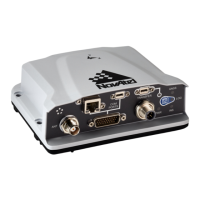
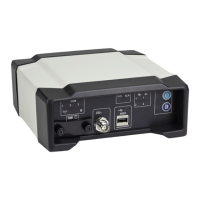
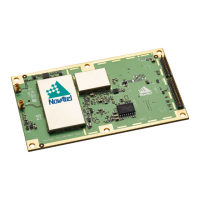
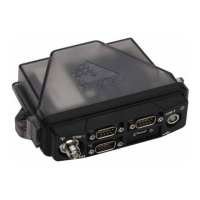
Novatel PwrPak7 - User Manual

Novatel PwrPak7
137 pages
Print Icon
To Next Page IconTo Next Page
Loading...
OM-20000173 v1A November 2017
PwrPak7
Installation and Operation
User Manual

Table of Contents

Question and Answer IconNeed help?

Do you have a question about the Novatel PwrPak7 and is the answer not in the manual?

Summary

PwrPak7 Notices

Regulatory Compliance (FCC, ISED Canada, EU)

Regulatory compliance information for FCC, Canada, and EU.

Wi-Fi Details

Information about the device's Wi-Fi radio and approvals.

Lightning Protection and Grounding

Guidelines for safe lightning protection and grounding installation.

Manual Conventions

Explanation of symbols and text formatting conventions used in the manual.

Customer Support

NovAtel Knowledge Base

Access to online resources, tutorials, and support information.

Before Contacting Customer Support

Steps to take before reaching out for support.

Contact Information

Ways to contact NovAtel Customer Support for assistance.

Chapter 1 PwrPak7 and PwrPak7-E1 Overview

1.1 PwrPak7 Connectors

Details and descriptions of the receiver's physical connectors.

1.2 PwrPak7 LEDs

Explains the status indicators (LEDs) and their meaning.

1.3 Related Documents and Information

Lists other relevant documentation for further information.

Chapter 2 PwrPak7 Installation

2.2 Required Equipment

Lists necessary external hardware for system setup.

2.7 Power Supply Requirements

Specifications for the required power supply.

2.10 Mounting the PwrPak7

Steps for securely mounting the PwrPak7 unit.

2.12 Communication Connections

Instructions for connecting to communication devices.

Chapter 3 OEM7 Receiver Operation

3.1 Receiver Communications

Methods for establishing communication with the receiver.

3.3 Differential Corrections

Configuring base/rover for differential corrections.

3.5;3.6 GLIDE;STEADYLINE

Positioning algorithms and discontinuity mitigation.

3.8 NovAtel CORRECT;3.7 SBAS

Enabling NovAtel CORRECT (PPP) and SBAS positioning.

3.11 Interference Toolkit

Tools for monitoring, quantifying, and mitigating interference.

Chapter 4 Built-In Status Tests

4.1 Receiver Status Word

Explanation of the receiver status word and its bits.

4.2;4.3 RXSTATUSEVENT and RXSTATUS Logs

Details on event logs and system status logs for diagnostics.

Chapter 5 Ethernet Configuration

5.1;5.2 Ethernet Setup Basics

Required hardware and static IP address configuration.

5.3 Dynamic IP Address Configuration

Steps to configure a dynamic IP address via DHCP.

5.4 Base;Rover Ethernet Connectivity

Setting up base/rover communication using Ethernet.

5.6 NTRIP Configuration

Setting up the receiver as an NTRIP server or client.

Chapter 6 Wi-Fi Configuration

6.1;6.2 Wi-Fi Access Point Management

Procedures for enabling or disabling the Wi-Fi access point.

6.3;6.4;6.5 Wi-Fi Settings Changes

Modifying Wi-Fi passkey, channel, and IP address.

Chapter 7 CAN Bus

7.1 Default and 7.2 CAN Bus Configuration

Default settings and steps for configuring the CAN bus.

7.3 NMEA2000 Logging

How to configure NMEA2000 logs over the CAN bus.

7.4 Corrections Over CAN

Sending and receiving corrections via the CAN bus.

7.5 NovAtel Messages Over CAN

Sending and receiving NovAtel messages via CAN.

Chapter 8 Troubleshooting

8.1 RXSTATUS Log Examination

Guide to diagnosing problems using the RXSTATUS log.

8.2 AUX1 Status Word

Interpreting the AUX1 status word for troubleshooting.

8.3 Safe Mode Recovery

Understanding and recovering from Safe Mode errors.

Chapter 9 Firmware and Software Management

9.1 Firmware Updates

Procedures for updating firmware and upgrading product features.

9.3 WinLoad Utility

Using WinLoad for firmware updates and upgrades.

9.4 SoftLoad Commands

Using SoftLoad commands for firmware updates.

9.2 Authorization Code

How to obtain and use authorization codes for features.

APPENDIX A PwrPak7 Specifications

A.1 Performance Specifications

Detailed performance metrics for the PwrPak7 receiver.

A.2 Mechanical Specifications

Physical dimensions and mounting details of the PwrPak7.

A.3 Electrical and Environmental Specs

Electrical and environmental operating parameters.

A.4 Data Communication Specs

Specifications for communication interfaces.

APPENDIX B Antenna Selection Importance

Factors for Antenna Selection

Key factors to consider when choosing a GNSS antenna.

6. Application Requirements

Matching antenna performance to application needs.

Summary

PwrPak7 Notices

Regulatory Compliance (FCC, ISED Canada, EU)

Regulatory compliance information for FCC, Canada, and EU.

Wi-Fi Details

Information about the device's Wi-Fi radio and approvals.

Lightning Protection and Grounding

Guidelines for safe lightning protection and grounding installation.

Manual Conventions

Explanation of symbols and text formatting conventions used in the manual.

Customer Support

NovAtel Knowledge Base

Access to online resources, tutorials, and support information.

Before Contacting Customer Support

Steps to take before reaching out for support.

Contact Information

Ways to contact NovAtel Customer Support for assistance.

Chapter 1 PwrPak7 and PwrPak7-E1 Overview

1.1 PwrPak7 Connectors

Details and descriptions of the receiver's physical connectors.

1.2 PwrPak7 LEDs

Explains the status indicators (LEDs) and their meaning.

1.3 Related Documents and Information

Lists other relevant documentation for further information.

Chapter 2 PwrPak7 Installation

2.2 Required Equipment

Lists necessary external hardware for system setup.

2.7 Power Supply Requirements

Specifications for the required power supply.

2.10 Mounting the PwrPak7

Steps for securely mounting the PwrPak7 unit.

2.12 Communication Connections

Instructions for connecting to communication devices.

Chapter 3 OEM7 Receiver Operation

3.1 Receiver Communications

Methods for establishing communication with the receiver.

3.3 Differential Corrections

Configuring base/rover for differential corrections.

3.5;3.6 GLIDE;STEADYLINE

Positioning algorithms and discontinuity mitigation.

3.8 NovAtel CORRECT;3.7 SBAS

Enabling NovAtel CORRECT (PPP) and SBAS positioning.

3.11 Interference Toolkit

Tools for monitoring, quantifying, and mitigating interference.

Chapter 4 Built-In Status Tests

4.1 Receiver Status Word

Explanation of the receiver status word and its bits.

4.2;4.3 RXSTATUSEVENT and RXSTATUS Logs

Details on event logs and system status logs for diagnostics.

Chapter 5 Ethernet Configuration

5.1;5.2 Ethernet Setup Basics

Required hardware and static IP address configuration.

5.3 Dynamic IP Address Configuration

Steps to configure a dynamic IP address via DHCP.

5.4 Base;Rover Ethernet Connectivity

Setting up base/rover communication using Ethernet.

5.6 NTRIP Configuration

Setting up the receiver as an NTRIP server or client.

Chapter 6 Wi-Fi Configuration

6.1;6.2 Wi-Fi Access Point Management

Procedures for enabling or disabling the Wi-Fi access point.

6.3;6.4;6.5 Wi-Fi Settings Changes

Modifying Wi-Fi passkey, channel, and IP address.

Chapter 7 CAN Bus

7.1 Default and 7.2 CAN Bus Configuration

Default settings and steps for configuring the CAN bus.

7.3 NMEA2000 Logging

How to configure NMEA2000 logs over the CAN bus.

7.4 Corrections Over CAN

Sending and receiving corrections via the CAN bus.

7.5 NovAtel Messages Over CAN

Sending and receiving NovAtel messages via CAN.

Chapter 8 Troubleshooting

8.1 RXSTATUS Log Examination

Guide to diagnosing problems using the RXSTATUS log.

8.2 AUX1 Status Word

Interpreting the AUX1 status word for troubleshooting.

8.3 Safe Mode Recovery

Understanding and recovering from Safe Mode errors.

Chapter 9 Firmware and Software Management

9.1 Firmware Updates

Procedures for updating firmware and upgrading product features.

9.3 WinLoad Utility

Using WinLoad for firmware updates and upgrades.

9.4 SoftLoad Commands

Using SoftLoad commands for firmware updates.

9.2 Authorization Code

How to obtain and use authorization codes for features.

APPENDIX A PwrPak7 Specifications

A.1 Performance Specifications

Detailed performance metrics for the PwrPak7 receiver.

A.2 Mechanical Specifications

Physical dimensions and mounting details of the PwrPak7.

A.3 Electrical and Environmental Specs

Electrical and environmental operating parameters.

A.4 Data Communication Specs

Specifications for communication interfaces.

APPENDIX B Antenna Selection Importance

Factors for Antenna Selection

Key factors to consider when choosing a GNSS antenna.

6. Application Requirements

Matching antenna performance to application needs.

Novatel PwrPak7 Specifications

General IconGeneral
Channels555
Input Voltage9-36 V DC
Operating Temperature-40°C to +75°C
Timing Accuracy (RMS)20 ns
Velocity Accuracy (RMS)0.03 m/s
TypeGNSS Receiver
Data Output RateUp to 100 Hz
Signals TrackedGPS, GLONASS, Galileo, BeiDou, QZSS
RTK Accuracy (RMS)1 cm + 1 ppm
Ethernet1
USB1
CAN Bus1

Related product manuals