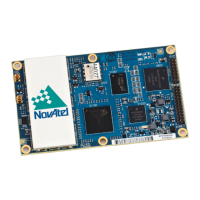
PwrPak7 Installation and Operation User Manual
PwrPak7 Installation and Operation User Manual v1A 4
2.11 Mount the PwrPak7-E1 29
2.12 Connect the PwrPak7 to Data Communication Equipment 30
2.12.1 Serial Ports 30
2.12.2 USB Ports 31
2.12.3 Wi-Fi 31
2.12.4 Ethernet Port 32
2.12.5 CAN Bus Port 32
2.13 Connect I/O Signals to the PwrPak7 32
2.14 Connect Power to the PwrPak7 32
2.14.1 Fuse for the Power Supply 33
2.14.2 Vehicle Installation 34
2.14.3 Seamless Battery Swap 34
2.15 Check that the PwrPak7 is Operating 35
Chapter 3 OEM7 Receiver Operation
3.1 Communications with the Receiver 37
3.1.1 Wi-Fi Communications 38
3.1.2 USB Communications 38
3.1.3 Serial Port Communications 39
Change the COM Port Settings 40
Configure a COM Port to Use RS-232 or RS-422 40
3.1.4 Ethernet Communications 40
3.1.5 CAN Bus Communications 41
3.1.6 ICOM Communications 41
3.2 Getting Started 42
3.2.1 Communicating with the Receiver 42
3.3 Transmitting and Receiving Corrections 43
3.3.1 Defining Antenna and Base Antenna 45
3.3.2 Base Station Configuration 45
3.3.3 Rover Station Configuration 46
3.3.4 Configuration Notes 46
3.4 ALIGN Heading Master and Remote Configurations 47
3.4.1 Automatic Set Up for Direct-Wire Connection between Master and Rover via
COM2 47
3.4.2 Manual Set Up via COM2 47
3.5 GLIDE 48
3.5.1 Dual-Frequency GLIDE 48
3.5.2 PDP and GLIDE Configurations 48
3.6 STEADYLINE 49
3.6.1 Maintain 49
3.6.2 Transition 50
3.6.3 Prefer Accuracy 50
3.6.4 UAL 51
3.7 Enabling SBAS Positioning 52
3.8 Enabling NovAtel CORRECT with PPP 52
3.8.1 TerraStar Subscriptions 53
3.8.2 Veripos Subscriptions 54
3.9 RTK ASSIST 54
3.10 Transferring Time Between Receivers 55
3.10.1 GPS to Receiver Time Synchronization 55
3.10.2 Time Definitions 55
3.10.3 Procedures to Transfer Time 56
3.11 Interference Toolkit 60
3.11.1 Monitoring GNSS Signals 60


 To Next Page