EasyManua.ls Logo

Novexx Solutions 64-05 - User Manual

Default Icon
438 pages
Print Icon
To Next Page IconTo Next Page
Loading...
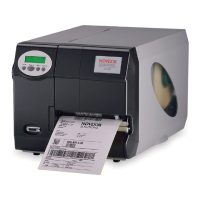
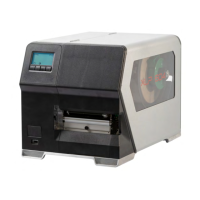
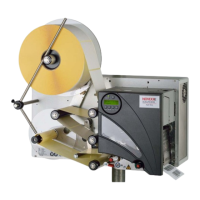
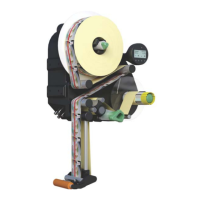
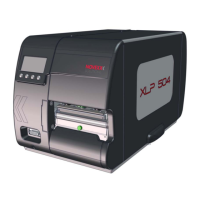
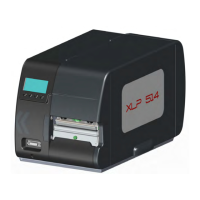
Valid for the following printers:
USER MANUAL
Release 1 - 06/2015
© 2015, Novexx Solutions GmbH,
Ohmstraße 3, 85386 Eching, Germany.
All rights reserved.
64-04 64-04 Dispenser
64-05 64-05 Dispenser
64-06 64-06 Dispenser
64-08 64-08 Dispenser
Copyright Symbols
Using the Documentation
Safety Notes
Commissioning and Operation
Setup
Advanced Applications
Maintenance and Cleaning
Info-Printouts and Parameters
Status Reports
Internal Fonts
Technical Data
Accessories
Disposal
USER MANUAL
Fig.: 64-04 (Delivered version may deviate from the picture)

Table of Contents

Question and Answer IconNeed help?

Do you have a question about the Novexx Solutions 64-05 and is the answer not in the manual?

Summary

Safety Notes

Information and Qualifications

Details necessary information and qualifications for operating the printer safely.

Machine Operating Safety

Outlines conditions for safe use and protection against electrical and mechanical hazards.

Commissioning and Operation

Mounting the Printer

Provides step-by-step instructions for unpacking and mounting the printer.

Device Description and Connections

Details the printer's physical components and available connection interfaces.

Operator Panel Functions

Explains the functions of the display and buttons on the printer's operator panel.

Setup

Advanced Applications

Standalone Operation

Covers operating the printer without a host computer using memory cards or keyboards.

Maintenance and Cleaning

Printhead Maintenance

Details the steps for cleaning and changing the printhead, emphasizing safety measures.

Disposal

Before Disposal Procedures

Outlines essential steps to take before disposing of the printer, emphasizing safety.

Novexx Solutions 64-05 Specifications

General IconGeneral
BrandNovexx Solutions
Model64-05
CategoryLabel Maker
LanguageEnglish

Related product manuals