
 Need help?
Do you have a question about the Novexx Solutions XLP 514 and is the answer not in the manual?
General introductory information and notes for the user.
Details the manual's scope and required compliance.
Explains symbols and formatting used in the manual.
Safety precautions and guidelines for operating the printer.
Defines the specific applications and operating position for the printer.
Important safety instructions and requirements for safe operation.
Highlights safety warnings and precautions to be observed on the machine.
Provides detailed technical specifications of the printer.
Details physical dimensions, connection specifications, and environmental conditions.
Information about compatible label materials and their specifications.
Recommendations for thermal transfer ribbon specifications.
Specifications for ribbon roll dimensions.
Details about the print head technology and characteristics.
Information on the accuracy of printing in the X and Y directions.
Describes data and signal interfaces for connecting external devices.
Technical specifications of the printer's internal electronic components.
Lists relevant certifications and compliance markings for the product.
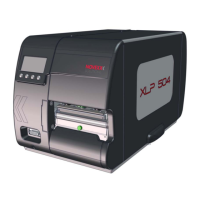
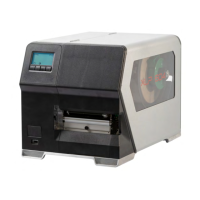
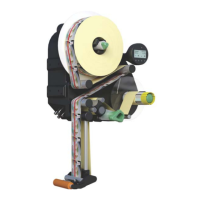
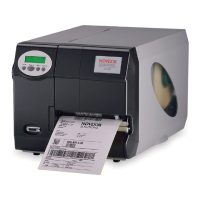
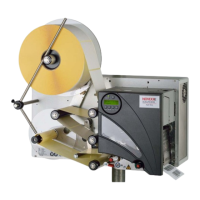
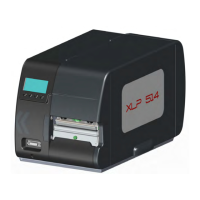
Describes the available "Basic" and "Peripheral" versions of the printer.
Lists internal and external options and accessories for the printer.
Explains the internal workings and material path of the XLP 51x printer.
Identifies and describes the external controls and displays of the printer.
Describes the display and keys on the printer's operation panel.
Explains how display colors indicate the printer's operational status.
Explains the meaning of various icons displayed on the printer.
Explains icons indicating the printer's current state.
Lists key combinations for specific printer functions.
Introduces the web-based control panel for the printer.
Lists requirements for accessing and using the web panel.
Outlines the capabilities of the web panel (production, settings, admin).
Explains how error messages are displayed and confirmed.
Details the notification view and its components for troubleshooting.
Describes the job details view within the web panel for monitoring print jobs.
Shows the main menu structure for accessing machine settings.
Explains how to use the search function to find parameters.
Describes the administration view, accessible with supervisor/service roles.
Provides an overview of the printer's parameter menu structure.
Details the Print contrast parameter, its settings, and effects.
Explains the Head pressure parameter and its settings.
Describes the X-axis print adjustment parameter.
Describes the Y-axis print adjustment parameter.
Settings for print speed and material feed.
How to delete a print job from the printer.
How to delete all print jobs from the spooler.
Selecting between thermal transfer and thermal direct printing.
How the printer measures and sets label length.
Defines material types based on gap or mark detection.
Parameter for setting the measured label length.
Parameter for setting the material width.
Selection of the label sensor type (punched, reflex).
Setting the total ribbon length for reserve monitoring.
Setting for the outer diameter of the ribbon roll.
Setting for the inner diameter of the ribbon roll.
Parameter to enhance the visibility of thin lines in printouts.
How to select and set parameters as favorites in the web panel.
Critical safety warning regarding mains voltage and electrical hazards.
Cautionary note about potential machine damage from defective accessories.
Diagram and explanation of the printer's connection ports.
Section detailing electrical connection procedures.
Instructions for connecting the printer to the mains power.
Identifies data interfaces (Ethernet, USB, RS232) on the printer.
Step-by-step guide to turning the printer on.
Step-by-step guide to turning the printer off.
How to confirm and apply settings made by the setup wizard.
How to cancel and discard settings from the setup wizard.
Diagrams showing how to thread label material and ribbon.
Detailed instructions for loading thermal transfer ribbon.
How to switch between different ribbon types without re-threading.
Procedure for inserting roll material into standard XLP 51x printers.
Step-by-step guide for inserting leporello material.
Instructions for inserting roll material with internal rewinder.
Steps to insert roll material with internal rewinder and dispensing edge.
How to adjust the label sensor position for optimal detection.
Setting the label pitch, either automatically or manually.
Setting the material type for detection.
Selecting between thermal transfer and thermal direct printing.
Adjusting temperature compensation for print head stability.
How to handle or report missing labels during printing.
Monitoring the remaining ribbon length.
How the printer signals and handles ribbon end.
How the printer signals and handles material end.
How to handle or report missing labels during printing.
Display of remaining ribbon length and how to set its parameters.
How the printer signals and handles ribbon end.
Status message and procedure for when the material roll runs out.
Methods for creating print jobs using layout software or Easy Plug.
Steps to transfer print jobs using command files via data cable.
Steps to start print jobs stored on an external memory medium.
Outlines requirements and functionality for operating without a host.
Prerequisites for selecting files from external memory.
Step-by-step process for selecting print jobs from memory media.
Mapping of printer panel keys to external keyboard keys.
How the printer interprets and executes files with .FOR extension.
How firmware files (.tar) are handled for system updates.
Explains how status reports are displayed and structured.
Warnings triggered by the signal interface, displayed on the "Ready" screen.
Details error messages, their acknowledgment, and blocking errors.
Steps to access troubleshooting guides via QR code and smartphone.
Troubleshooting for "No gap found" error, causes and measures.
Troubleshooting for "Material end" error, causes and solutions.
Troubleshooting for cutter faults, causes and solutions.
Troubleshooting for "Ribbon end" status, causes and solutions.
General safety and cleaning instructions for the printer.
Recommended cleaning agents and their article numbers.
Explains the importance and frequency of cleaning the print head.
Explains the importance of cleaning the print roller for print quality.
Explains why and how to clean the label sensor.
Step-by-step guide for replacing the printer roller.
Critical cautions regarding print head installation and compatibility.
Prerequisites and tools needed for adjusting material guiding.
Guide to selecting appropriate label stock for the printer.
Details print width limitations for XLP 516 with 300 dpi heads.
Information on open source software used and where to find license details.
Index entries for numerical parameter names and error codes.
 General
| Power Supply | 100-240 V AC, 50/60 Hz |
|---|---|
| Print Method | Thermal Transfer |
| Print Resolution | 203 dpi |
| Max. Print Width | 104 mm |
| Max. Print Length | Varies depending on resolution and memory |
| Media Width | 25.4 mm - 116 mm |
| Media Thickness | 0.05 mm - 0.25 mm |
| Interfaces | Ethernet, USB |
| Maximum Print Width | 104 mm |
| Maximum Print Length | Varies depending on resolution and memory |
| Label Width Range | 25.4 mm - 116 mm |
| Label Thickness Range | 0.05 mm - 0.25 mm |
| Supported Operating Systems | Windows |
| Memory | 8 MB RAM, 8 MB Flash (expandable) |
| Supported Barcode Types | Code 39, Code 128, UPC-A, UPC-E, EAN-8, EAN-13, Interleaved 2 of 5, Codabar, POSTNET, PDF417, Data Matrix, QR Code |


 To Next Page