
 Need help?
Do you have a question about the Novexx Solutions XLP 604 and is the answer not in the manual?
Provides introductory information and general guidelines for the manual.
Details symbols used in the manual for clarity and quick reference.
Defines the product's designated purpose and usage parameters.
Lists specifications including dimensions, connection data, and ambient conditions.
Details the precision and tolerances of the printing process.
Describes data and signal interface options available on the printer.
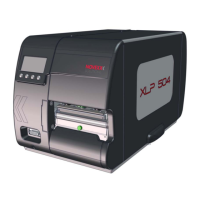
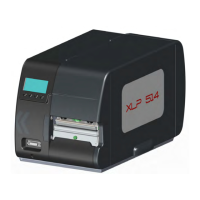
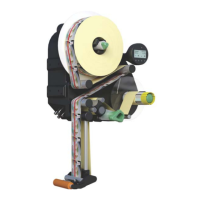
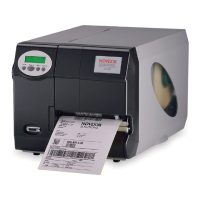
Outlines the different hardware configurations and models of the XLP 60x series.
Explains the core mechanism of how the printer produces labels.
Identifies and describes the external physical controls and ports on the printer.
Details the display and keys of the printer's front control panel.
Lists the requirements needed to access and use the printer's web interface.
Provides step-by-step instructions on how to launch the web panel.
Explains how critical error messages are displayed and managed.
Presents a structured overview of the printer's configurable parameters.
Details the setting for print contrast and its effect on print head life.
Instructions for safely connecting the printer to the main power source.
Covers initial electrical setup and safety precautions before operating the printer.
Guides the user through the initial printer configuration process.
Provides a visual layout of how materials are threaded through the printer.
Step-by-step guide for safely installing and removing the thermal transfer ribbon.
Detailed procedure for loading roll material on the standard model.
Instructions for adjusting the label sensor for accurate material detection.
Details the parameter for measuring and setting the distance between labels.
Explains methods for creating print jobs using layout software or command files.
Instructions for initiating print jobs directly from a USB drive.
Outlines the prerequisites and functionality for operating the printer without a host connection.
Overview of how the printer reports malfunctions and errors.
Describes critical errors that halt operation and require specific actions.
Steps to use a smartphone to access error-specific troubleshooting guides.
Details causes and solutions for the 'No Gap Found' error status.
General guidelines and safety precautions for cleaning the printer.
Step-by-step instructions for cleaning the printer's print head.
Guide on how to remove and replace worn or damaged rubber rollers.
Step-by-step instructions for replacing the printer's print head unit.
Information on selecting appropriate label stock based on material properties.
 General
| Print Method | Thermal Transfer / Direct Thermal |
|---|---|
| Print Resolution | 203 dpi |
| Max. Print Width | 104 mm |
| Media Width | 25.4 mm to 110 mm |
| Interfaces | USB, Ethernet, RS-232 |
| Supported Label Materials | Paper, Cardboard |


 To Next Page