
 Need help?
Do you have a question about the Novexx Solutions XLP 504 and is the answer not in the manual?
General information about the manual, its validity, and required compliance.
Explanation of symbols, abbreviations, warnings, and formatting conventions used in the manual.
Information regarding special key combinations, serial numbers, and factory settings.
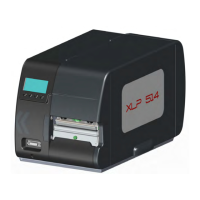
Physical measurements (height, width, depth) and weight specifications for the printers.
Technical specifications regarding print head characteristics, sensors, and print speed.
Details on material types, thickness, width, and length specifications for label stock.
Specifications for ribbon rolls, including winding direction and dimensions.
Information on protection class, mains voltage, power consumption, and current.
Details on available interfaces like RS-232, RS-422/485, Ethernet, and USB.
Overview of the printer's electronic components like CPU, RAM, ROM, and control panel.
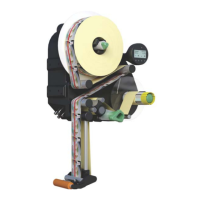
Technical data related to the dispenser function, including speed and distances.
Environmental requirements for printer operation, storage, and protection categories.
Lists relevant certifications and compliance markings for the device.
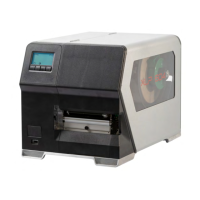
Specific print width constraints for the XLP 506 model based on print speed.
Overview of the printer's housing parts, including rear and front hoods.
Exploded drawings and replacement procedures for ribbon mandrels on the XLP 504.
Exploded drawings and replacement procedures for ribbon mandrels on the XLP 506.
Procedures for replacing the print head and related components.
Instructions for adjusting material guide friction and replacing transport components.
Procedures for checking and replacing the label sensor.
Specific installation instructions for a label sensor designed for short labels on XLP 504.
Procedures for replacing the pinion and motor for the internal rewinder/dispenser.
Procedures for replacing key electronic components like CPU, I/O, and power supply.
Guidelines for handling electronic boards safely, including ESD precautions.
Instructions on how to activate and use the sensor test function.
Table detailing sensor types, connections, typical values, and conditions.
List of sensors connected to the stepper motor output stage board.
List of sensors connected to the BLDC motor output stage board.
List of sensors connected to the I/O board.
Procedures for adjusting various sensors including punch, foil, print head lever, and reflex.
Procedure to set the material end sensor threshold for detecting material end.
Procedures to compensate for length and impression misalignment of the print.
Overview of available parameters organized by category and function.
An alphabetical listing of all available parameters with their corresponding page numbers.
Detailed reference for various printer parameters and their settings.
General information on how status reports are displayed during operation.
Informational messages displayed briefly, allowing printer operation to continue.
Critical messages requiring acknowledgment, displayed until the cause is resolved.
Errors in firmware that can only be corrected by the manufacturer.
Errors in Easy Plug code detected with firmware v3.33+, requiring strict handling.
Errors with multiple potential causes, requiring reproduction and detailed information for diagnosis.
Information about status reports not in the list, requiring reference to authorized service office.
Lists status numbers and their corresponding error descriptions and causes.
Troubleshooting guide for common faults related to data transmission, display, gap detection, and material transport.
Procedures for generating and storing diagnosis data for malfunction analysis.
Information and procedures for detecting and updating printer firmware.
A complete setup file listing all parameters and their current settings for the XLP 504.
Indicates that wiring diagrams are provided on subsequent pages.
Wiring diagram for the XLP 504 basic printer model.
Wiring diagram specifically for the XLP 504 basic 600 dpi model.
Wiring diagram for the XLP 50x basic dispenser model.
Wiring diagram for the XLP 504 peripheral printer model.
Wiring diagram for the XLP 504 peripheral 600 dpi printer model.
Wiring diagram for the XLP 50x peripheral dispenser model.
Instructions for installing a generic printer driver on Windows 7 for firmware updates.
 General
| Brand | Novexx Solutions |
|---|---|
| Model | XLP 504 |
| Category | Label Maker |
| Language | English |


 To Next Page
