All rights reserved © AAT SYSTEMY BEZPIECZEŃSTWA SP. Z O.O.
N Control 6000 - User’s manual ver. 1.1
12
BASIC FUNCTIONS
3. Basic functionality support.
3.1. Device adding
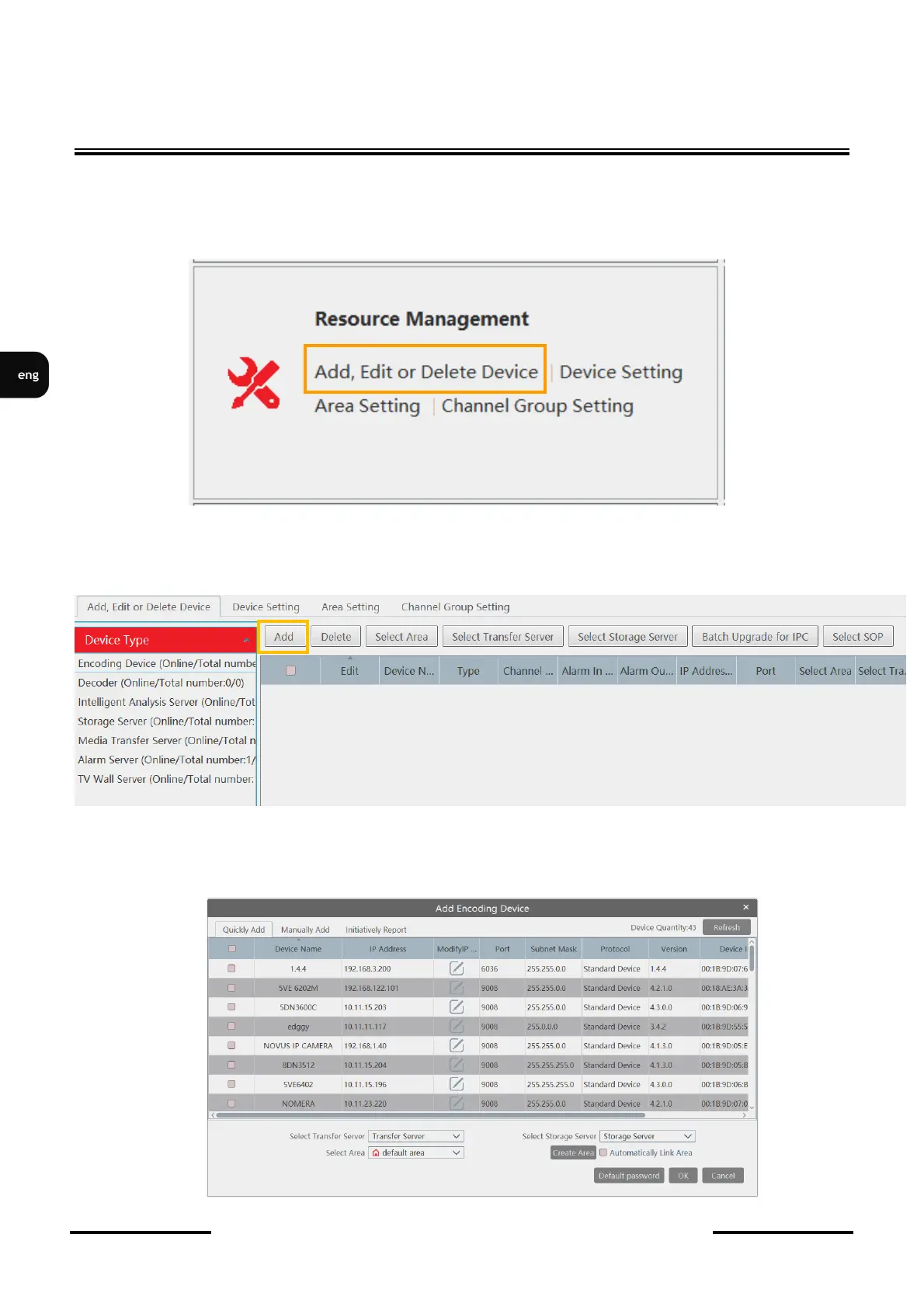
To add a device, find the Resource Management section
To add a device, find the Resource Management section add click on Add, Edit or Deleted Device.
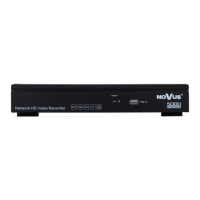
In the window that appears, click the Add button in Encoding device
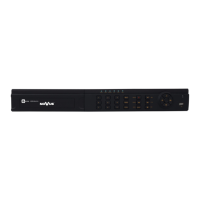
A list of devices found by the program will be displayed in the window. To add a device from the list
they should be marked with a checkmark in the selection field of the first column to the right of the
list and then clicking the OK button.



 To Next Page