All rights reserved © AAT SYSTEMY BEZPIECZEŃSTWA SP. Z O.O.
N Control 6000 - User’s manual ver. 1.1
8
SOFTWARE STARTUP
2.4. Record partition settings
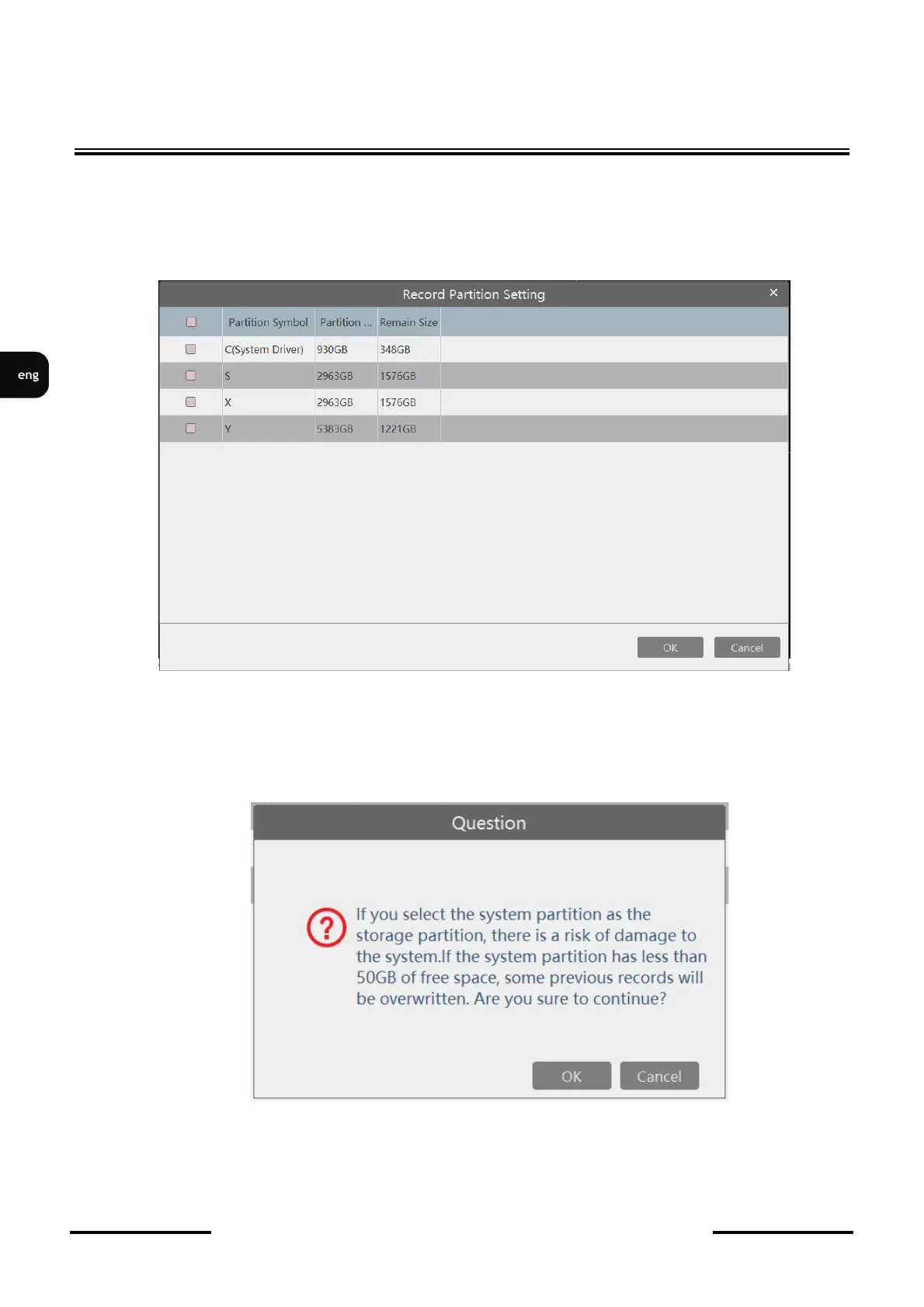
During the first run (or when we do not select a partition). After logging in, the application will
display the window for selecting the partition for saving the recordings by the program. In the
program window, select the partition on which the program is to save by marking the checkbox and
pressing the OK button.
It is not recommended to select the system partition or with less than 50 Gb of free space. Saving
recordings on the system partition may cause partition overflow and unstable system operation.
Therefore, after selecting the system partition, a warning window will appear. Clicking the OK button
will confirm the selection and clicking the Cancel button will cancel the selection.



 To Next Page