NHDR-5000 Viewer - User’s manual ver. 1.1
All rights reserved © AAT SYSTEMY BEZPIECZEŃSTWA SP. Z O.O.
17
BASIC FUNCTIONS
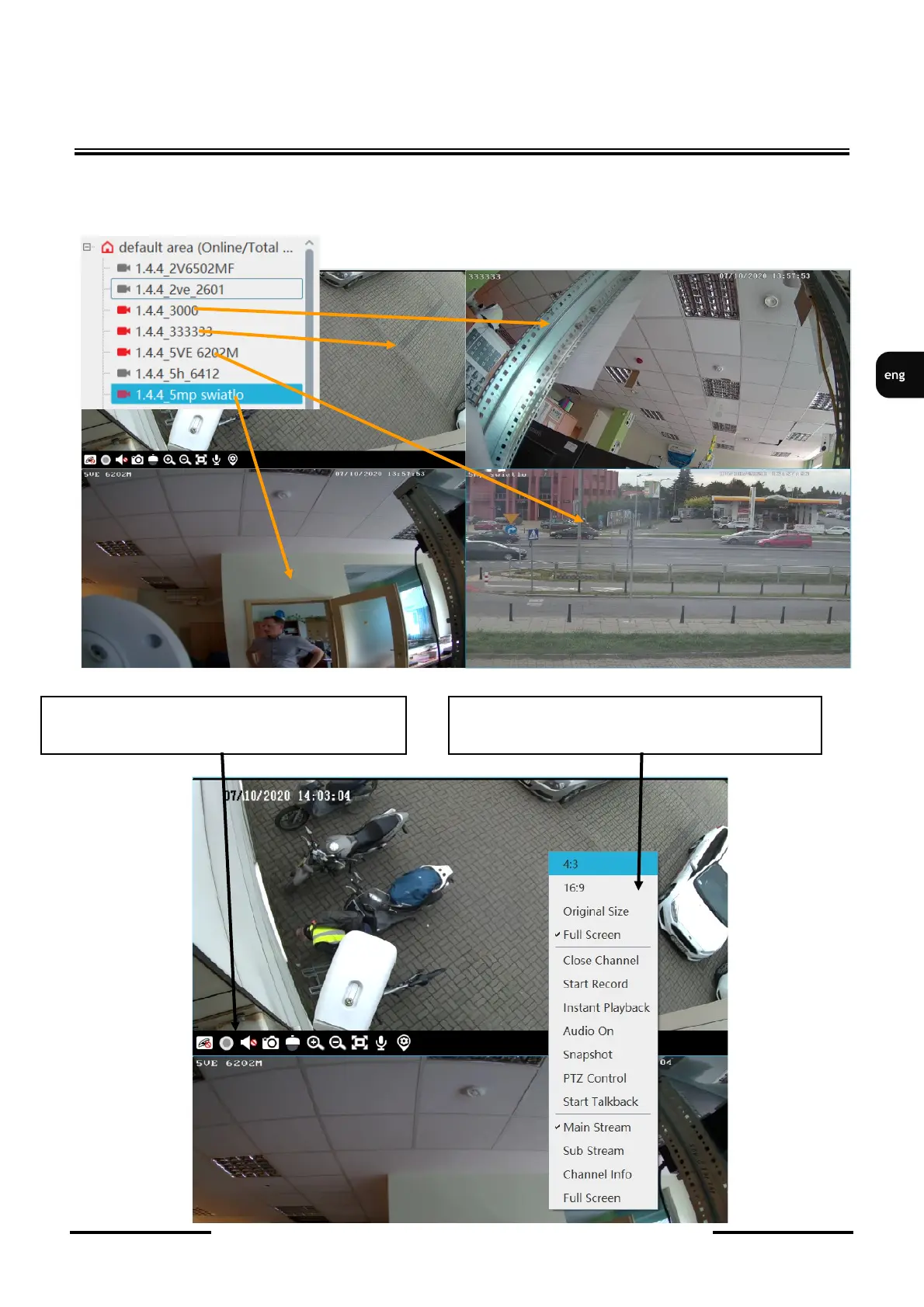
In the tab with the list of channels, expand the list of devices by clicking on the + field. From the
expanded list devices, drag the selected channels while holding the left button to the display
windows .
Positioning the mouse cursor at the bottom of
the display window opens the display menu.
The display options are available after pressing
the right mouse button on the displayed screen



 To Next Page