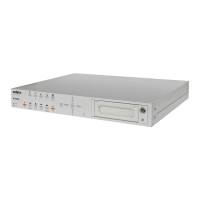
NV-DVR900 / NV-DVR1600 ver. 2.0 - User’s Manual
All rights reserved © NOVUS Security Sp. z o.o.
4
1. FOREWORD INFORMATION ..............................................................................................6
1.1 Main characteristic ...............................................................................................................6
1.2 NV-DVR900 / NV-DVR900CD Technical Specification ...................................................7
1.3 NV-DVR1600 / NV-DVR1600CD Technical Specification ...............................................8
2. DEVICE POWER UP ................................................................................................................9
2.1 Preparing the equipment for operation ..............................................................................9
2.2 Electric connectors and other components of back panel ...............................................11
2.3 External Devices Connection ..........................................................................................12
2.4 Front Panel description ....................................................................................................13
2.5 Device Power On/Off .....................................................................................................17
3. MULTIPLEXER MENU .........................................................................................................18
3.1 Camera Settings ................................................................................................................19
3.1.1 Camera Control ......................................................................................................19
3.1.2 Camera Setup ..........................................................................................................20
3.1.3 PTZ Settings ............................................................................................................22
3.1.4 Alarm Presets ..........................................................................................................23
3.1.5 Video Format .........................................................................................................23
3.2 Recording .........................................................................................................................24
3.2.1 Recording Schedule ................................................................................................24
3.2.2 Motion detection .....................................................................................................25
3.2.3 Manual recording ....................................................................................................27
3.3 Sensor / Alarm Setup .......................................................................... .............................28
3.3.1 Sensor Name ...........................................................................................................28
3.3.2 Alarm Link Setup ....................................................................................................29
3.4 User Define Screen ...........................................................................................................31
3.5 Audio Setup ......................................................................................................................32
3.6 Menu Setup .......................................................................................................................33
3.7 System Setup ....................................................................................................................34
3.7.1 Log View ................................................................................................................34
3.7.2 HDD Management .................................................................................................36
3.7.3 HDD Backup ..........................................................................................................39
3.7.4 Auto Select .............................................................................................................40
3.7.5 Video Output ..........................................................................................................41
3.7.6 Administration ........................................................................................................42
3.7.6.1 Network Setup ...........................................................................................43
3.7.6.2 Date / Time Setup ......................................................................................44
3.7.6.3 Password Administration ...........................................................................44
3.7.6.4 Web Password ...........................................................................................46
3.7.6.5 Update Program .........................................................................................47
3.7.6.6 Covert Channel Selection ..........................................................................47
3.7.6.7 Mail Notification Setup .............................................................................48
3.7.7 Configuration Setup ...............................................................................................50
3.7.8 Keypad Setup .........................................................................................................51
3.7.9 About System .........................................................................................................51
4. SCHEDULE PROGRAMMING ............................................................................................52
TABLE OF CONTENTS



 To Next Page