NV-DVR900 / NV-DVR1600 ver. 2.0 - User’s Manual
All rights reserved © NOVUS Security Sp. z o.o.
40
MULTIPLEXER MENU
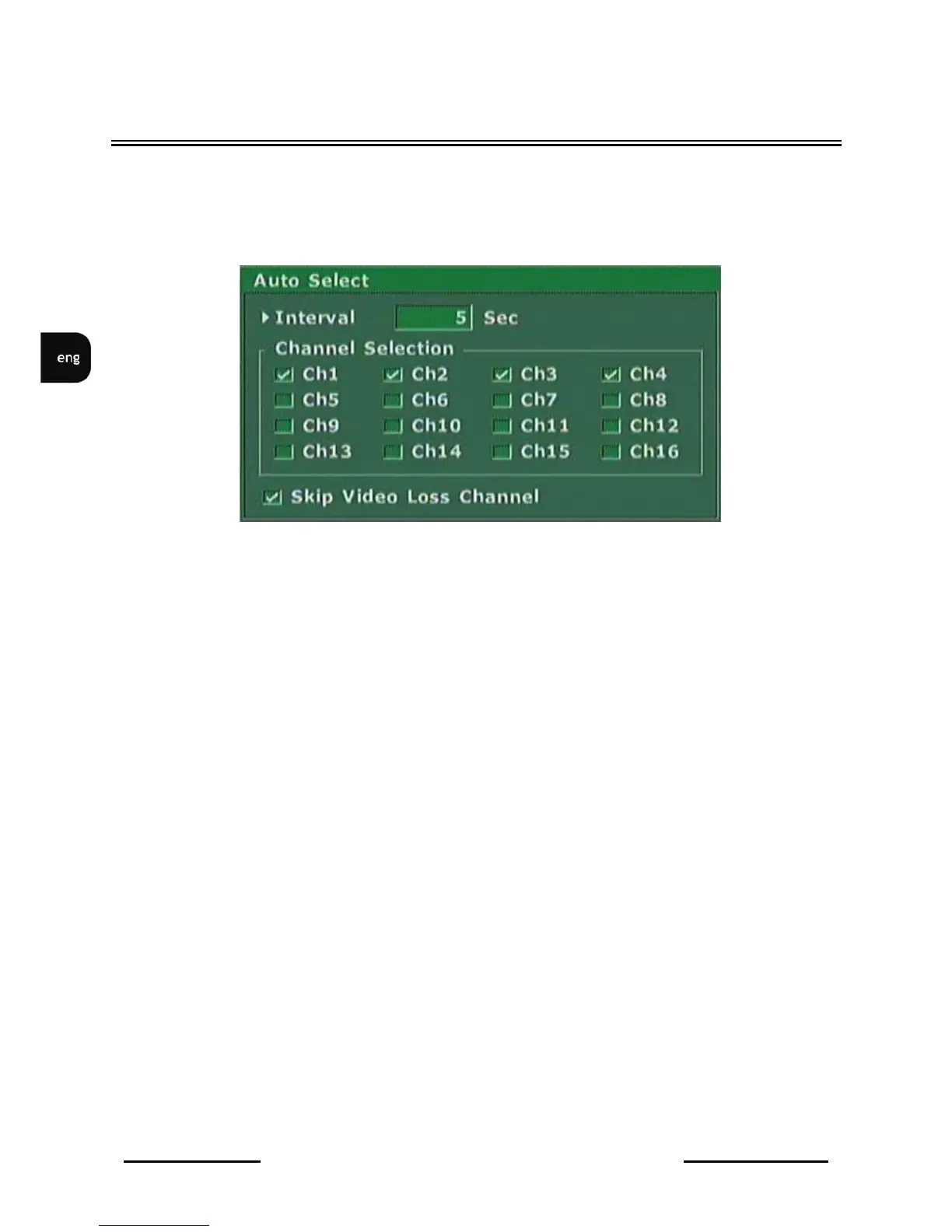
3.7.4 Auto Select
Auto Select
sub-menu is used to set split screen display on main monitor (after pressing
Auto
button).
•
Interval
option is used to define split screen dwell time. Dwell time can be defined within the
range of 300 seconds.
•
Channel Selection
is used for channel selection which should be used in split screen display
sequence.
•
Skip Video Loss Channel
option allows to skip inactive channels (channels with no video
signal).
View for
NV-DVR1600



 To Next Page