NV-DVR900 / NV-DVR1600 ver. 2.0 - User’s Manual
All rights reserved © NOVUS Security Sp. z o.o.
71
PTZ MODE
8.2 Required menu settings
Protocol and transmission settings should be preset according to the one selected in the camera in order
to provide proper camera control.
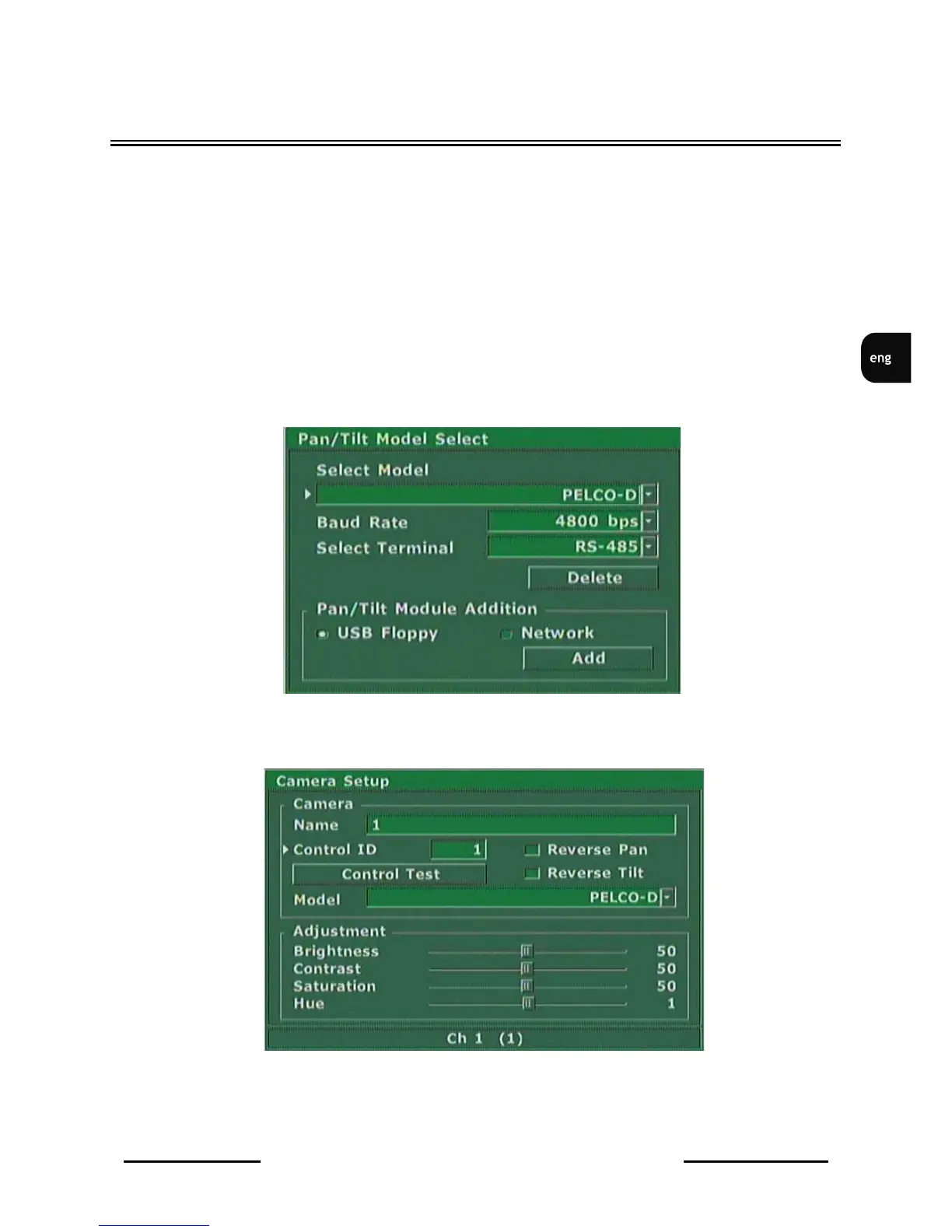
To set protocol and transmission settings access the menu
Camera Setup / Pan / Tilt Model
Set
Select Model
option to protocol
Pelco-D
Select
Baud Rate
option identical speed as the one selected in cameras (in example shown below 4800
bauds per second).
Select
Select Terminal
option to port with which cameras control cables are connected that is
RS-485
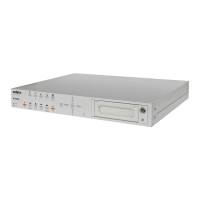
Next exit the above sub-menu and enter sub-menu
Camera Setup
Input appropriate, desired settings applying to the camera which number is displayed on the bottom of
the window.



 To Next Page