4.2 General setup
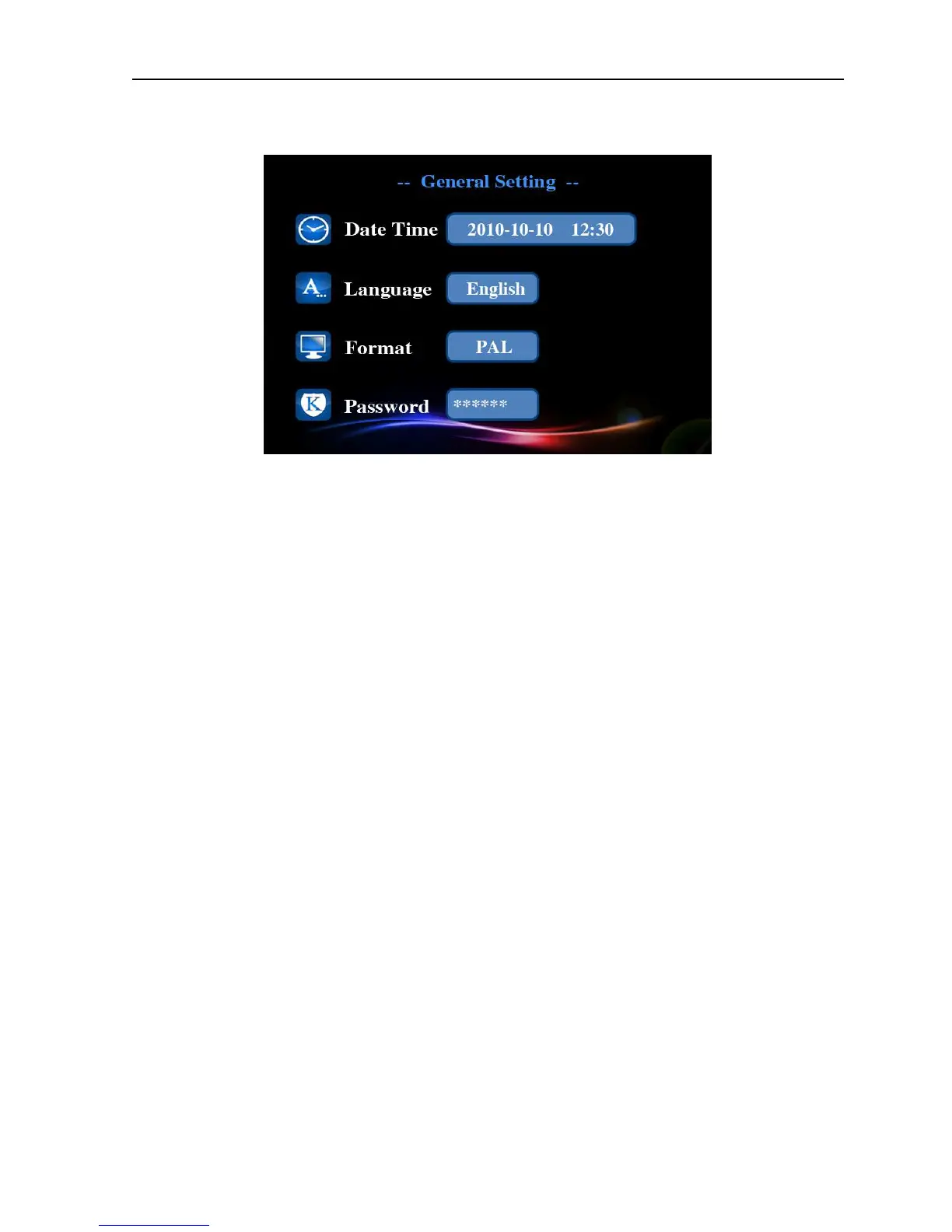
Picture 4.2 General setup interface
Set the basic parameters of the system, please click [main menu]> [general] to enter the
general setup interface.
【
【【
【Time setup】
】】
】
Set the system date and time.
【
【【
【Language setup】
】】
】
Set the system language
.
【
【【
【Video format】
】】
】
According to PAL or NTSC used in different areas, set the video format of the
system.
【
【【
【Access password】
】】
】
Set the password of network remote monitor, the password only can be
numbers; You must set access password for the system in the first time, otherwise the remote
monitor can not be used.
4.3 System setup
Update and maintain the system, please click [main menu]> [system] to enter the general setup
interface.


 To Next Page