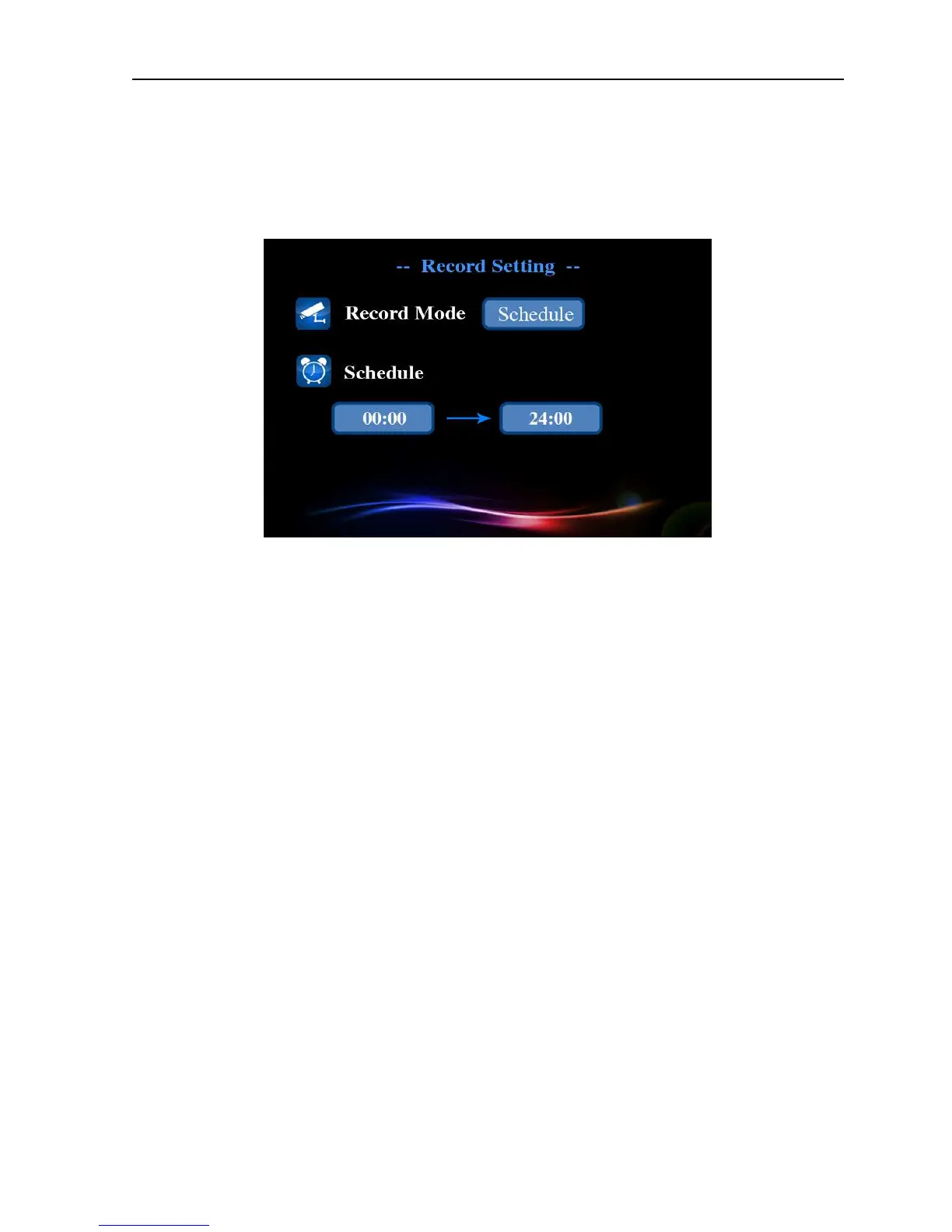
Picture 4.11 Record setup(2)
【
【【
【Timed】
】】
】
You can set the record time, system will automatically enter record state during this
time.
Picture 4.12 Record setup(3)
5 Remote monitor and video call
5.1 Remote monitor
You need correctly connect to the network before remote monitor. For network setup, please see
4.5 【Main menu】>【network setup】
Remote monitor between two devices
The internet abnormal connection icon of standby interface will disappear after normal access
to the internet, and the system is online state. Example: when using device A to make remote
monitor to device B(the 3C ID is 1001), you need set remote monitor password for device B(see
【Main menu】>【general】).And set device A as follows: press “1001#” and dial it, the dialog box
will be popped up to remind you of entering access password, press confirm button after enter
password, then device A can make remote monitor to device B.
Using cell phone or tablet computer to make remote monitor to the NPC
Boot up the application after normally installing Gviews client software to cell phone or tablet


 To Next Page