【
【【
【IP】
】】
】
Set system IP address, you can automatically or manually set the IP address.
Through automatically set the IP address, system will automatic access to IP by DHCP;
Through manually set the IP address, you can manually set the IP address(system will automatically
determine the network segment of IP address, you only need manually set the last one of IP
address. )
【
【【
【Internet】
】】
】
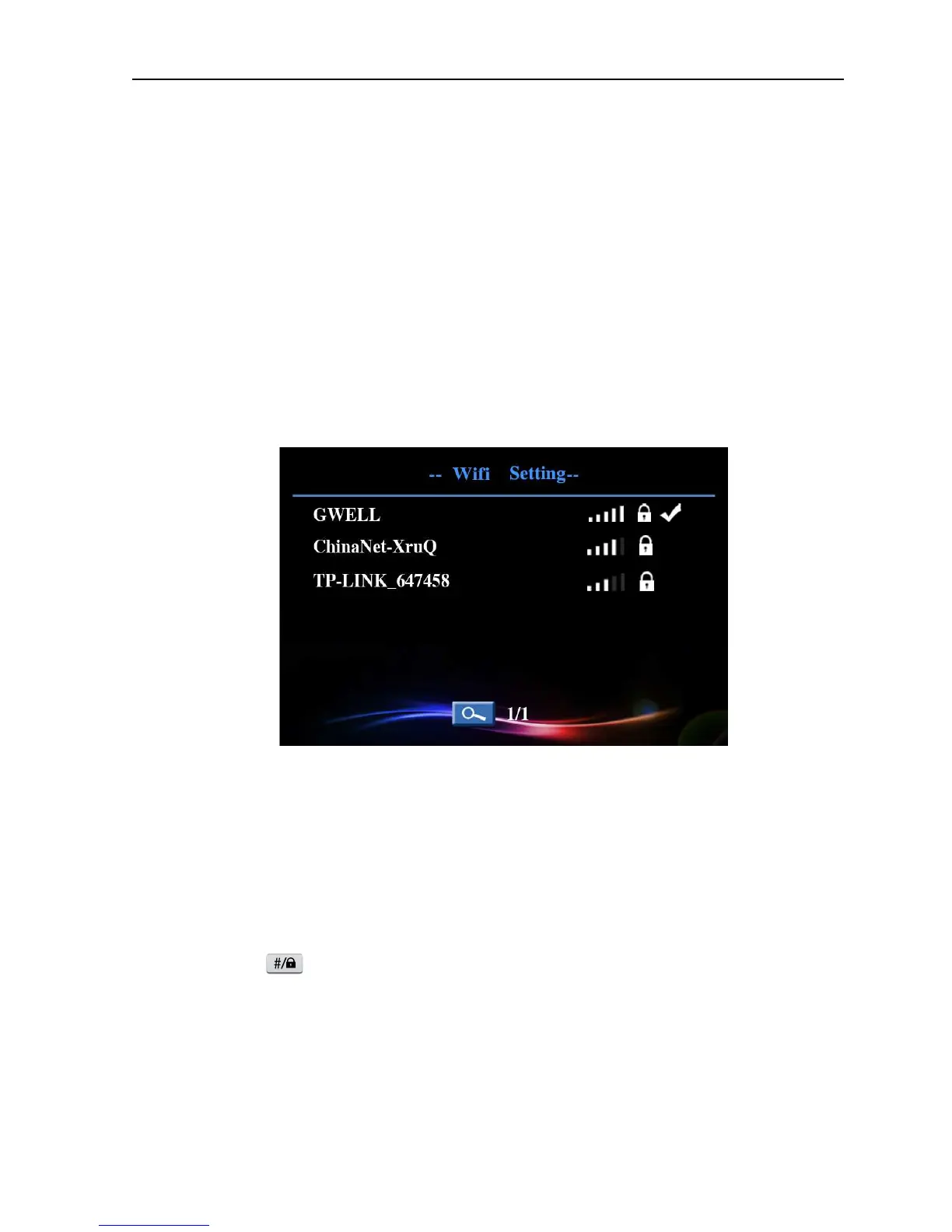
According to access way to network to choose wired or WIFI connection to internet.
Equipped with wire, system will connect internet through the wired network; Using WIFI, system
will search WIFI and set the connection accordingly, the connected internet name will be shown
after successful access, and WIFI connection icon will be shown in standby interface.
Picture 4.8 WIFI setup
4.6 Alarm setup
Set alarm parameters, you can click [main menu]> [alarm] to enter the alarm setup interface.
You need pre-start the defense system before using alarm function, system enter defense state after
long press button in 15 seconds, defense indicator will constant light.


 To Next Page