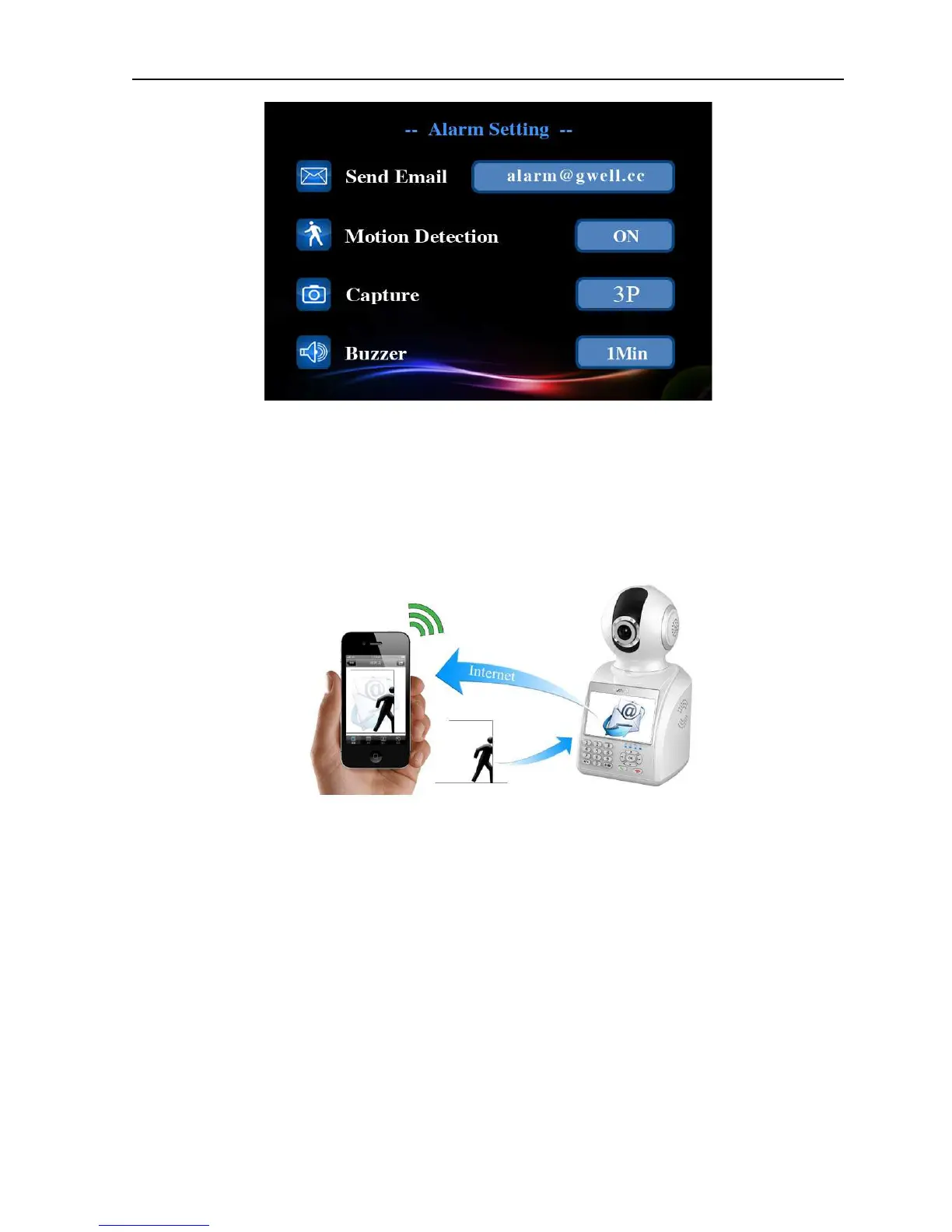
Picture 4.9 Alarm setup
【
【【
【Send e-mail】
】】
】
When there is alarm or alarm linkage of capture images, you can send specific
alarm information or capture images to given e-mail address
.
Picture 4.10 Email alarm
【
【【
【Motion detection】
】】
】
This option is turned on and when the system detects the mobile signal that
reached a preset sensitivity by analyzing the video image, motion detection alarm
will be booted
.
【
【【
【Screen capture】
】】
】
You can choose the quantity of system automatic screen capture when alarm
appears, the images will be saved in U disk or Micro SD card.
【
【【
【Buzzer】
】】
】
You can set the alarm duration of system speaker when alarm appears.


 To Next Page