192.168.1.10 and 192.168.1.11, device A can dial “11” to make video call with device B.
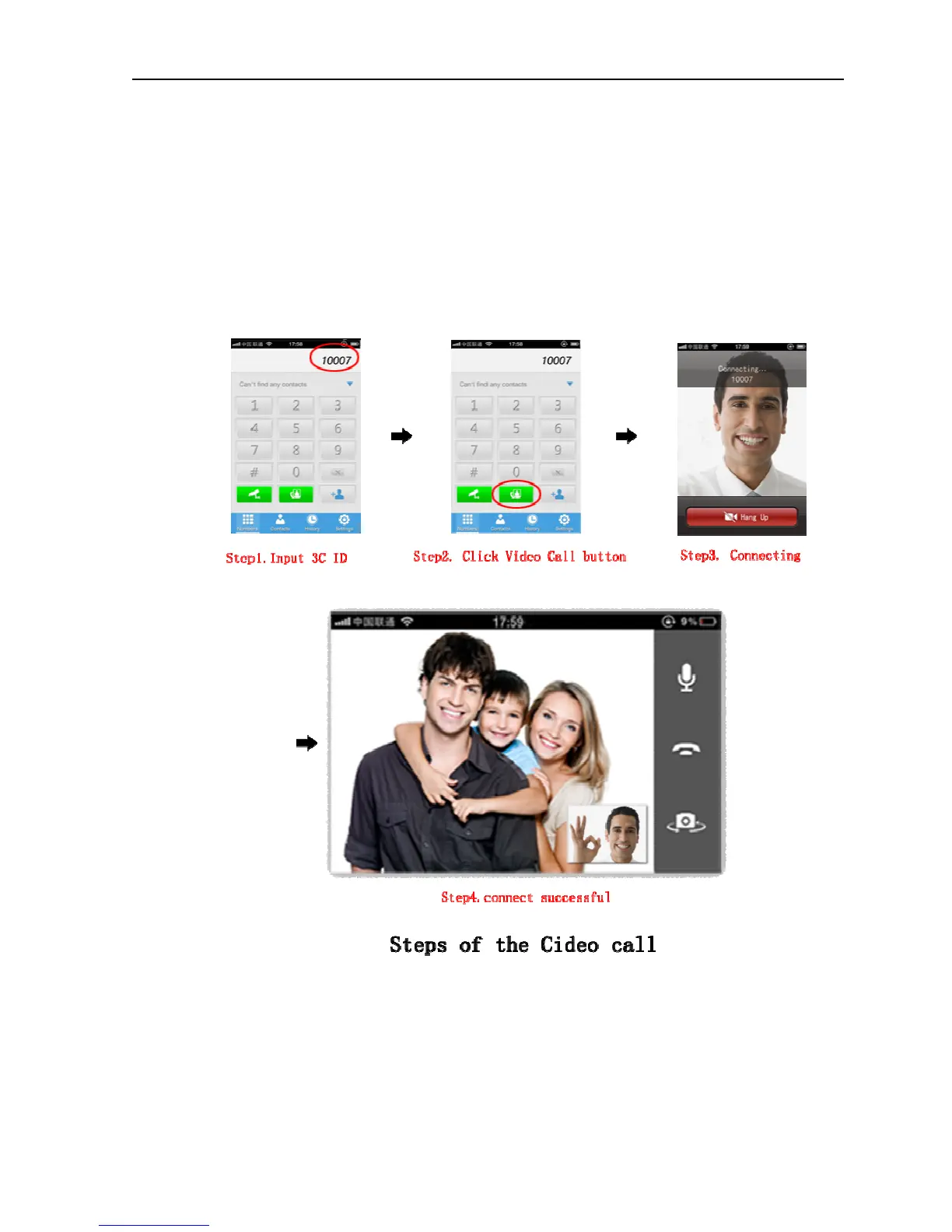
Using mobile devices such as cell phone or tablet computer to make video calls with
the device
Boot up the application after normally installing Gview client software to cell phone or tablet
computer etc, click on the dial screen and enter the 3C ID as required, click video call button to
make video call with the NPC; If the video call fails, please check whether the network of mobile
device is normal.


 To Next Page