User´s Manual English
DTR 126 12
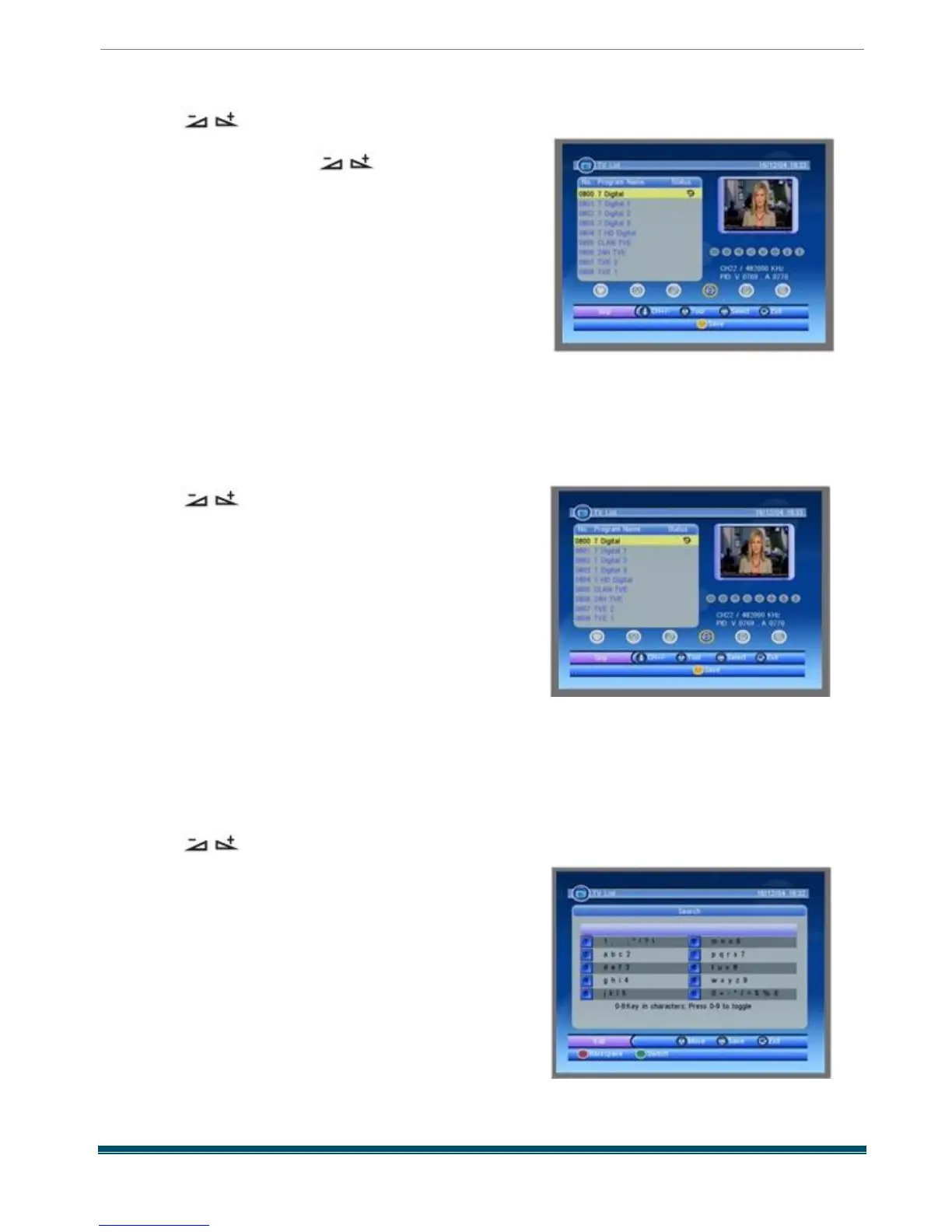
1.1.6 Skip
Pressing keys to select the Skip button ,
and then press PR + ,PR - keys to select the
program you want , press OK key on RCU to
assign the selected channel with skip mark .
T hen you can move the selected channel to the
position where you want to place it by pressing
[Up /Down ] keys . Press OK key to confirm your
decision . The mark will disappear if you press
OK key again or press [EXIT ] key to cancel the
operation .
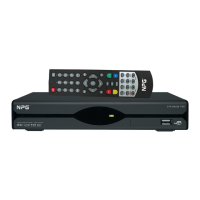
1.1.7 Delete
Pressing keys to select the Delete button ,
and then press PR + ,PR - keys to select the
program you want to delete , press OK key on
RCU to assign the selected channel with
deleted mark . The delete mark will disappear if you
press [OK ] key again . Press OK key to
confirm your
decision or [EXIT ] key to cancel the operation .
Press green key to select all programs and
assigned them with delete mark , then press
yellow
key to delete all programs .
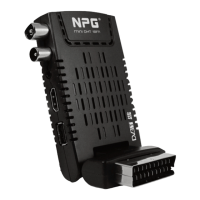
1.1.8 Search
Pressing keys to select the Search
button , press OK key to enter the window as besides .
press green colour key to switch between
capital letter and lower letter ; press red colour
key to delete the character on the cursor ;
press [Right /Left ] keys to move the cursor left
or right ; press numeric keys ( 0 - 9) to input the
character .
If the name is empty, system will pop up a dialogue
informing "Name" once yellow colour key is pressed .
Press OK key to close this dialogue .



 To Next Page