Before any A/S request
Controller Check Indicator Window
Check items for any abnormality in the power supply
If the temperature is
not indicated on the
temperature
indicator window;
Check items for any abnormality in the heating
If the temperature is
not increasing in the
product;
ྙ Check out if the power button in the
controller is pressed to turn on the
product.
ྚ Check out if the temperature is set to
too weak a condition.
ྛ Do not disassemble the product but
contact your supplier or our company.
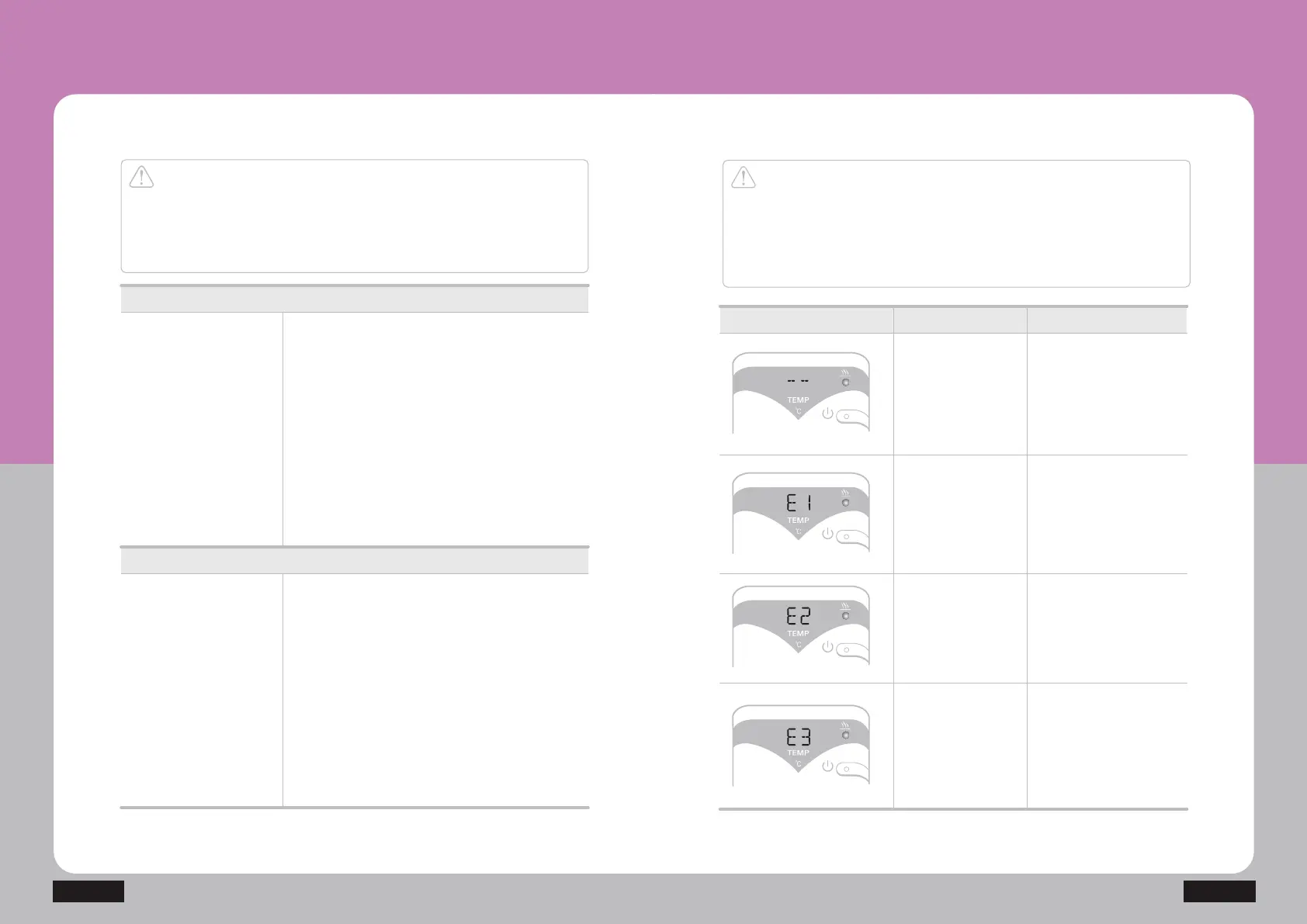
Display Descriptions Display location
Disconnection of
temperature sensor
The temperature
sensor is not
detected
Short circuit of
temperature sensor
The temperature
sensor is under
the short circuit
Disconnection
of heating unit
The heating unit is
disconnected or
under the disconnection
by the bimetal operation
Overheating of
heating unit
The temperature in the
heating unit is
increased more
than 86Ȕ
Product Storage and Care
NM-200
Caution
Ensure checking out the following before applying for A/S if any
abnormality occurs in the product.
The product might fail to operate normally even without any failure
if you use it without reading the manual.
Caution
Do not disassemble the product arbitrarily if any error occurs, but
remove the power plug, turn off the power switch, and then contact
your supplier.
If you disassemble the product arbitrarily, it might cause serious
injuries and/or damage to the product.
ྙ Check out if the power plug on the controller
is connected to an outlet.
ྚ Check out if the power button in the
controller is pressed to turn on the product.
ྛ Check the operating voltage.


 To Next Page