How$to$Install$the$Product
NM#5000P
How$to$Install$the$Product
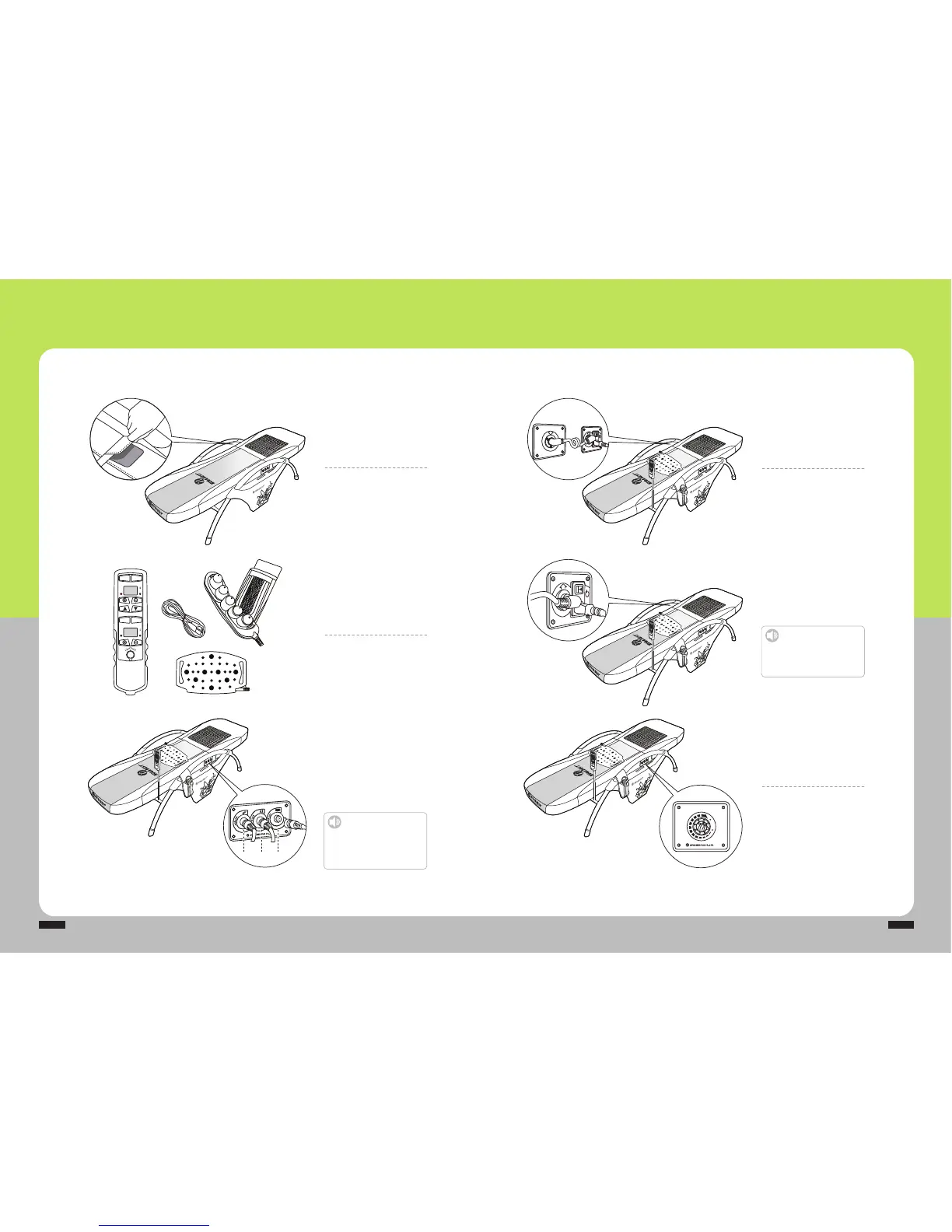
Prepare$product$
components
Take%out%the%remote%co ntroll er, %
power%cord,%external%projector,%
projector%pocket,%and%low%frequency%
pad.
Connect$to$the$connector$bay
ྙRemote%controller
ྚExternal%projector
ྛLow%frequency%pad
Connect%components%sequentially .
Connect$the$mat$cable
Connect%the%power%supply%cable%for%
the%sub%mat%to%both%the%main%and%
sub%mats%as%shown%in%the%picture.
Turn$on$the$power$supply$
in$the$product
Turn%on%the%power%switch%after%the%
power%supply%cord%is%connected%to%the%
power%input%on%the%side%of%the%main%mat.
Set$temperature$to$the$
sub$heater
Turn%the%dialer%to%set%the%desired%
temperature%in%the%sub%heater%
attached%to%the%side%of%the%sub%mat.
Tighten$the$product$frame$
to$the$mat
Attach%the%connecting%band%after%
placing%and%tightening%both%the%main%
and%sub%mats%to%the%product%frame.
Caution
Turn$off$the$power$switch$when$the$
power$is$connected.
Otherwise,%it%might%cause%failure.
Caution
Keep$the$groove$upward$to$the$
cable$connection.
Malfunctions%might%occur,%if%the%groove%is%not%
aligned%accurately%during%the%cable%connection.
HIGH
LOW
ⴘⴙⴚ


 To Next Page