T9
Product Introduction
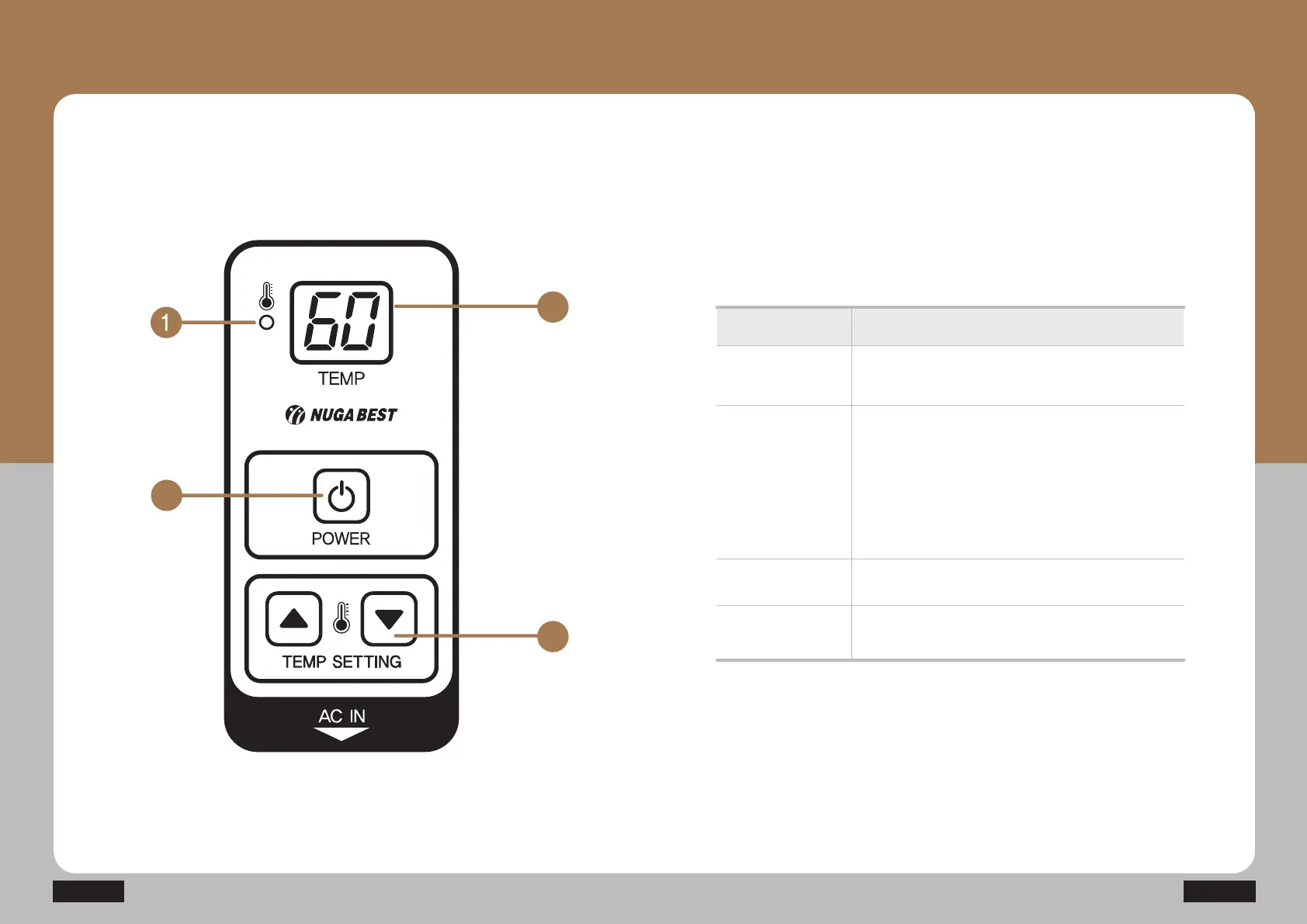
Descriptions for Controller Buttons
Name Function
ⴘ Power LED
lamp
A button for turning the power on and off
A button for setting the device temperature
ⴚ Power button
ⴛ Temperature
control button
A lamp indicating whether the device is on
or off
ྚ Temperature
indicator window
(FND)
Window to indicate the temperature of the product
(FND)
It displays the set temperature in the setting mode,
and the current temperature is displayed once the
desired temperature has been set.
(Temperature can be set by 1°C in the 40~70°C
range)



 To Next Page