TUFQ
TUFQ
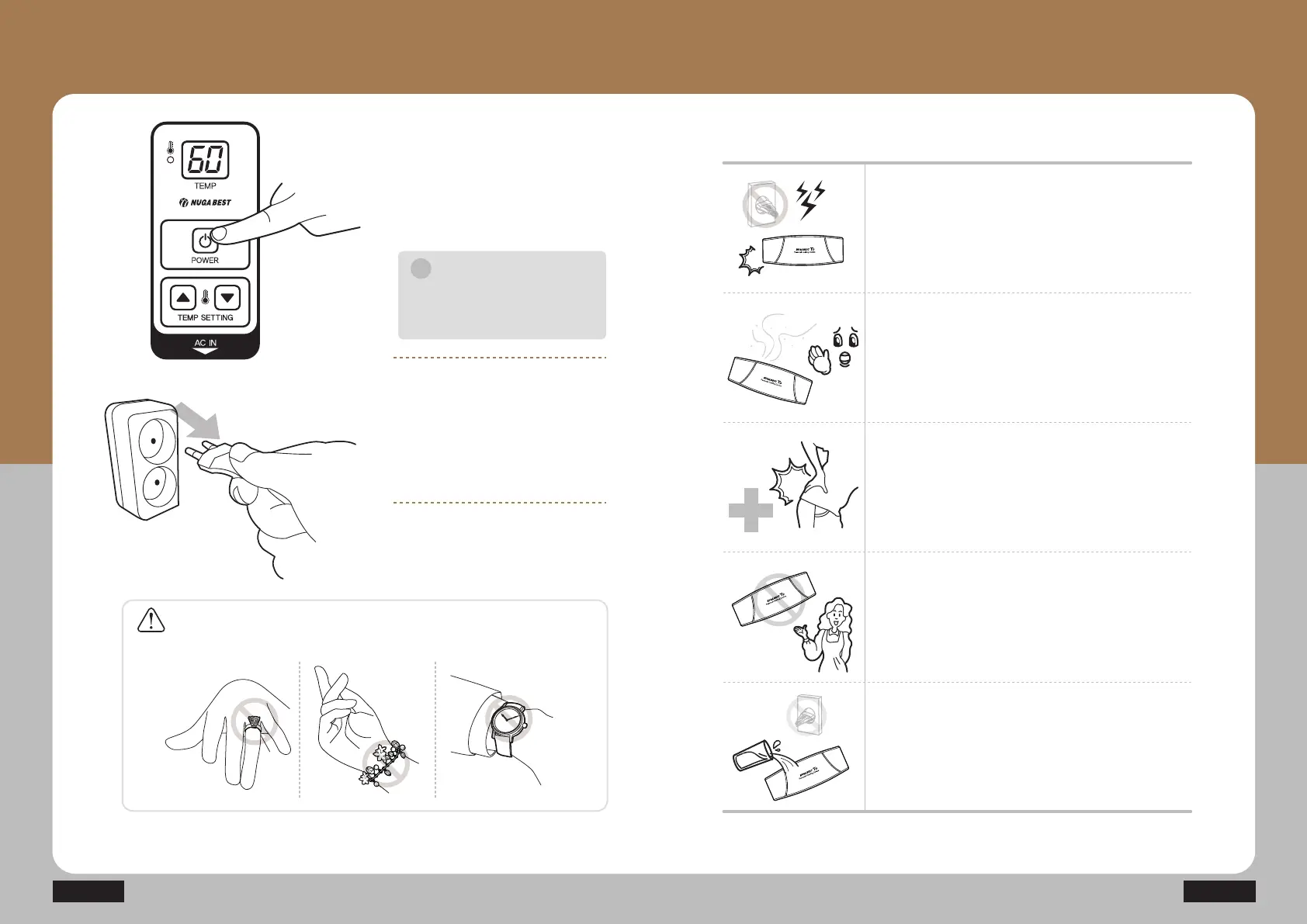
Press the power button to stop
the device.
Unplug the power cord from the
outlet.
Notice
The power supply on the product
is automatically turned off after
8 hours.
i
T9
How to Use Product
Stop using the product immediately and remove
the power plug if there is any lightning.
Stop using the product immediately and contact
your supplier branch or our company if you smell
any burn or detect any smoke from the product.
Stop using the product immediately and consult
with a doctor if any abnormality occurs to the
human body.
Turn off the power switch immediately, stop using
the product and contact our company if you find
out any failure or power failure from the product.
Turn off the power switch, remove the power
plug immediately, and then contact our company
if you have poured water into the product.
Caution
If a user uses the product while wearing accessories on hands, it may cause
some damage to the product.
How to Take Emergency
Actions during Use


 To Next Page