MEGAWATT CARBON BIKE MANUAL | 3 4
SECTION 4 - SRAM AXS APP
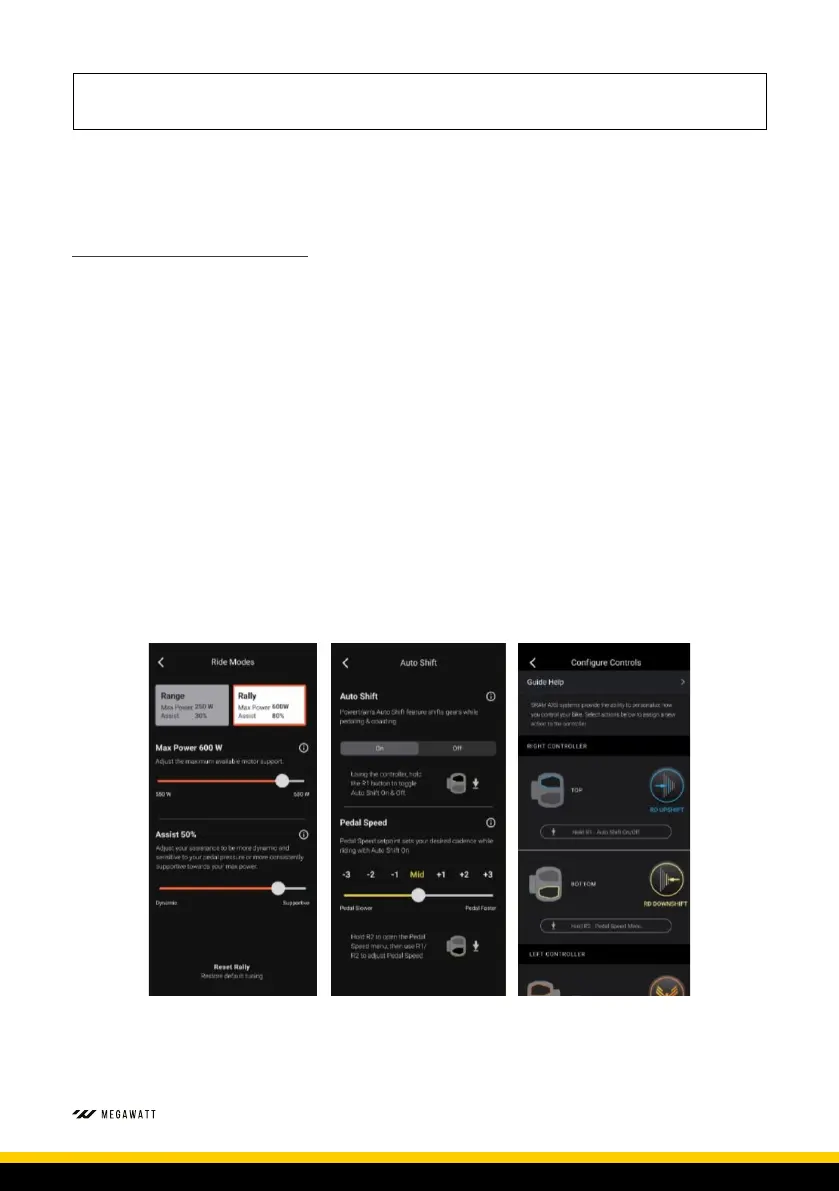
The SRAM Eagle Powertrain connects to your phone through the SRAM AXS app. Available for free from all major app
stores, to create an account, add your components and customise your Megawatt Carbon AXS set-up.
THE AXS APP ALLOWS FOR THE FOLLOWING:
• Connection of your AXS and Powertrain components using Bluetooth to the AXS app.
• Build and customise a number of bike profiles.
• Review bike performance and readiness.
• Customise component settings to match your riding style and preferences.
• Assign custom actions to your handlebar controls.
To customise component settings within the SRAM AXS app, all AXS components must be paired into a single system. The
pairing procedure is detailed in the Quick-Start portion of this manual for you to reference, please ensure the controls are
paired to the rear derailleur and seatpost.
To ensure optimal AXS and Powertrain performance please ensure you have installed the most up to date SRAM AXS app
and component firmware. Updates for component firmware are performed through the app.
Please note: Your AXS rear derailleur is hardwired to the Megawatt Carbon’s main battery. Ensure the bike is powered on
before performing derailleur firmware updates. If the bike is powered off during firmware updates, the update may fail,
and the update process will need restarted.


 To Next Page