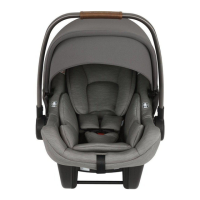
Features Usage
Harness Use
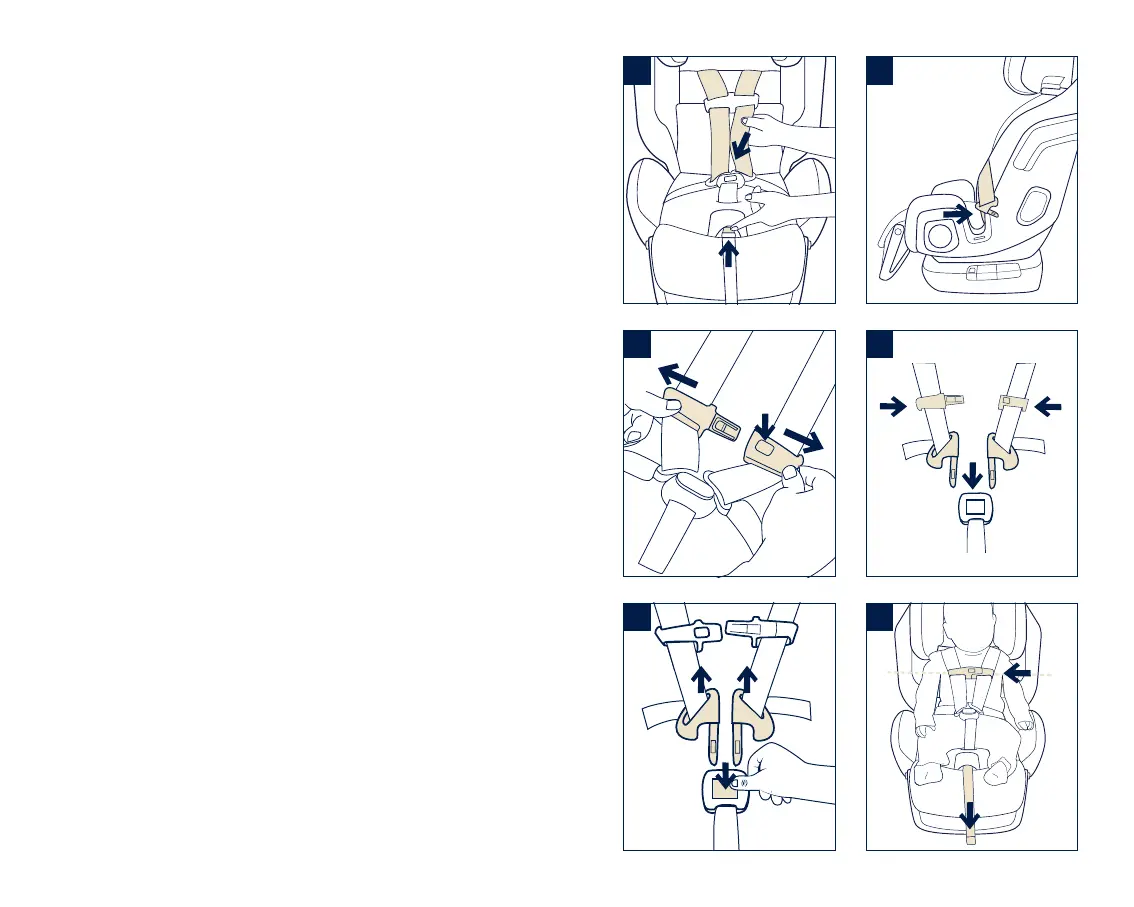
1 - To Loosen Harness
Press on harness release button (1) while
pulling forward on the harness straps (2).
2 - To Open Chest Clip
Press button on front of clip (1) and pull clip
apart (2).
3 - To Open Harness Buckle
Press red button on front of buckle (1) and pull
out buckle tongues (2).
4 - To Use Magnetic Buckle Tongue Holders
Loosen and unbuckle harness. Place the buckle
tongues against the magnetic area on the side
of the child restraint so that the tongues are
held in place.
5 - To Fasten Chest Clip
Push chest clip halves together until they click.
(1) Pull to check.
To Fasten Buckle
Insert buckle tongues firmly into buckle until
they click. (2) Pull up on tongues to ensure they
are locked.
6 - To Tighten Harness
Pull on harness adjustment strap. (1) Place
chest clip at child's armpit level after
tightening. (2)
1
1
1
1
1
1
2
2
2
2
2
1
2
3
4
5
6
22 EXEC
™
instructions 23EXEC
™
instructions



 To Next Page