45
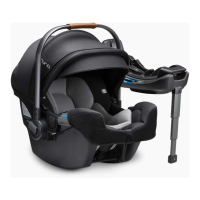
Installation with Base
Installation with ISOFIX System
1 Unfold the load leg from the storage compartment. (3)
2 Fit the ISOFIX guides into the ISOFIX anchor points. (4)
The ISOFIX guides can protect the surface of the vehicle seat
from being torn. They will also guide the ISOFIX connectors.
3 Press the ISOFIX release button on either side of the base, then
pull out the ISOFIX connectors.
(5)
4 Line up the ISOFIX connectors with the ISOFIX guides, and then
click both ISOFIX connectors into the ISOFIX anchor points. (6)
Make sure that both ISOFIX connectors are securely attached
to their ISOFIX anchor points. There should be two audible
clicks and the colors of the indicators on the both ISOFIX
connectors should be completely green. (6) -1
Check to make sure the child restraint is securely installed by
pulling on the both ISOFIX connectors.
5 There are 9 adjustable positions for ISOFIX. Press the ISOFIX
release button and push the base back against the vehicle
seat until tight.
6 After placing the child restraint on the vehicle seat, extend the
load leg to floor
(7). The load leg indicator will show green
when installed correctly, red means it is installed incorrectly. (7)
The load leg has 24 positions. When the load leg indicator
shows red this means the load leg is in the wrong position.
Make sure the load leg is secure by pressing down on
the front of the child restraint.
To shorten the load leg, squeeze the load leg release button
and pull the load leg upwards.



 To Next Page