4
5
6
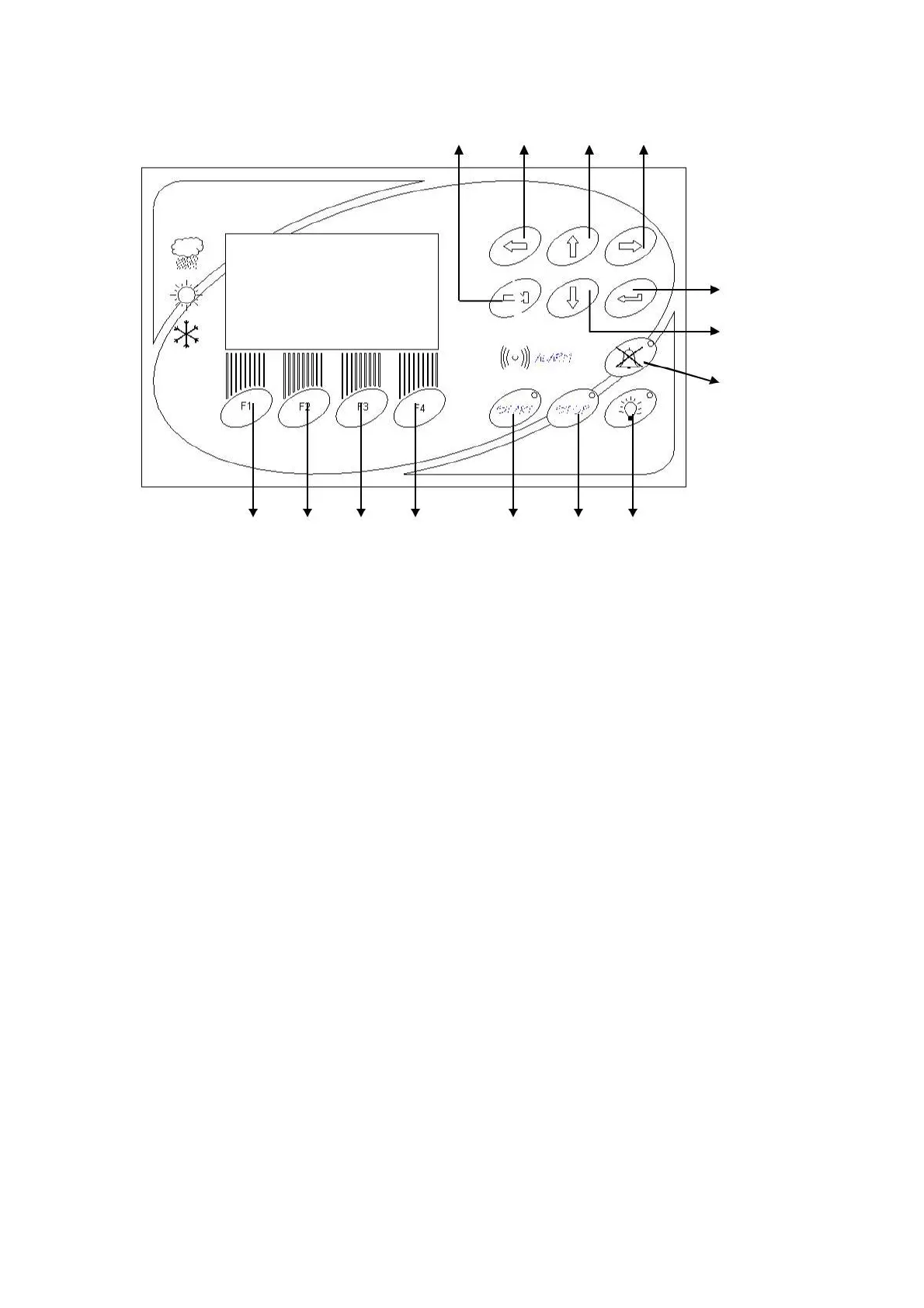
F1 F2 F3 F4 1 2 3
F1, F2, F3, F4: Function keys that are used to perform the functions that correspond to those
places.
1. START KEY: The program can be started to run by pushing START key. The LED of
this key is on during the operation and flashes when the program is completed.
2. STOP KEY: It stops the running program manually. The LED of this key is on when the
stop key is pressed for 5 seconds and during the stand-by position.
3. ILLUMINATION CONTROL KEY: It is used to reach illumination settings page.
4. ENTER KEY: It is used to validate and save the parameters during programming.
5. VALUE DECREASE (↓) KEY: It is used to decrease the set values in the related
display.
6. ALARM MUTE BUTTON: It is used to mute the audible alarms. The LED of this key is
on when the key is pressed.
7. TAB KEY: It is used to pass between the lines of program parameters during
programming.
8. BACK (←) KEY: It is used to turn back to the previous screen during programming.
9. VALUE INCREASE (↑) KEY: It is used to increase the set values in the related display.
10. NEXT (→) KEY: It is used to go to the next screen during programming
9



 To Next Page