9
Starting Your Tablet
8
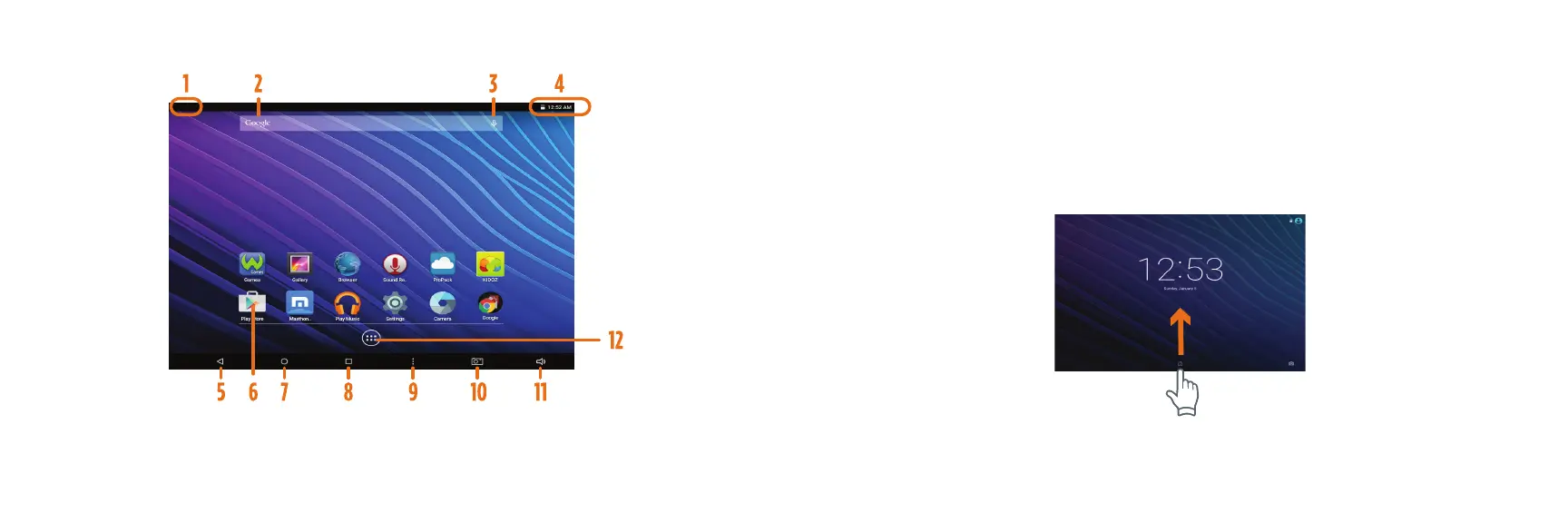
Home Screen At-a-Glance
1. Press and hold the Power button for 3 seconds.
(If your tablet does not turn on, or instructs you to “Connect
your charger”, connect the AC adapter and charge the unit.)
2. At the Start-up screen, slide your finger up to unlock.
3.
Once you’ve arrived at the Home screen, you can begin using your tablet.
1. Connection/Activity
2. Google Search Box
3. Google Audio Search
4. Status Bar
5. Previous Page
6. App
7. Home
8. Open Apps
9. Options
10. Take Screenshot
11. Volume
12. App Tray















 To Next Page